














SolGuruz Logo
Pricing

ERP Integration Services

Connect your ERP to the systems your teams already run, without manual re-entry between them.

ERP integration is the process of connecting an enterprise resource planning system to the other applications a business runs, so records move between them without manual entry. The work covers data flow mapping, integration method selection, connector build, field mapping, error handling, and monitoring. The ERP stays the master record that connected systems read from and write back to.
Talk to an ERP Engineer
Illustration of a developer at a laptop building an ERP application window, with a code icon and a settings gear alongside it

Flexible Engagement Models

Strict NDA

1 Week Risk Free Trial

The Engineering Partner You Can Build On

Reliable software takes an experienced team that owns delivery end to end. Here's the track record behind ours.

7+

Years Building Custom Software

102+

Products Delivered Across Apps, Web & Software

80%

Repeat Client Rate

87+

Clients Served Across 17+ Countries

Trusted by Startups and Enterprises Worldwide

success speaks louder

Watch How We Make a Difference

Tim Samuel, Vice President and Co-Founder at Sparketh
Sparketh

Online Art Education Platform

I've been working with SolGuruz for almost five or six years. They say you have to pick two of the three: cost, quality, or speed. SolGuruz has been the only company that I have ever experienced that has delivered on all three of those pillars at the same time. They deliver the highest quality code, designs, and projects at the best price and within timelines you think are impossible. You guys are amazing and unmatched.

Tim Samuel

Vice President & Co-Founder, Sparketh | Shark Tank Featured Startup

Gary Boyd, CEO of Tasty Food Guys LLC

Custom Software Solution Development / Driver Dashboard & Invoice Automation for Food Service Company

SolGuruz has delivered a solution that has reduced 90% of manual efforts through automation and provided real-time insights for supplier fulfillment and order volume trends. The team is responsive to requests and changes, and their proactive approach to problem-solving has stood out.

Tasty Food Guys

Summarized from Gary Boyd's Clutch review

Gary Boyd

CEO and Owner, Tasty Food Guys | Florida, USA

Read Clutch Verified Review
Robert Mond, Principal at The Master Storytellers LLC

Mobile App & Web App Dev & UX/UI Design for Social Platform / Daily Journaling App

SolGuruz has delivered the initial design and meets weekly to track progress. The team coordinates the project through a project manager as the primary client contact. SolGuruz is communicative and provides follow-up to meet requirements. They communicate via virtual meetings, emails, and messages.

DreamStoryLive

Summarized from Robert Mond's Clutch review

Robert Mond

Principal, The Master Storytellers LLC & Founder/CEO, DreamStoryLive | New Mexico, USA

Read Clutch Verified Review
Chad Smith, Owner of Monarch Radon Testing and Founder of RadonSketch

Radon Compliance Software - Website & Mobile App Dev for Home Services Company

SolGuruz delivered the project on time and had outstanding project management skills. Furthermore, the team communicated effectively and cohesively through Microsoft Teams. Overall, the service provider's performance led to the client's satisfaction.

RadonSketch

Summarized from Chad Smith's Clutch review

Chad Smith

Owner, Monarch Radon Testing LLC & Founder, RadonSketch | Colorado, USA

Read Clutch Verified Review

SolGuruz is Rated by Real People on Google and Clutch

SolGuruz Google Reviews
5.0

Rated 5.0 / 5 on Google by clients, partners, and visitors who have experienced SolGuruz first-hand - through our work, our office, or our team.

Read Google reviews →
SolGuruz Clutch Reviews
4.9

4.9 / 5 on Clutch - independently audited reviews from real clients who have shipped products with SolGuruz.

Read Clutch Reviews →

Backed by independent accreditations

IS IT TIME

Signals Your ERP Needs Integration

Integration work usually starts because something is costing time every day. Six patterns show up most often.

Orders and records get re-keyed by hand

Stock or financial numbers do not match across systems

Reporting is dependent on spreadsheets

Teams each trust a different system

More orders mean hiring more people for data entry

Customers ask for order status and nobody can answer quickly

THE SCOPE

What ERP Integration Covers

ERP integration keeps your ERP as the master record while other systems read from it and write back to it. The work falls into six areas.

Data synchronization

Records move between systems on a defined schedule or as events happen, so customer records, orders, invoices, and stock levels stay aligned without anyone exporting a file. Sync direction gets decided per record type, with conflict rules defining which system wins when the same field changes in two places.

Process automation across systems

A single business process often crosses three or four applications, where an order affects stock, then picking, then invoicing, then the ledger. Integration lets each step trigger the next without a handover email, and ERP integration software handles the routing while exceptions get flagged to a person.

Unified reporting

Reporting pulls from one consistent set of records, so nobody joins three exports by hand and finance, operations, and sales work from the same figures. BI tools can query live data, which means dashboards reflect what happened this morning.

Master data consistency

Customer records, product codes, price lists, and tax rules live in one authoritative place that every connected system inherits from. Without it, duplicate customers and mismatched product codes accumulate quietly until someone tries to run a report across systems.

Real-time or scheduled sync

Not every flow needs to be instant, though a new order usually does and a nightly catalog refresh does not. ERP system integration work sets the timing per flow, so urgent changes move immediately and large batches run when the systems are quiet, which keeps load predictable.

Error handling and monitoring

Failed records queue for retry rather than disappearing. Alerting raises persistent failures to a named owner, and a dashboard shows what ran, what failed, and what is waiting. That visibility is what stops a three-day gap going unnoticed.

ARCHITECTURE

ERP Integration Methods and Architecture

Four approaches to connecting an ERP, and the right one depends on how many systems are involved and how much you expect that to change.

Point-to-point integration

Direct connections between two systems, with no layer in between. Fast to build and easy to reason about for a small estate. The difficulty arrives at scale, since connecting six systems directly means managing up to fifteen separate connections.

Middleware and enterprise service bus

ERP middleware acts as a central hub every system connects to once, handling routing, transformation, and queuing. It suits large estates with high transaction volumes and on-premises systems. The hub itself becomes the infrastructure you own and operate.

Integration platform as a service

A hosted ERP integration platform with a library of pre-built connectors and a visual mapping interface. Standard combinations go live quickly, and the vendor maintains the platform. ERP API integration through a hosted platform is priced per connection or per transaction volume, so cost tracks with usage.

When a custom connector is the right answer

Three situations justify a build. An ERP connector that no pre-built option models, where the workarounds cost more than building it properly. Legacy or specialist applications with limited integration capability. Regulated operations where every data movement has to meet a documented standard. Custom ERP integration services also make sense when the connector needs to outlive a subscription.

Choose Your Integration Method

Select the correct integration method for your ERP based on a comparison of various factors.

ApproachPoint-to-pointMiddleware / ESBiPaaS and ERP integration toolsCustom connectors
How it worksDirect connection between two systemsCentral hub routes messages between all systemsHosted platform with pre-built connectorsPurpose-built code for a specific connection
Best suited toTwo or three stable systemsMany systems, high transaction volume, on-premises estatesCommon platform combinations, standard data flowsNon-standard workflows, legacy systems, strict compliance
Scaling behaviorConnection count grows quickly as systems are addedNew systems connect to the hub onceNew connectors added from a libraryEach connection built individually
Ongoing maintenanceEvery connection maintained separatelyHub maintained centrallyVendor handles platform, you handle configurationYours to maintain, and yours to change
Cost patternLow upfront, rises with system countHigher upfront, flattens as you scaleRecurring subscription per connection or volumeOne-time build, then maintenance

Method selection happens during data flow mapping, because it depends on the connection count and the transformation logic each flow needs.

WHAT WE CONNECT

Systems We Connect Your ERP To

Most ERPs need to talk to six or eight other applications. These are the connections that come up most often.

CRM

ERP and CRM integration services keep customer records, orders, and credit status aligned across both systems. Covered in more depth on our CRM integration page.

Ecommerce platforms

Order, inventory, and pricing sync between your store and the ERP. We cover this in detail in our guide to ecommerce ERP integration.

Warehouse and inventory systems

Stock levels, bin locations, and pick confirmations move between the WMS and the ERP. Goods receipts post automatically, so inventory valuation reflects what is physically on the shelf rather than what was expected.

Banking and payment gateways

Payment confirmations, settlement files, and bank statements feed into the ERP for reconciliation. Matching rules clear the routine transactions and flag only the exceptions for someone to look at.

Payroll and HR systems

Timesheets, leave, and payroll runs connect to the general ledger and project costing. Labor cost lands against the right cost center without anyone rekeying a payroll summary.

BI and reporting tools

Your reporting layer queries ERP data directly rather than working from scheduled exports. Dashboards stay current, and the definitions behind each metric live in one place.

Shipping and logistics providers

Shipment requests go out to carriers, and tracking numbers, delivery confirmations, and freight costs come back. Landed cost calculations update against actual freight rather than an estimate.

EDI and partner document exchange

Purchase orders, invoices, and advance shipping notices exchange with trading partners in their required format. Larger customers often mandate this, and the mapping work is specific to each partner.

Manufacturing execution systems

Production orders flow from the ERP to the shop floor, and completions, scrap, and machine time come back. Work-in-progress and standard costing stay accurate through the production cycle.

Project management tools

Tasks, time entries, and resource allocation connect to project costing in the ERP. Project profitability reflects hours actually logged.

Legacy and in-house applications

Systems built years ago often hold data nothing else has. Where no API exists, connections get built against the database, file exports, or a purpose-built service layer.

Tax and compliance platforms

Sales tax, VAT, and e-invoicing requirements vary by jurisdiction. The ERP sends transaction data out for calculation and receives the rates and filings back, which matters most for multi-country operations.

The connection list gets established during discovery, because the count and complexity of these determine the shape of the work.

Want to know how many connections you actually need?

A short call about the systems you run today and where the data has to move.

Common ERP Integration Challenges

Most integration problems are known in advance. Six come up on almost every project, and each one has a standard way of being handled.

ChallengeHow it gets handled
Data mapping and format conflictsField-level mapping is documented before any code is written, covering data types, date formats, currency handling, and required fields. Transformation rules sit in the integration layer, so neither system has to change to accommodate the other.
Sync timing, latency and conflictsEach flow gets a defined direction and frequency. Where the same field can change in two systems, conflict rules decide which one wins, and the losing change is logged rather than discarded.
Error handling, retries and alertingFailed records are queued for retry with backoff rather than dropped. Persistent failures raise an alert to a named owner, and the queue is visible so nobody discovers a three-day gap at month-end.
Legacy systems with no usable interfaceWhere no API exists, connections are built against the database, scheduled file exchange, or a purpose-built service layer that wraps the legacy system. ERP integration testing here covers more edge cases, since the older system has less predictable behavior.
Version drift and upgrade breakageConnections are built against documented interfaces where available and version-pinned where not. Upgrade impact is assessed before the upgrade, and integration tests run as part of the release cycle.
Security across system boundariesCredentials are held in a secrets manager rather than in code. Data is encrypted in transit and at rest, access is scoped to the minimum each connection needs, and every data movement is logged for audit.

Following ERP integration best practices means most of these are decided during design, so they arrive as planned work rather than as incidents after go-live.

Integration Complexity and Effort

Connection effort varies more than most estimates assume. What decides it is the interface available on each side and whether data moves one way or both.

Connection typeComplexityTypical effort
Documented REST API on both sides, one-wayLow2 to 3 weeks
Scheduled file or batch exchangeLow2 to 3 weeks
Documented API on both sides, bidirectionalMedium4 to 6 weeks
API on one side, database access on the otherMedium5 to 7 weeks
EDI with partner-specific mappingHigh6 to 10 weeks
Real-time event-driven flow with conflict rulesHigh7 to 10 weeks
Legacy system with no interfaceHigh8 to 12 weeks

Multi-connection projects run shorter than the sum of their parts, since discovery, testing infrastructure, and monitoring setup are shared across every flow. A four-connection project with two low and two medium connections typically runs 8 to 12 weeks rather than 18.

WHAT MOVES THE ESTIMATE

What Decides the Effort

Field count and transformation logic

Twenty fields mapping directly is a different job from eighty fields with conditional rules, unit conversions, and tax handling.

Sync direction

One-way flows need mapping and validation. Bidirectional flows need conflict resolution, change detection, and a decision on which system wins.

Record volume and history

A connection handling fifty orders a day sits differently from one handling fifty thousand, and initial historical loads often take longer than the ongoing sync.

Error tolerance

A flow where a failed record can wait until morning is cheaper to build than one where a failure has to be caught, retried, and escalated within minutes.

Complexity is rated per connection during data flow mapping, so the count and the shape of the work are both known before a figure is agreed.

Want your connection list scoped properly?

Tell us which systems you run and we will rate each connection before anything is quoted.

how we work

Our ERP Integration Process

The ERP integration process runs across five phases, from systems inventory to live monitoring. SolGuruz uses documented field mapping, sprint-based delivery, and AI-assisted analysis so every flow is traceable back to an agreed specification.

01

Systems Inventory and Data Flow Mapping

Every application holding operational data gets listed, including departmental tools running outside IT's view. For each one we record what it holds, which teams depend on it, and whether it needs a connection or can be retired.

Data flows are then mapped per record type, covering direction, frequency, volume, and which system owns each field. Complexity is rated per connection at this stage, so the count and shape of the work are both known before a figure is agreed.

Tools: Claude, Whimsical AI, Notion, Postman, Otter AI

Deliverables: Systems inventory, data flow map per record type, connection complexity ratings, field ownership matrix, and a retirement candidate list.

02

Integration Design and Method Selection

Method is chosen per flow rather than once for the project. Some connections suit a direct API call, others need a queue, and some are better served by scheduled batch exchange.

Transformation rules, conflict resolution logic, and error handling behavior are specified before any code is written. Security decisions land here too, covering credential storage, encryption, and the access scope each connection needs.

Tools: Claude, Notion, Whimsical AI, Postman

Deliverables: Integration design document, method selection per flow, transformation and conflict rules, security specification, and monitoring requirements.

03

Connector Build and Field Mapping

Connectors are built against the design in two-week sprints, with a working flow demonstrated at the end of each one. Field mapping is implemented and documented as it is built, so the mapping document stays current.

Legacy connections take longer here. Where no API exists, the connection is built against the database, a file exchange, or a purpose-built service layer that wraps the older system.

Tools: Claude Code, GitHub Copilot, Postman, Antigravity, Ollama

Deliverables: Working connectors, field mapping documentation, transformation logic, API specifications, and sprint demos every two weeks.

04

Testing, Error Handling and Monitoring Setup

Each flow is tested against real data volumes, covering the routine path plus the failure cases. Duplicate records, malformed data, timeouts, and partial failures all get exercised before anything reaches production.

Retry behavior, alerting thresholds, and queue visibility are configured alongside the tests. The ERP integration tools your team uses to monitor flows are set up here, so you see what is running, what failed, and what is waiting.

Tools: Postman, Claude, SelectorHub, Snyk, SonarQube, Userback

Deliverables: Test scripts per flow, failure case results, volume test benchmarks, alerting configuration, and monitoring dashboard.

05

Deployment and Ongoing Monitoring

Flows go live in order of dependency, with the highest-volume connections running under observation before the rest follow. Historical loads run separately from ongoing sync so a large backfill does not affect live traffic.

Support continues past deployment, covering monitoring, error resolution, and adjustment as connected systems change. Version upgrades on either side get assessed before they land.

Tools: Claude Code, N8N Automation Agent, Zoho Projects, Userback, Ollama

Deliverables: Deployment schedule, historical load reconciliation, monitoring handover, runbook for common errors, and SLA-backed support agreement.

AT THE ERP END

Platforms and Systems We Work With

Integration work depends on what sits at the ERP end. Three situations cover most projects.

Custom ERP built by SolGuruz

Where we built the system, the integration layer was designed alongside it. That means documented interfaces on our side from the start, and the team that wrote the modules knows exactly where each record lives. Suited to operations already running a custom ERP and adding connections as new systems come in.

Odoo

Odoo ERP integration services cover connecting Odoo to the applications around it, whether through its own API, a custom module, or a middleware layer for higher-volume flows. Suited to teams running Odoo who need connections beyond what the standard apps provide.

Any ERP you already run

If the ERP came from elsewhere, we work with whatever interface it exposes. That covers documented APIs, database-level access, scheduled file exchange, or a purpose-built service layer for systems with no interface at all. Custom ERP integration services here start with an assessment of what the platform actually allows.

ALONGSIDE THE INTEGRATION

ERP Services That Run Alongside Integration

Integration often runs next to other ERP work, and these are the pieces that come up most.

Custom ERP Development

Ground-up ERP builds shaped around your workflows, module set, and integration map.

ERP Implementation Services

Rollout planning, configuration, migration, and department-by-department go-live.

ERP Consulting Services

Assessment, requirements definition, and a costed build or buy comparison before work starts.

ERP Migration Services

Moving records and workflows from spreadsheets or an existing platform onto a new system.

Hire ERP Developers

Engineers with ERP domain experience working inside your team on your roadmap.

ERP Support and Maintenance

Monitoring, updates, and enhancement planning once the system is live.

ERP Integration Services by Industry

Which systems an ERP has to connect to changes with the operation. Six sectors where integration work comes up most often.

Manufacturing

Production orders flow from the ERP to shop floor systems, and completions, scrap, and machine time come back. Connections to MES, quality systems, and supply chain planning tools keep work-in-progress and standard costing accurate through the production cycle.

Wholesale Distribution

Warehouse management, carrier systems, and customer-specific pricing all need connecting. High order volumes mean sync frequency and error handling matter more here than in most sectors, since a stalled queue shows up as unshipped orders within hours.

Retail

Point of sale, inventory, and online channels feed one stock record in the ERP. We cover the storefront side in detail in our guide to ecommerce ERP integration.

Food and Beverage

Lot and batch data has to move between production systems and the ERP without gaps, since recall traceability depends on an unbroken chain. Expiry dates and yield variance connect through to inventory valuation and costing.

Healthcare

Clinical, billing, and supply systems connect under access controls scoped to your regulatory position. Every data movement across those boundaries is logged, and encryption applies in transit and at rest by default.

Construction

Project management, time capture, and equipment tracking connect to job costing in the ERP. Committed costs and progress billing reconcile against the systems where the work is actually recorded.

Sector shapes both the connection list and the tolerance for failure, which is why complexity is rated against your own systems rather than a standard template.

Curious which connections your sector usually needs?

Tell us how your operation runs and we will map the systems worth connecting first.

Technologies We Integrate Across

Integration work depends on what each system exposes. Our engineers build against the interfaces below, and where none exists, we build the layer that provides one.

Claude Code

GitHub Copilot

Cursor

Windsurf

v0

Gemini

Codex

Banani

Figma Make

Uizard

Pencil Dev

Stitch

Kiro

Antigravity

User-doc

Miro AI

Whimsical AI

Claude Code

GitHub Copilot

Cursor

Windsurf

v0

Gemini

Codex

Banani

Figma Make

Uizard

Pencil Dev

Stitch

Kiro

Antigravity

User-doc

Miro AI

Whimsical AI

Why Businesses Choose SolGuruz for ERP Integration

Choosing an ERP integration company comes down to who writes the connectors and what happens when a flow breaks at 2 am. Here is how ours works.

Engineers Build the Connectors

The person mapping your fields is the person writing the code, using the same ERP integration tools they would on any project. No account manager relay between what you describe and what gets built, and you talk to them directly through the project. Every team member on your project sends you an individual daily update.

Connection Count Fixed Before Budget

Complexity is rated per connection during data flow mapping, so the count and the shape of the work are agreed before a figure is. Undiscovered connections are the most common reason integration budgets move after kickoff.

Full Code and Documentation Ownership

Repository access from the first working day, along with field mapping documents, transformation rules, and the error runbook. Our clients own their IP, code, and designs from day one, so the connectors stay yours, whoever maintains them later.

Two Review Layers on Every Change

SonarQube and Codebeat run automated reviews on every push, and a custom AI quality agent scores each pull request across nine criteria before merge. Integration code fails quietly when it fails, so it gets reviewed twice.

Certified Delivery Standards

ISO 9001 for quality management and ISO 27001 for information security, both independently audited. Where connections carry regulated data across system boundaries, that framework has been externally reviewed rather than self-declared.

A Delivery Record Behind the Work

102+ products delivered across 14 industries and 17+ countries, with zero projects abandoned since 2019. An ERP integration consultant who has maintained their own connectors through two upgrade cycles estimates differently from one who has not.

Start with a free week

Real work, real updates, one week. No contract, no deposit, no obligation to continue.

Start a free trial week of ERP integration work with SolGuruz

From Our Portfolio

Software Projects We Have Delivered for Businesses

SolGuruz has shipped 102+ products across 14 industries.

HotelGuruz: CMMS Software Delivered in 45 Days - Live on App Store & Google Play

HotelGuruz: CMMS Software Delivered in 45 Days - Live on App Store & Google Play

HotelGuruz Redefines Hotel Operations with a CMMS Solution that Simplifies Maintenance, Asset Management, Reduces Costs & Unites Hotel Teams under One Centralized Platform.

Key Outcomes

45-Day
Delivery Timeline
$180-$350
Saved Per Room / Year
iOS + Android
Native Apps
Hospitality
CMMS Platform
View Full Case Study
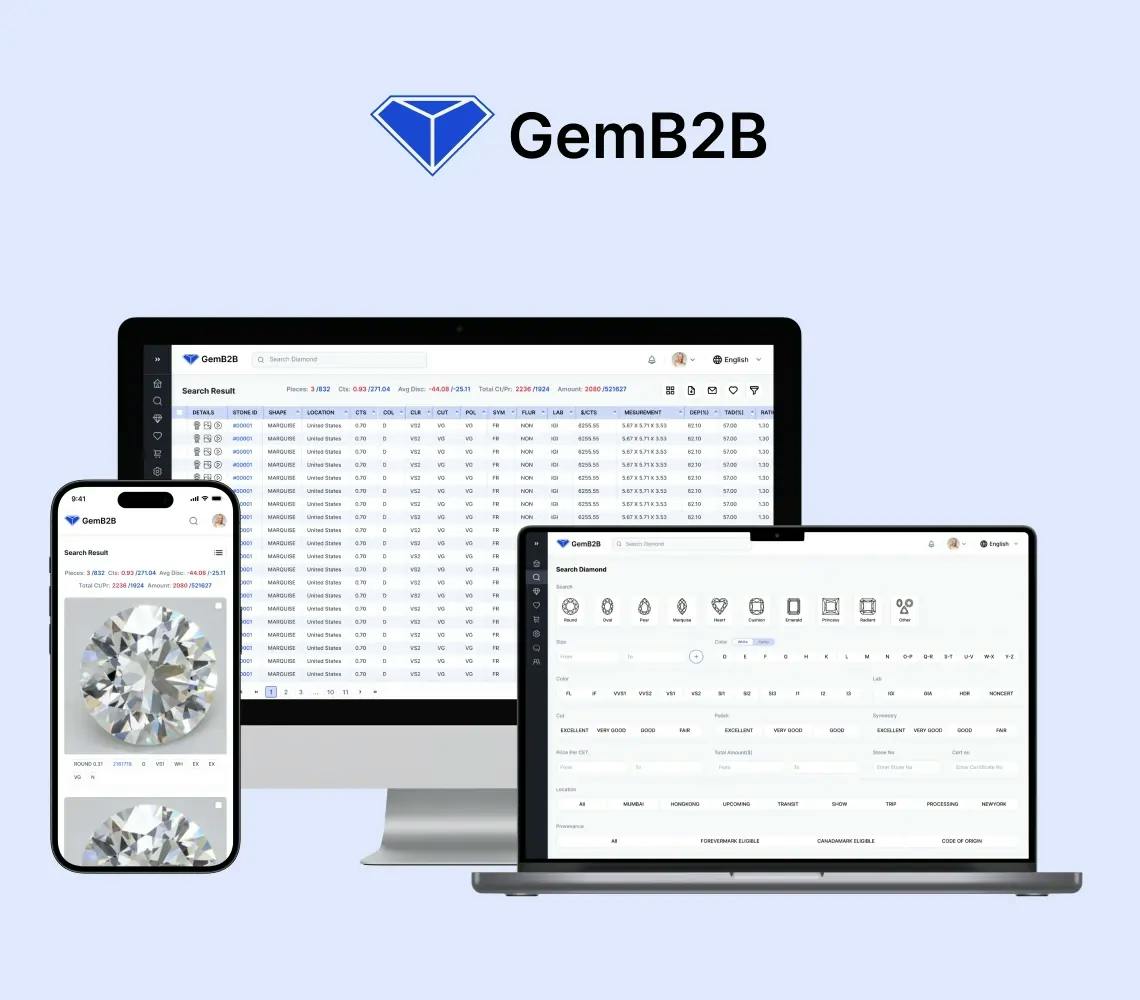
Diamond B2B Portal and Diamond CRM Development

B2B Diamond CRM Portal With ERP Synchronisation

Gem is a B2B diamond trading portal with inventory sync to client ERP systems, 4 platforms (web, mobile, backend, cloud), and enterprise security.

Key Outcomes

6+ Month
Delivery Timeline
4 Platforms
Web, Mobile, Backend, Cloud
ERP Sync
Inventory Synced with Client ERP
B2B
Diamond Trading
View Full Case Study
Property Management Software Solutions

Property Management Software Solutions

We built a custom property platform with CRM-style tenant management, maintenance requests, automated rent collection, and financial reporting across role-based panels.

Key Outcomes

12-14 Week
Delivery Timeline
15-20 hrs
Rent Reconciliation Saved
3 Portals
Tenant, Landlord, Admin
5 Layers
Security: Encryption to Rollback
View Full Case Study
View All Case Studies

What Our Clients Say

Explore the latest reviews from our existing clients to get a better picture of our services and collaboration.

Clutch Fall Champion 2024
Clutch Global Award Fall 2024
Top Clutch Nextjs Developer 2023 Award
Most Reviewed App Development Company
Top App Development Company on appFutura
Food & Beverage

Web & Mobile App Dev for Online Food and Grocery Platform

SolGuruz successfully delivered a reliable and robust system with an easy operating experience. The team fulfilled all the client's expectations and delivered the project on time. Their active involvement in the project and effective communication via virtual meetings were hallmarks of their work.

Kastriot Shatri review for SolGuruz

Summarized from Kastriot Shatri's Clutch review

Kastriot Shatri, CEO, Kas Foods Solution Group Kft

Budapest, HungaryBudapest, Hungary

Sep. 2023 - Mar. 2025
Diamond & Jewelry

Custom Software Development, Design and App Development for B2B Diamond Platform

Since partnering with SolGuruz, the client has gained an all-encompassing solution to provide their customers. The team accomplishes their goals with agility, and internal stakeholders are particularly impressed with the vendor's comprehensive approach to support and maintenance.

Kalpesh review for SolGuruz

Summarized from Kalpesh Zalavadiya's Clutch review

Kalpesh Zalavadiya, Managing Director, DiamNow

IndiaSurat, India

Nov. 2021 - Ongoing
Education

Web and Mobile App Development for Language Education Platform

SolGuruz delivers a fully functional app and website within the agreed timeline and budget. The team follows a clear workflow with defined milestones, making it easy to track the project's progress. They are also responsive to the client's needs and provide professional suggestions.

Iman Alsharhan review for SolGuruz

Summarized from Iman Alsharhan's Clutch review

Iman Alsharhan, Founder, TirTir World

KuwaitKuwait

Sep. 2025 - Ongoing
Real estate

Web Design, Mobile App Development of Real Estate Platform for Real Estate Company

SolGuruz has delivered a functional, error-free platform that aligns with the client's needs and requirements, meeting expectations. They ensure a smooth process through their effective communication, responsiveness, proactive problem-solving, and streamlined, transparent development process.

Chirag Balani

Summarized from Chirag Balani's Clutch review

Chirag Balani, General Manager, Property Dollar

AustraliaSydney, Australia

Oct. 2021 - Ongoing
Artificial Intelligence

AI Development for Consultancy Firm

SolGuruz successfully delivered the project on time, meeting the client's expectations. The team demonstrated strong technical skills and efficient communication through virtual meetings and email updates. Their flexibility and value for money were also commendable.

Matt Kuperholz review for SolGuruz

Summarized from Matt Kuperholz's Clutch review

Matt Kuperholz, AI Scientist & Advisor, Matt Kuperholz Consultancy

AustraliaMelbourne, Australia

Jun. 2026 - Jul. 2026
Media

Custom Software Dev for Digital Media Distribution Company

SolGuruz delivered the project in a timely manner that met the client's expectations. The service provider ensured excellent communication via email and virtual meetings. Their accommodating and empathetic approach was impeccable.

Samir Khandwala review for SolGuruz

Summarized from Samir Khandwala's Clutch review

Samir Khandwala, CEO, iMusti, Inc.

UsaFremont, California, United States

Jul. 2022 - Sep. 2022

Frequently Asked Questions

Quick answers to the questions our clients and prospects ask most. If yours is not here, our team is one click away.

Need advice tailored to your project?

FAQs cover the common ground. For decisions specific to your tech stack, timeline, and team, talk directly to a senior engineer who has shipped what you are planning.