




 Unsub
Unsub
Unsub: Subscription Management App Development
Track, manage, and cancel subscriptions - all from one place
A subscription management app that brings every recurring payment into a single dashboard, so users can see what they're paying for, get alerts before renewals hit, and cancel in a couple of taps. The app pulls in existing subscriptions automatically by scanning purchase history, then turns every alert into an action the user can take right away. Delivered in an 8-week engagement, it covers subscription tracking, bill reminders, spend insights, and one-tap cancellation across iOS and Android.

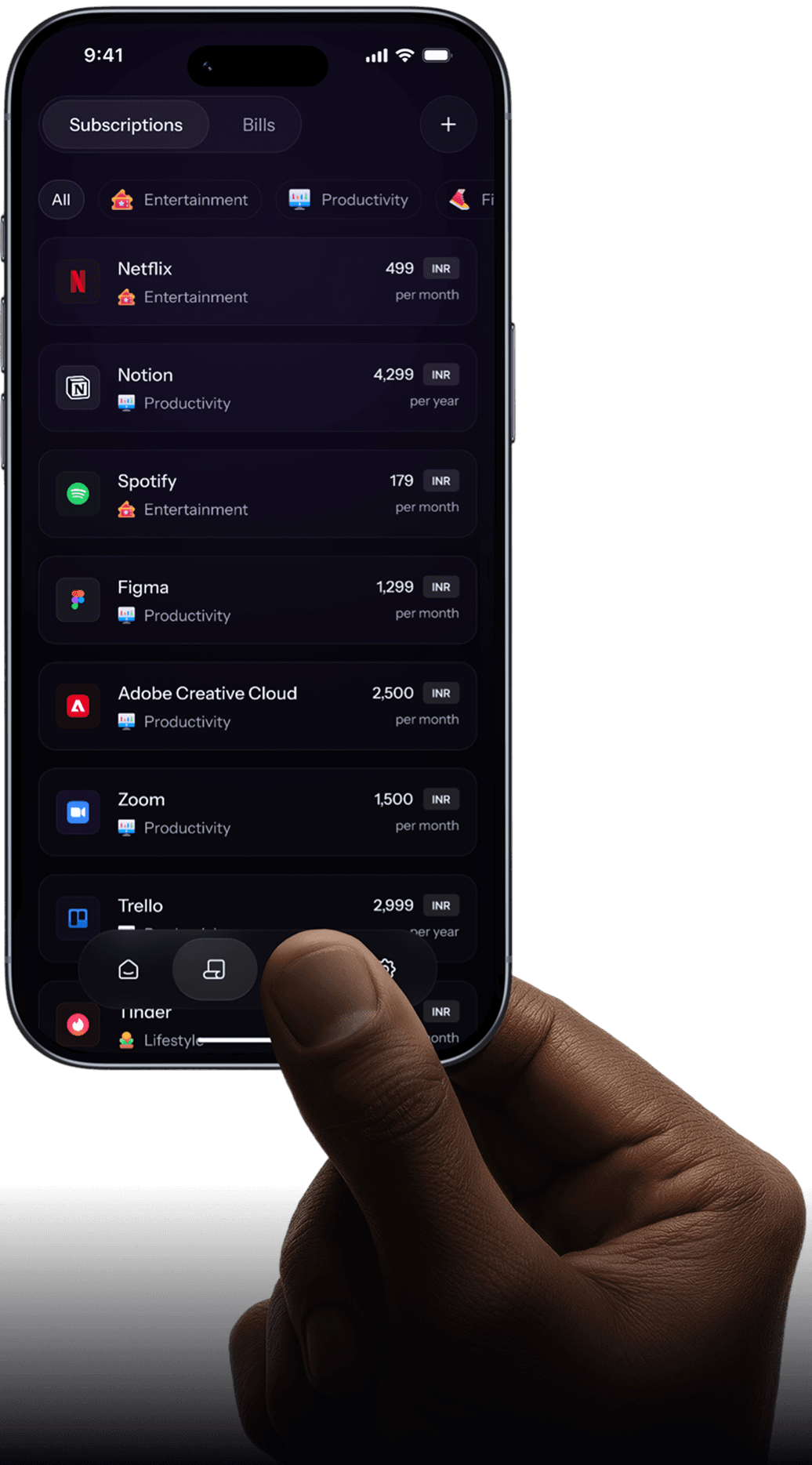
How SolGuruz Built UnSub - A Subscription & Bill Management App Delivered in 8 Weeks
SolGuruz designed and developed UnSub - a subscription and bill management platform delivering a complete cross-platform product across web and mobile in 8 weeks. The platform gives users full visibility over every active subscription and recurring bill, with direct in-app actions to pay, cancel, or manage, no bank integrations required. SolGuruz handled the complete product lifecycle: user research, product strategy, UI/UX design across 7 key screens, and full development across web and mobile. On the engineering side, UnSub was built with Flutter for the iOS and Android apps, React and Next.js on the web, and a Node.js backend with a PostgreSQL database, Firebase, and AWS for infrastructure.
The average person manages more than a dozen active subscriptions alongside recurring bills, yet no tool on the market was built specifically to help them act on that information. Finance apps offered charts. Banking dashboards showed transactions.
Nothing helped users take the next step. UnSub was built to fill that gap, not as a budgeting tool, not as a spending analyser, but as a straightforward action-first platform where every feature has one job: help the user do something useful right now.
The Problem We Set Out to Solve
Scattered Information
Subscriptions and bills were spread across emails, banking apps, spreadsheets, and notes. Making it difficult to track everything in one place.
Missed Payments
Without a centralised view of renewal dates and due dates, users routinely got hit with unexpected charges or lost access to services because a payment silently failed.
No Central Control
Cancelling or changing a subscription meant tracking down the right website, finding the right settings page, and hoping the process wasn't buried three levels deep.
Passive Tools
Existing finance apps were good at showing data but did nothing to help users act on it. An alert saying 'your trial ends tomorrow' with no cancel button is just noise.

Problem Statement
Users struggle to track, manage, and act on their recurring payments because existing tools prioritize analytics over action leaving them overwhelmed and financially exposed.
Our Approach to Solving the Problem
Unsub was built around four clear objectives that shaped every design and development decision made during the 8-week engagement
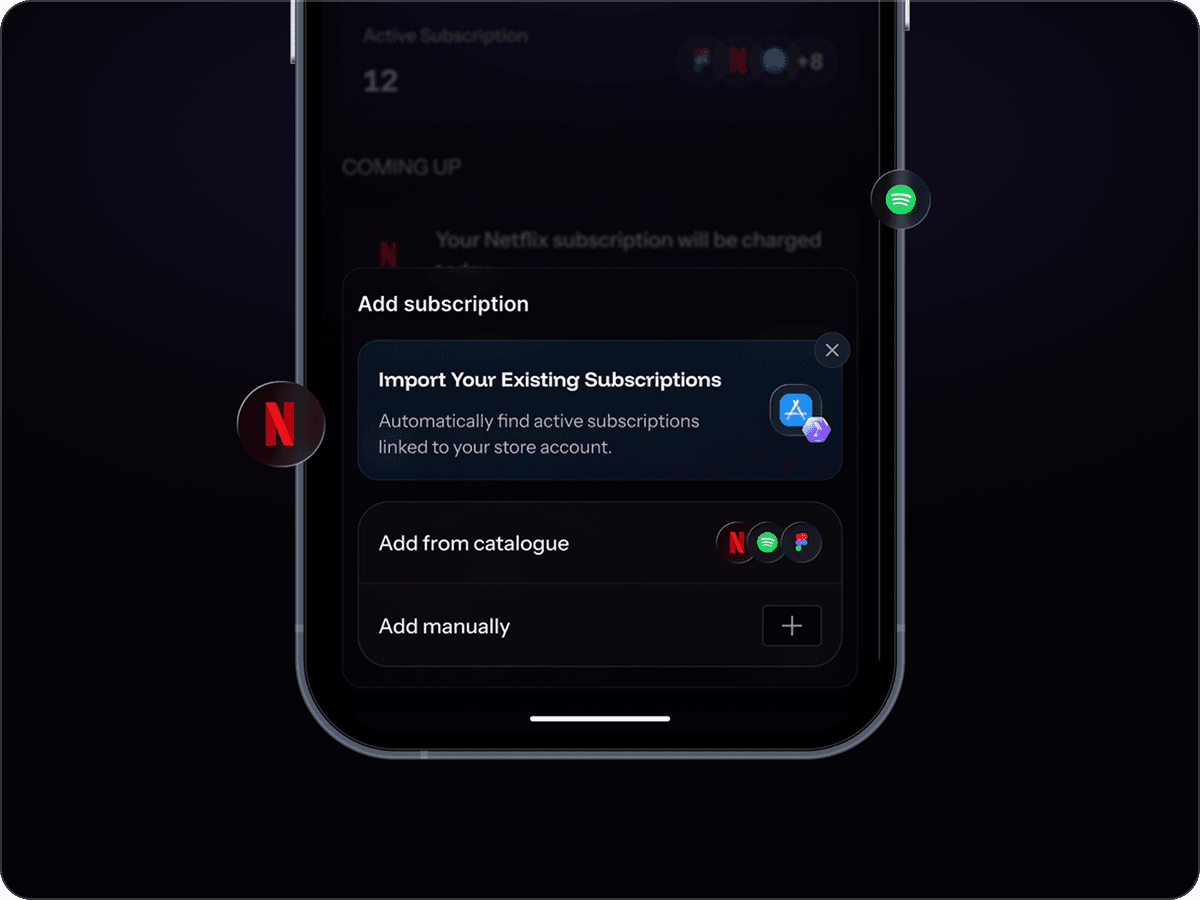
Make everything visible
All subscriptions and bills in one place. No more jumping between apps, emails, and bank statements to piece together the picture
Make action immediate
Every alert, every reminder, every status indicator should connect directly to something the user can do, don't just inform them and leave them stranded
Build user trust through control
Users should feel in control of their data and actions at every step. The platform avoids unnecessary complexity and permissions, allowing users to manage their subscriptions and bills with clarity and confidence.
Keep it simple to adopt
A user should be able to add their first subscription in under two minutes. The platform earns trust through simplicity, not by demanding a complex setup upfront.
The Role of the SolGuruz Team
Our engagement with the Unsub team covered the full product lifecycle. A team of 2-3 people worked across all phases over 8 weeks from understanding the problem space through to a complete design and development handoff.

User Research
Conversations with people managing multiple subscriptions, plus competitive analysis of existing tools to identify gaps and opportunities.

Product Strategy
Defining scope, feature prioritisation, and the deliberate decisions around what UnSub would not do: no bank links, no analytics dashboards.

UI/UX Design
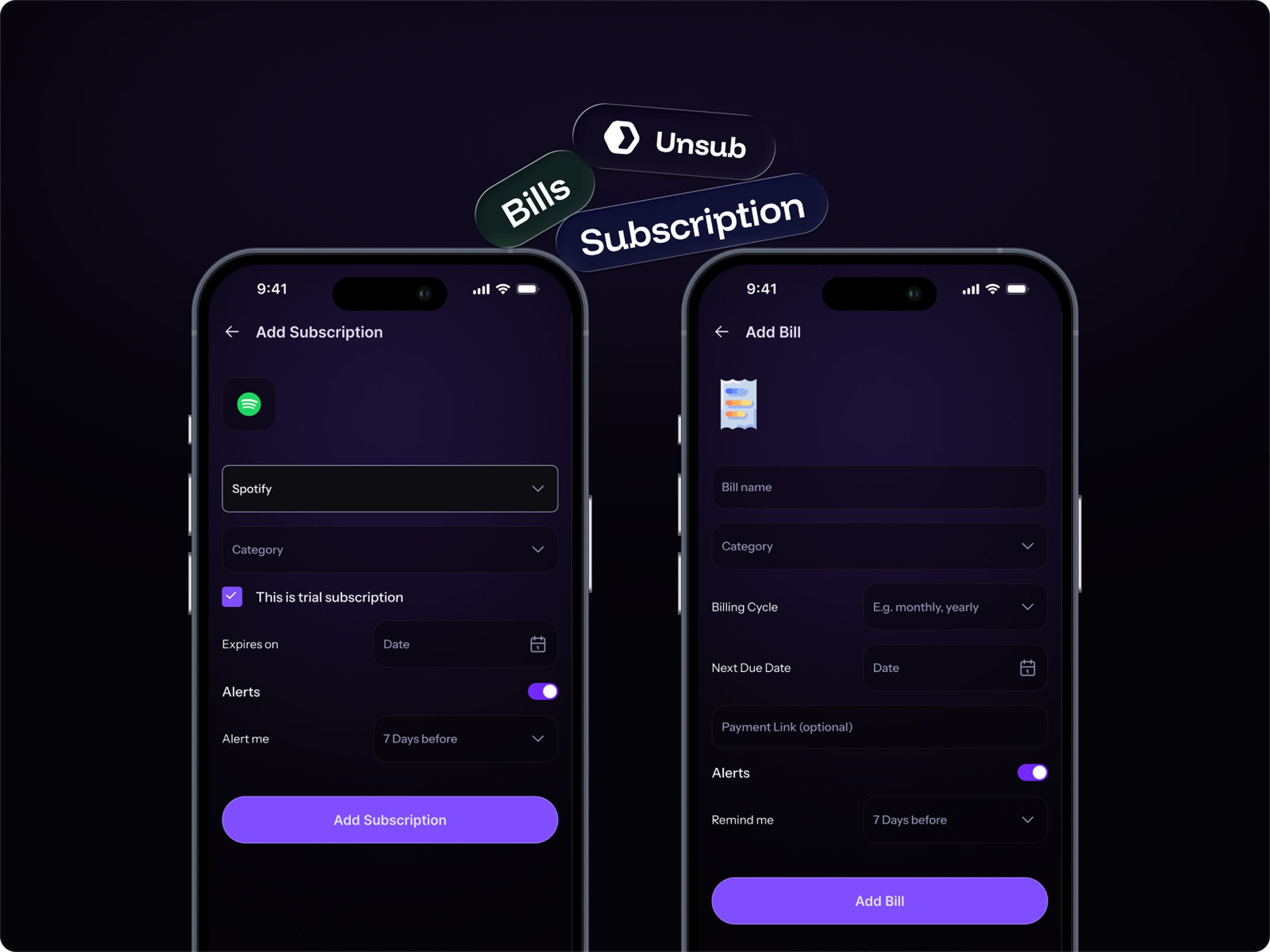
Designing the full experience across mobile and web, including the dashboard, subscription list, bills module, add flow, and detail pages.

Development
Building and delivering the platform across web and mobile, with a focus on performance, reliability, and clean UX at the code level.
Our Design Approach
The design goal for UnSub was not to look impressive, it was to feel invisible. The best version of this product is one where the user barely notices the interface because everything is exactly where they expect it to be.

Design Principles We Worked From

Action before information
If a user sees a problem with a failed payment, an expiring trial, or a bill due tomorrow, they should be able to fix it from the same screen without navigating elsewhere.

Minimum viable input
Users shouldn't need to know their exact billing cycle or payment method off the top of their head to add a subscription. The platform fills in what it can; the user fills in only what's necessary.

Platform-appropriate layouts
Mobile users are checking and acting quickly. Web users are managing in bulk. The design adapts to that reality rather than forcing the same layout on both.

Status should always be clear
At any moment, a user should be able to tell exactly what's active, what's failing, what's expiring, and what needs attention without reading through dense text.
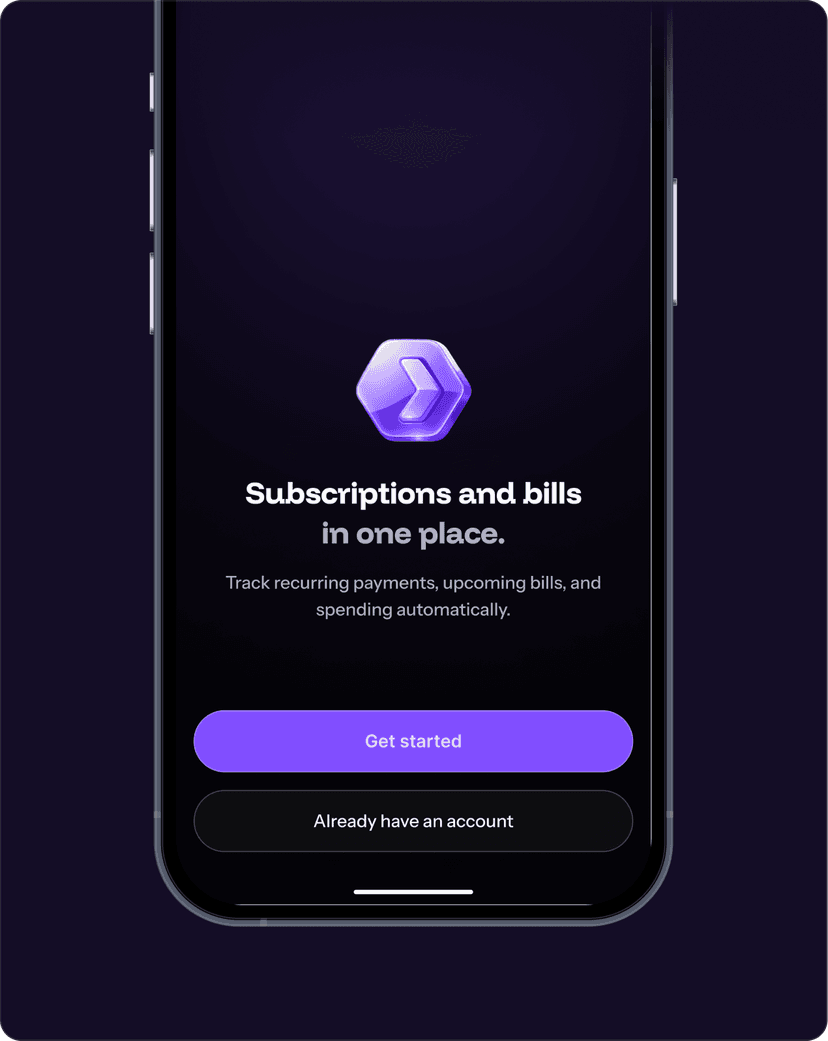
Style Guide
Unsub: Subscription Management App Development.
Track, manage, and cancel subscriptions - all from one place
Your Netflix subscription will be charged today.
Auto Pay at 2:00 PM, 17/02/26
By continuing, you allow us to scan purchase history to detect subscriptions. No changes will be made without confirmation.
INR

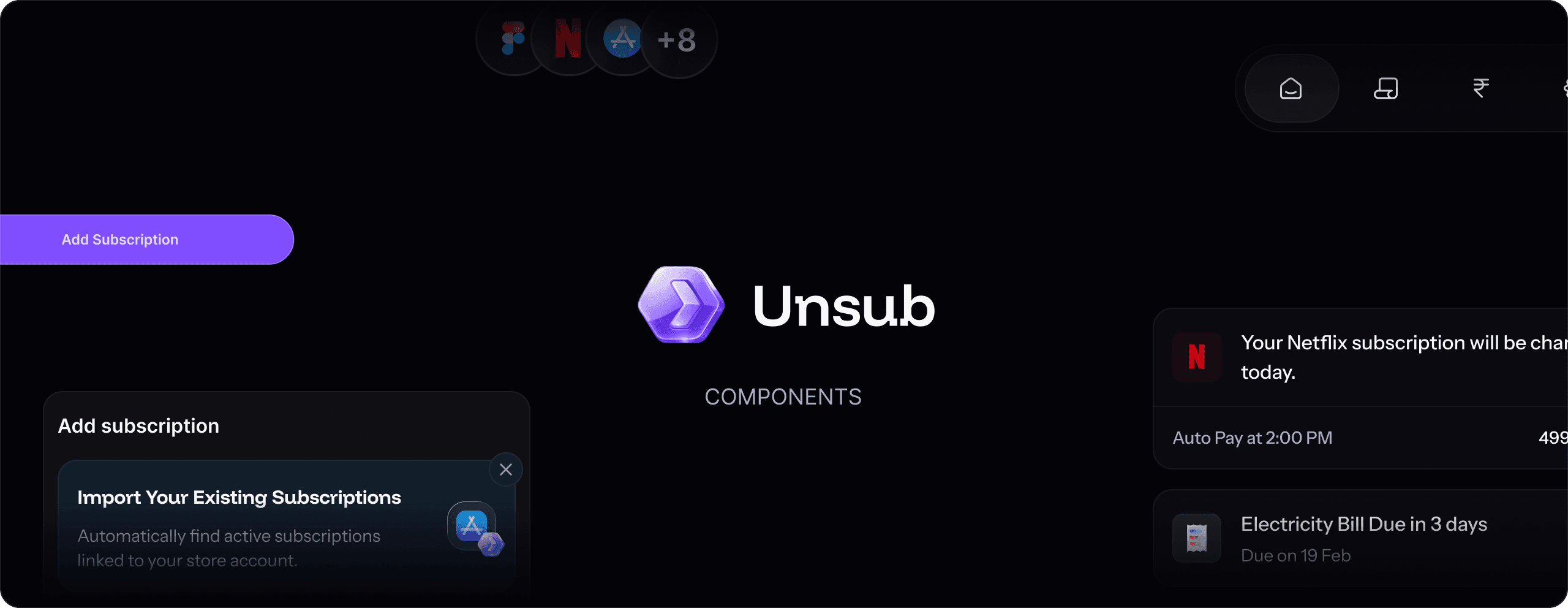
Our Development Approach
The development approach for Unsub was built around the same principle that guided the design: every technical decision should serve the user, not demonstrate technical ambition.

Performance on everyday devices
The platform was designed to feel fast on midrange phones and standard browsers, not just high-end devices. Core experiences like the dashboard & subscription list load quickly & remain smooth even as the number of items grows.

Reliable background processing
Key actions such as adding subscriptions, importing data, and fetching upcoming payments run in the background. This ensures users are not blocked by loading states and can continue using the platform without interruptions.

Scalable and modular architecture
The system is built with a modular structure where subscriptions, bills, payments, and reminders are loosely coupled. This allows new features and future expansions to be added without major changes to the existing system.

Stable notification delivery
Reminders are critical to the product, so reliability was prioritised over everything else. Notifications are designed to trigger accurately and include controls like quiet hours to ensure they remain useful without being intrusive.
Want to Build an App Like This?
If you're planning a SaaS platform, consumer app, or internal tool, we can help you design and develop a product that users actually enjoy using.
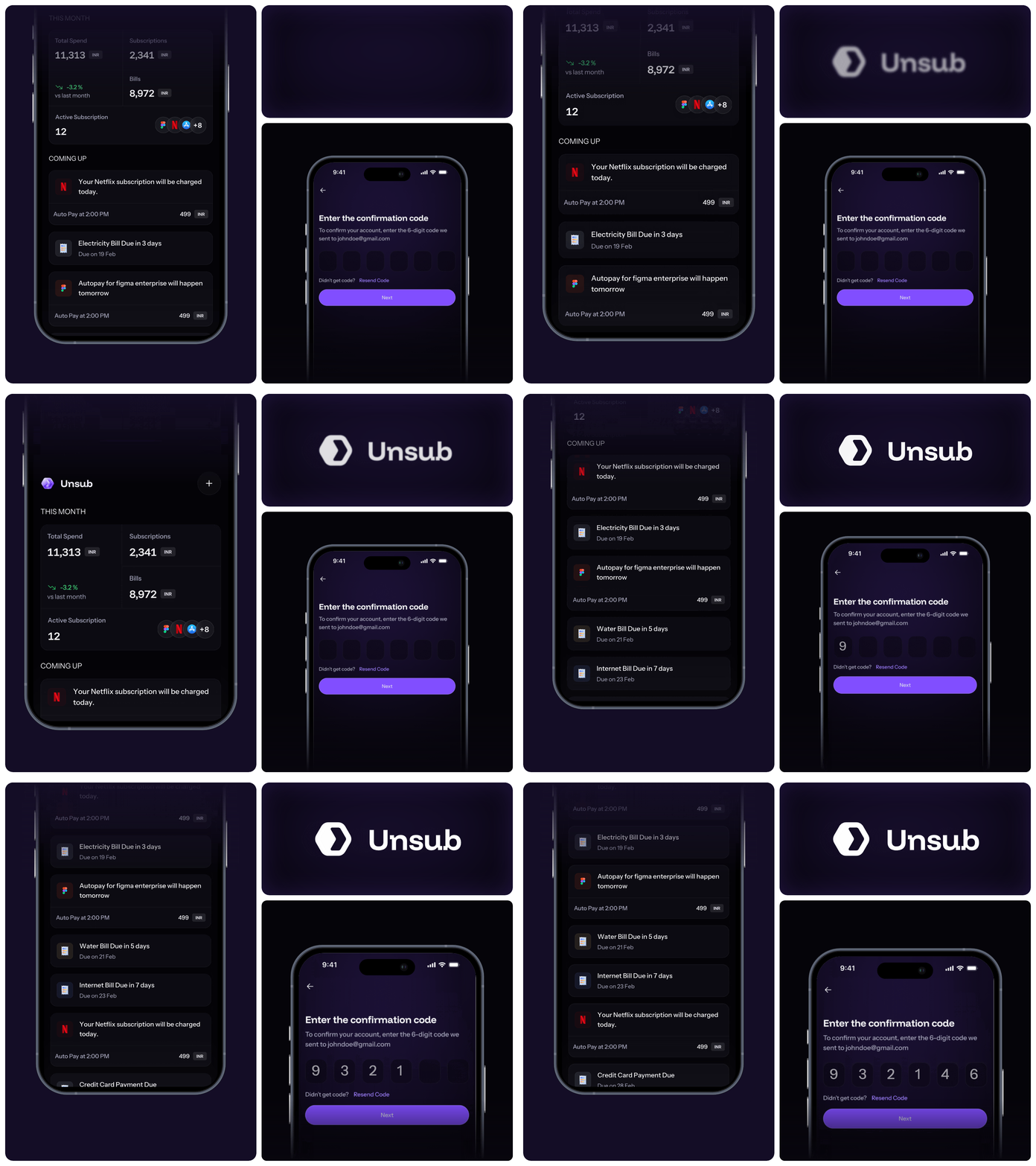
Key Features of UnSub
The development approach for Unsub was built around the same principle that guided the design: every technical decision should serve the user, not demonstrate technical ambition.
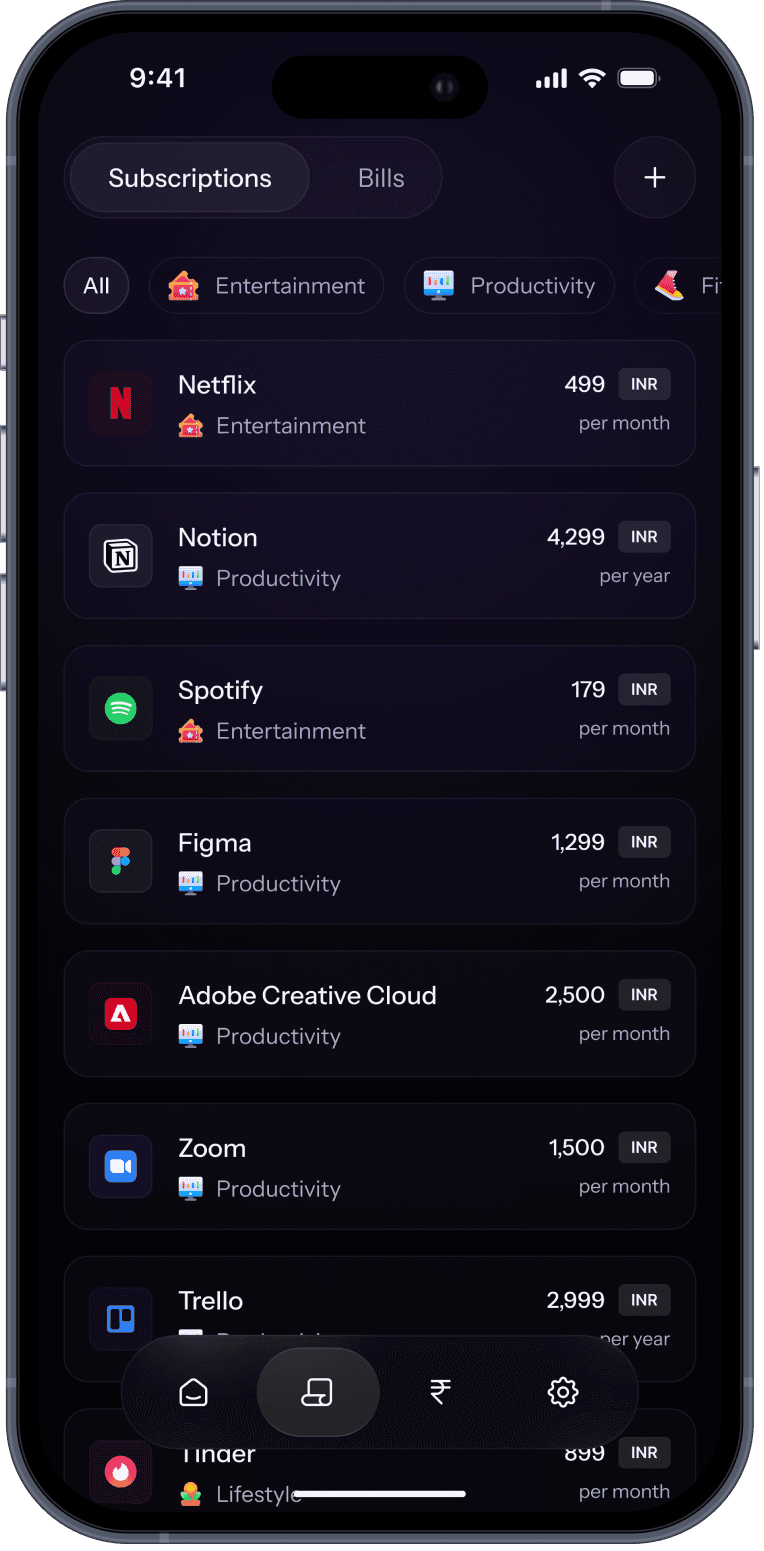
Subscription Management
Clean, scannable layout with colour-coded status indicators and single-tap actions.
Catalogue selection with autofill, app store import from Google Play or Apple, and manual entry.
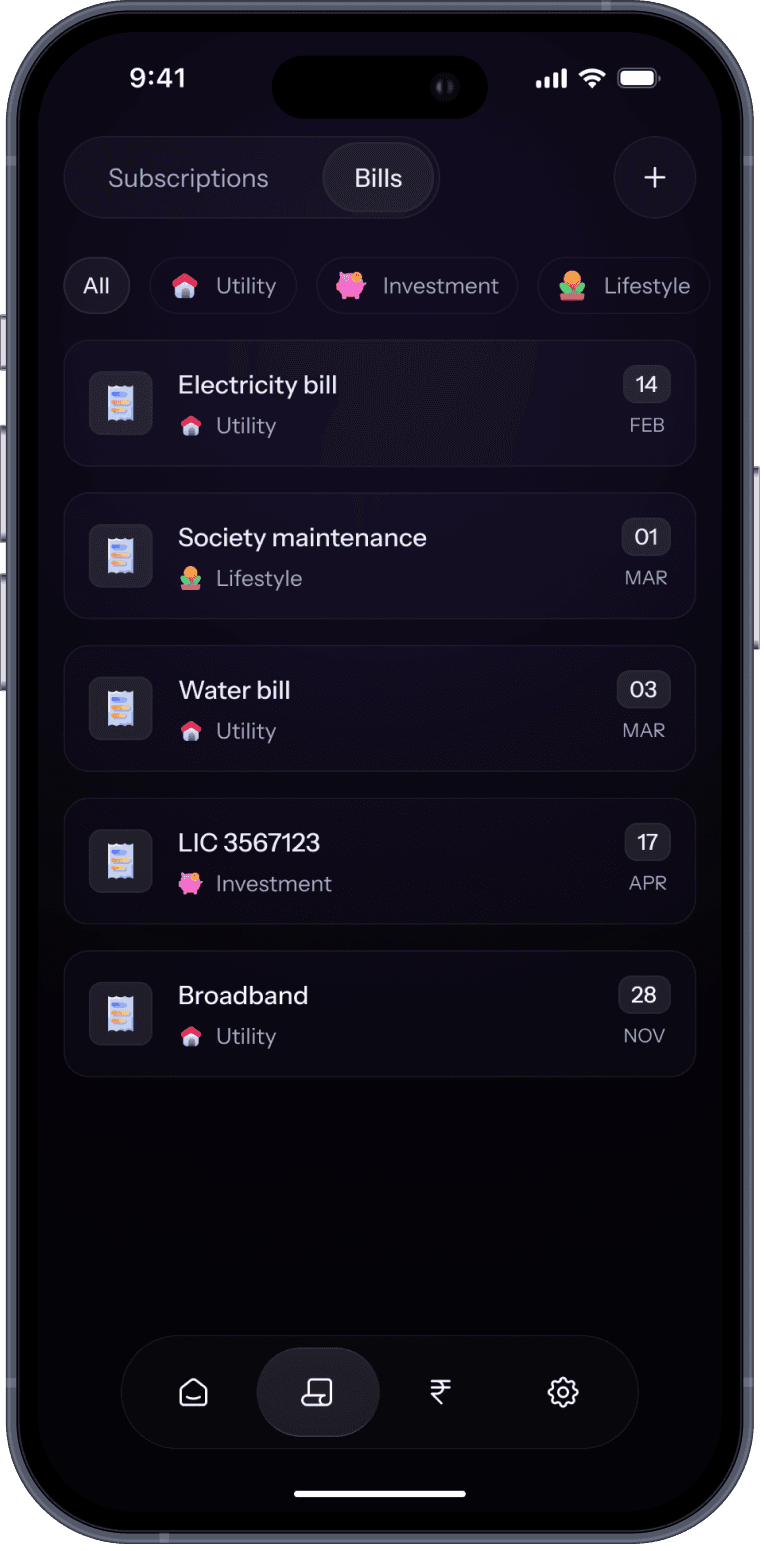
Bills Management
Bills work on due dates rather than renewal cycles. A separate experience designed around how bills actually behave.
Users can set an expected range for bills that fluctuate, so reminders stay accurate even when the exact amount changes.
Bills can be manually confirmed as paid, removing them from the upcoming queue without losing the history.

Every charge, failed or successful, in one chronological view.
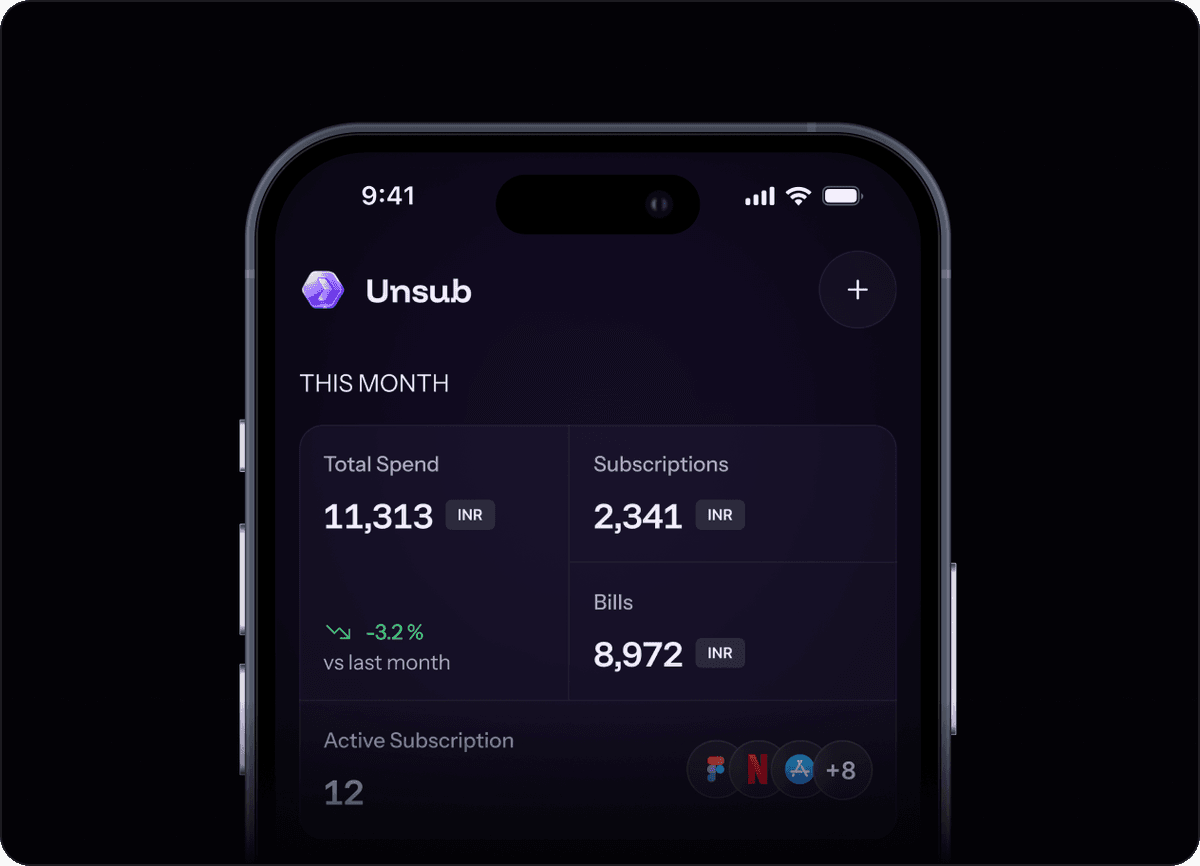
Monthly committed spend, active subscription count, bills due, and failed payments are each tappable.
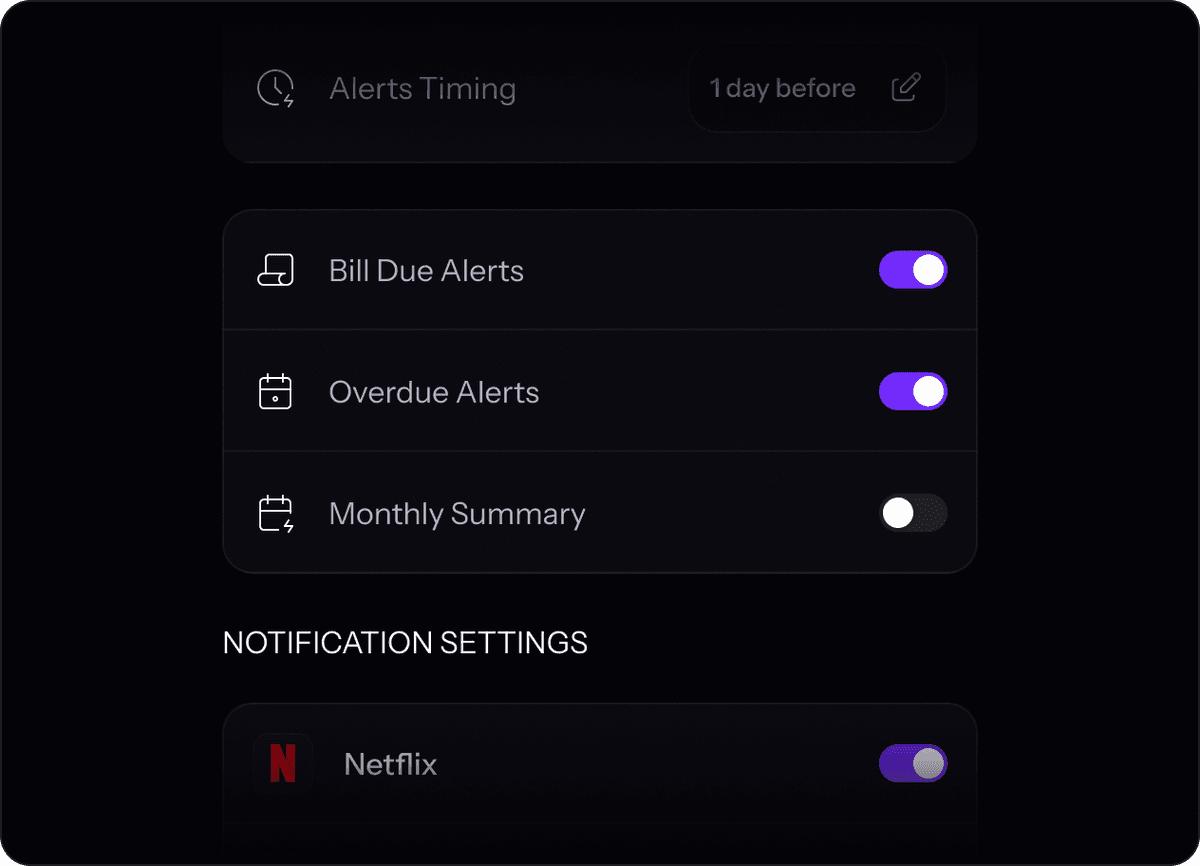
Bills work on due dates rather than renewal cycles. A separate experience designed around how bills actually behave.
Our Delivery Process
Here is the structured process we followed to take UnSub from problem statement to delivered product in 8 weeks.

Discovery & Research
SolGuruz analysed how users manage subscriptions and bills today, identifying key issues like scattered tracking, missed payments, and a lack of actionable tools. Competitor analysis uncovered gaps, leading to the decision to build a simple, action-focused platform without bank integrations.
Discovery & Research
SolGuruz analysed how users manage subscriptions and bills today, identifying key issues like scattered tracking, missed payments, and a lack of actionable tools. Competitor analysis uncovered gaps, leading to the decision to build a simple, action-focused platform without bank integrations.

UX/UI Design
We designed the full experience across mobile and web: dashboard, subscription list, bills module, add flow, subscription detail, and settings. Each screen was reviewed against the action-first principle. If a screen informed the user without offering a next step, it was redesigned until it did.
UX/UI Design
We designed the full experience across mobile and web: dashboard, subscription list, bills module, add flow, subscription detail, and settings. Each screen was reviewed against the action-first principle. If a screen informed the user without offering a next step, it was redesigned until it did.

Product Strategy & Scoping
With research in hand, we defined what the product would and wouldn't do. Feature prioritisation was ruthless; every candidate feature had to earn its place by enabling a clear user action. This phase produced the core product brief that guided the rest of the engagement.
Product Strategy & Scoping
With research in hand, we defined what the product would and wouldn't do. Feature prioritisation was ruthless; every candidate feature had to earn its place by enabling a clear user action. This phase produced the core product brief that guided the rest of the engagement.

Development & Testing
Development followed the agile approach, building and testing features in short cycles. Mobile and web were developed in parallel to keep the experience consistent across platforms. Real-device testing caught edge cases that emulators missed, particularly around performance on midrange hardware.
Development & Testing
Development followed the agile approach, building and testing features in short cycles. Mobile and web were developed in parallel to keep the experience consistent across platforms. Real-device testing caught edge cases that emulators missed, particularly around performance on midrange hardware.

Handoff & Delivery
SolGuruz handed off the completed UnSub product with full documentation covering design decisions, component behaviour, and technical architecture structured to make ongoing development and iteration straightforward from day one.
Handoff & Delivery
SolGuruz handed off the completed UnSub product with full documentation covering design decisions, component behaviour, and technical architecture structured to make ongoing development and iteration straightforward from day one.
What Makes UnSub Different
The subscription management space is not empty. But most tools in it were built around a different set of priorities. Here is where UnSub deliberately sits differently.

Action & recurring payment control
Analytics & spending charts
Inform + direct action (Pay / Fix / View)
Inform only
Separate modules with different logic
Often treated the same
First subscription added in under 2 minutes
Complex setup, often abandoned
General personal finance users
Anyone with recurring payments to manage
Subscription Management Apps - Competitive Analysis
The recurring-payments space is crowded, but most tools optimise for either deep bank access or passive budgeting. UnSub sits in the action-first gap: a dedicated subscription and bill module that tells users exactly what to do next, without demanding full banking credentials.
Company
Unique Value Proposition
Company Advantage
Company Disadvantage

Unique Value Proposition
Bank-Connected Auto-Detection
Bank-connected tracker that auto-detects every recurring charge and negotiates bills.
Company Advantage
Detect, Negotiate & Cancel In-App
Connects to bank accounts, scans transactions to find every recurring charge, and offers to cancel them directly through the app.
Company Disadvantage
Deep Account Access & Fee Cut
Requires full access to bank and credit card accounts, and takes 35 to 60% of first-year savings from bill negotiations.

Unique Value Proposition
Privacy-First Manual Tracking
Privacy-first manual subscription tracker.
Company Advantage
No Credentials Shared
No banking credentials handed over; a clean, reliable view of every recurring expense without third-party account access.
Company Disadvantage
iOS-Only, Manual, No Cancellation
iOS only; manual setup, and it won't cancel anything for you.

Unique Value Proposition
Recurring Visibility in Budgeting
Budgeting app with recurring-expense visibility.
Company Advantage
Secure Tracking & Negotiation
Bank-level encryption with PIN and biometric protection, plus a payment tracker and bill-negotiation service.
Company Disadvantage
Not a Dedicated Module
Subscriptions are a feature inside a broader budgeting tool, not a dedicated action-first module; requires bank linking.

Unique Value Proposition
Zero-Based Budgeting
Zero-based budgeting where subscriptions surface as recurring charges.
Company Advantage
Natural Categorization
Categorizes every transaction so subscriptions appear naturally within the budget.
Company Disadvantage
No Subscription Tooling
Not a subscription tracker; no dedicated subscription view, no trial reminders, and no cancel guides.
Planning Your Own Fintech App?
Unsub is one of many fintech products our team has shipped. Scoping a subscription, billing, or payments app? Start here.
Fintech Software Development
Our fintech engineering across payments, lending, wealth, and insurance, from scoping to launch.
Fintech App Development Guide
The complete how-to: features, the tech stack, compliance, and the cost of building a fintech app.
Fintech App Cost Calculator
Estimate what your build costs, by features, platforms, and integrations.
Frequently Asked Questions
Quick answers to the questions our clients and prospects ask most. If yours is not here, our team is one click away.
Need advice tailored to your project?
FAQs cover the common ground. For decisions specific to your tech stack, timeline, and team, talk directly to a senior engineer who has shipped what you are planning.
Around 6-10 weeks based on scope. SolGuruz delivered UnSub in 8 weeks and shares a clear timeline within 48 hours.
It centralizes all subscriptions and bills in one place, helping users track renewals, manage payments, set reminders, and take actions like pay or cancel.
A dashboard, subscription list, bills module, reminders, multiple add methods, payment history, and action buttons like Pay, Fix, and Cancel.
Yes. Apps like UnSub use catalogues, app store imports, and manual entry, removing the need for banking credentials.
Use a platform that combines tracking with action linking every alert to steps like Pay, Fix, or Cancel.
It depends on the project, but typically involves cross-platform frameworks with scalable, modular architecture.
Yes. SolGuruz builds custom subscription and FinTech apps and provides a free build plan within 48 hours.
From AI medical documentation systems to scalable healthcare applications, our team helps transform complex ideas into powerful digital solutions.


Related Projects
More Projects We Have Delivered
SolGuruz has shipped 102+ products across 14 industries. See other consumer fintech and subscription-led apps our team has built - a Buy Now Pay Later platform and a subscription-based meditation app that share this product's focus on recurring payments, billing flows, and retention-driven UX.
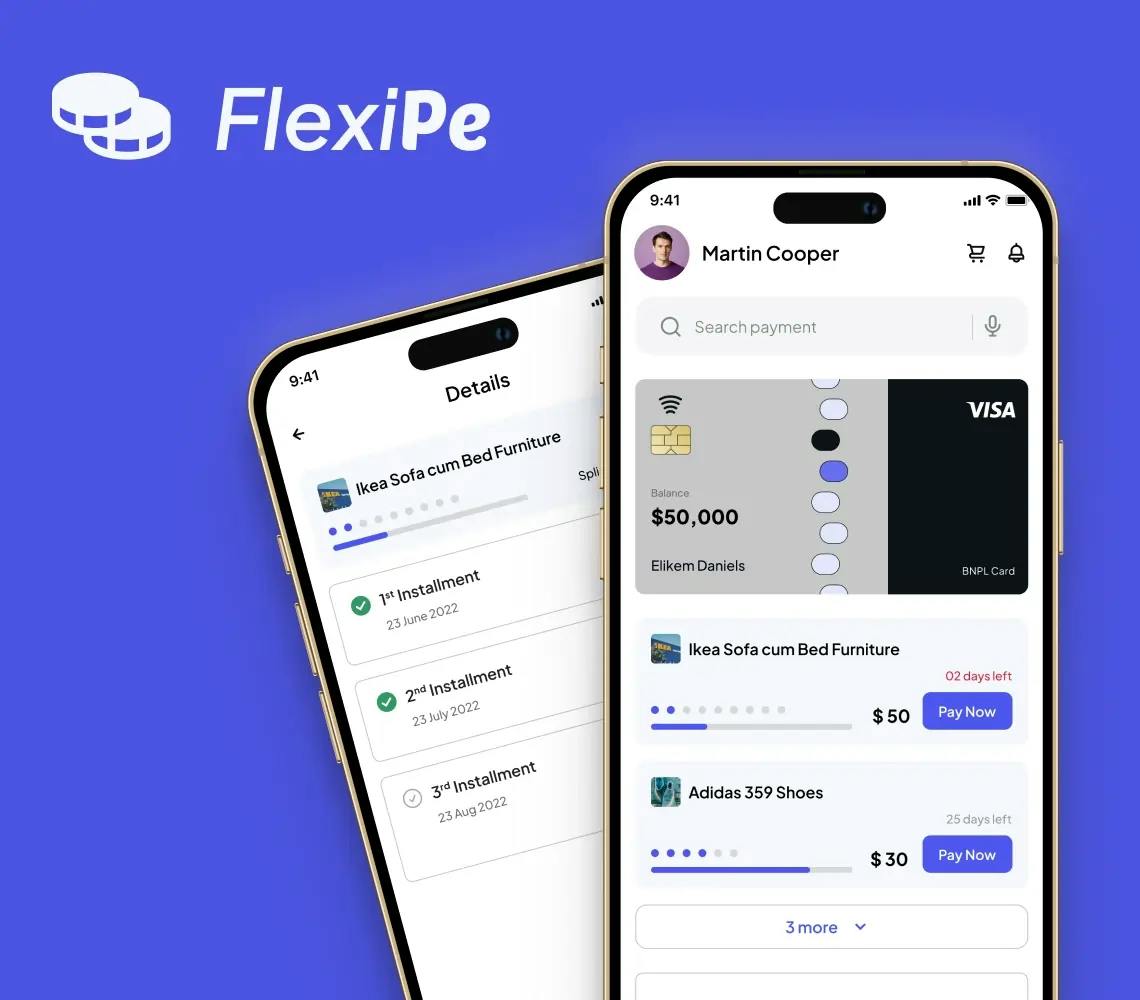
Buy Now Pay Later (BNPL) App Solution
Get insights from FlexiPe App’s Case Study relates to the Buy Now Pay Later model, offering a comprehensive analysis of the BNPL App.
Key Outcomes
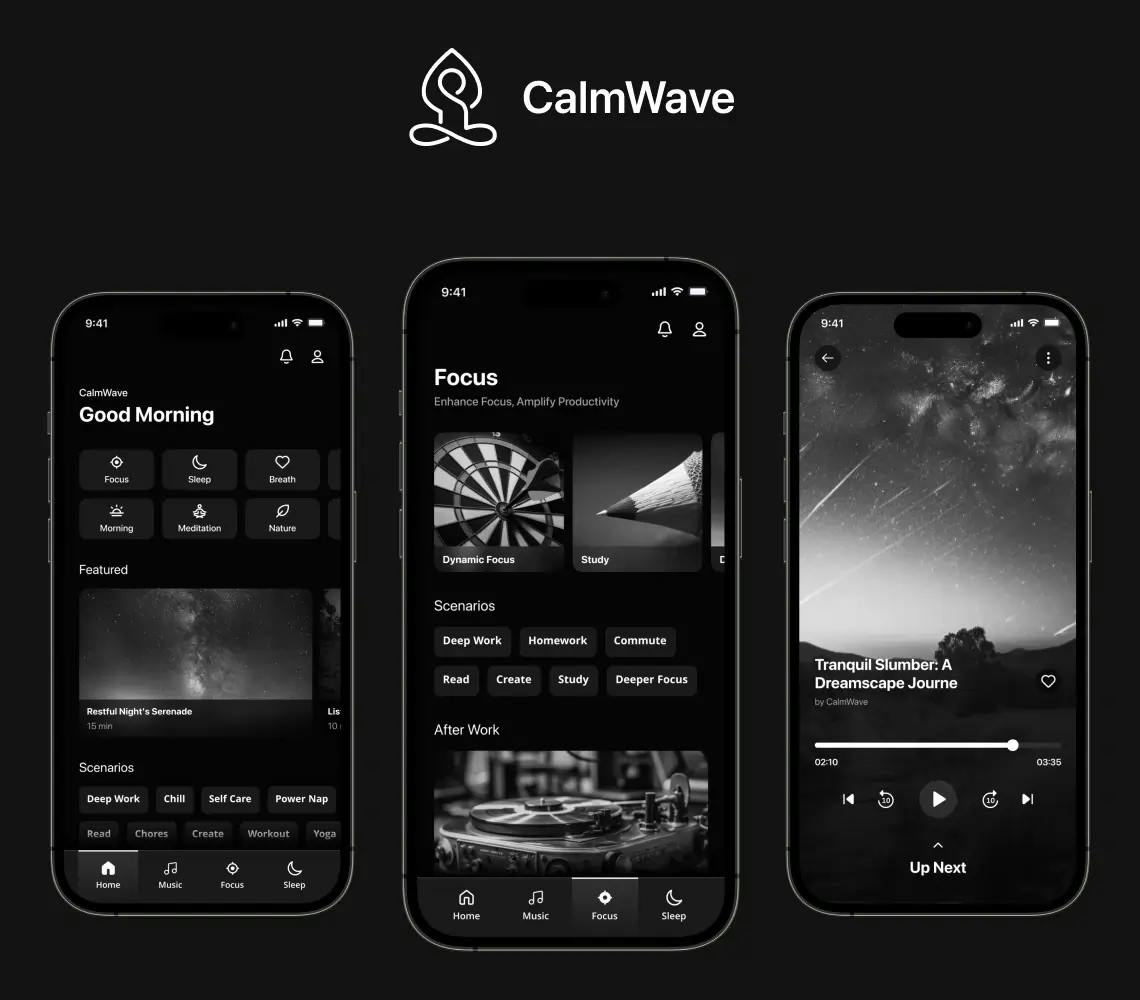
Meditation App Development
Explore the CalmWave Meditation App Development Case Study and learn how this app is helpful for soul & mind relaxation.
Key Outcomes