



Zero-Shot, One-Shot and Few-Shot Prompting: How Shot-Based Prompting Works
Zero-shot, one-shot, and few-shot prompting control how much context you give an AI model before it responds. This guide from SolGuruz covers how each method works, when to use each, and how they affect output quality in real AI systems.

Summarise with AI
Short on time? Let AI do the work. Get the key points.


When you send a request to an AI model, the structure of that request determines the quality of what comes back. Zero-shot, one-shot, and few-shot prompting are three ways to frame that input, and each one produces different results.
The difference is not which technique sounds more advanced. It is about how much context you give the model before asking it to respond. Get this right and your outputs become more accurate, more consistent, and far more useful in production AI systems.
This guide from SolGuruz explains how each method works, shows practical examples across different AI tools, and tells you exactly when to use each one inside real-world workflows.
If your team is building AI products or automating workflows with LLMs, the structure behind your prompts directly shapes how much value you extract from any model. AI prompt engineering services exist to get that structure right the first time.
What Is Shot-Based Prompting?
Shot-based prompting is the practice of controlling how many worked examples you place inside a prompt before asking a model to perform a task. The number of examples is the "shot" count, so a prompt with no examples is zero-shot, one example is one-shot, and two or more is few-shot.
In this context a shot means one complete input-and-output pair that demonstrates the task, not a retry or an attempt. Giving a model three shots does not mean asking three times. It means showing it three finished examples in a single prompt so it can infer the pattern before it answers.
All three methods work through in-context learning: the model adapts its response using only what is inside the prompt window, without any change to its underlying weights. That is what separates prompting from fine-tuning an LLM, which permanently updates the model. The techniques below sit inside the wider discipline of prompt engineering.
| Method | Examples in the prompt | What it is for |
| Zero-shot | 0 | Simple, general tasks the model already knows how to do |
| One-shot | 1 | Fixing format, tone, or structure with a single reference |
| Few-shot | 2 or more | Consistency on format-sensitive or nuanced tasks |
What Is Zero-Shot Prompting?
Zero-shot prompting means giving the AI model a task with no examples at all. The model relies entirely on what it learned during training to generate a response.
No example of a correct classification is provided. The model draws from its training data to figure it out.
This works because modern large language models like GPT-4, Claude, and Gemini were trained on enormous volumes of text spanning millions of classification, summarization, translation, and reasoning tasks. For straightforward requests, that pre-existing knowledge is enough.
Where zero-shot works well:
- Answering general knowledge questions
- Summarizing a document without a specific format requirement
- Basic sentiment classification
- Translating content between common languages
- Simple text rewriting
Where zero-shot falls short:
- Tasks requiring a specific output format
- Complex reasoning that benefits from structured examples
- Generating outputs that must match a brand's tone or style
Use zero-shot when:
- The task is simple and well-defined: translation, basic classification, and general summarization
- You are exploring what the model can do without a setup cost
- Token budget matters, and task complexity is low
Zero-Shot Use Cases:
| Use Case | Why It Works |
| Chatbot handling uncommon queries | The model's training covers broad general knowledge |
| Translating content to a new language | Most language pairs are well-represented in training data |
| Summarizing news articles or emails | Standard summarization task within the model training scope |
| Classifying customer sentiment | Simple classification with a clear signal from training |
What Is One-Shot Prompting?
One-shot prompting adds one example before the actual task. That single reference helps the model understand the format, tone, or structure expected in the output.
Example:
The example does three things at once: sets the tone, shows the format, and tells the model how much detail to include. One well-chosen example is usually all it takes to stop getting generic responses.
Where one-shot works well:
- Writing structured emails or customer service messages
- Extracting specific fields from documents
- Responses that must follow a defined format
- Medical or legal assistance when a clear reference case is available
Where one-shot falls short:
- Tasks where a single example is not enough to establish a consistent pattern
- Complex outputs requiring multiple style or format variations
- High-volume workflows where one reference leaves too much room for drift across responses
Use one-shot when:
- The output must follow a specific format or template
- You have one strong reference example to guide the model
- The task involves a communication style your team already uses
One-Shot Use Cases:
| Use Case | Why One Example Helps |
| Drafting customer service emails | One example sets tone, structure, and length |
| Extracting key clauses from contracts | One annotated example shows what fields to pull |
| Medical intake response drafting | A single patient note guides the required format |
| Fraud alert message generation | One reference establishes the required structure |
What Is Few-Shot Prompting?
Few-shot prompting provides two or more examples before the task. The model identifies patterns across those examples and applies them to the new input.
Example for code generation:
The model sees the expected output as clean, minimal Python with no comments or extra code. It applies that pattern to the new request.
Where few-shot works well:
- Code generation and debugging
- Resume screening with defined evaluation criteria
- Ad copy that must match multiple reference styles
- Customer support responses require a consistent tone across thousands of replies
Where few-shot learning falls short:
- Tasks where the model needs real-time or domain-specific knowledge that examples cannot supply
- Prompts where too many examples push critical instructions out of the context window
- Simple tasks where adding multiple examples adds token cost without improving output quality
Use few-shot when:
- The task is complex or nuanced: code review, structured analysis, multi-step reasoning
- Output consistency across many requests is non-negotiable
- You are building a production AI workflow where errors carry operational cost
Few-Shot Use Cases
| Use Case | Why Multiple Examples Win |
| Code generation inside a large codebase | Examples enforce naming, style, and error handling patterns |
| Resume screening for specific roles | Multiple examples define what "qualified" looks like |
| Ad copy variations at scale | Examples teach tone, length, and call-to-action structure |
| Customer support across product lines | Consistent format and resolution tone across all responses |
These patterns apply directly when building AI-assisted software products, where prompt structure determines how reliably AI coding agents and workflow automations produce production-grade outputs.
Many ATS recruitment software come integrated with a resume parsing software that does this filtering work. Recruit CRM exemplifies this through its built-in resume parsing feature.
How Many Examples Should You Include?
More examples do not reliably mean better output. Accuracy climbs steeply from zero to a small handful of examples and then flattens, so the practical answer for most production tasks is two to five, matched to task complexity rather than maximised.
Two findings from the research are worth knowing before you tune example counts:
- The format of your examples matters more than their correctness. Min et al. (2022) found that models still performed well when example labels were randomly replaced, as long as the label space and input format stayed consistent. The examples teach the shape of the task, not just the right answer.
- Adding examples costs context and money. Every example consumes tokens on every request. On high-volume workflows the difference between three examples and eight is a recurring cost, not a one-time one.
Start at two, add one at a time, and stop when accuracy stops improving on your own test set. That test set matters more than any published number, because the right count is task-specific.
How LLMs Process Your Prompt Examples Internally
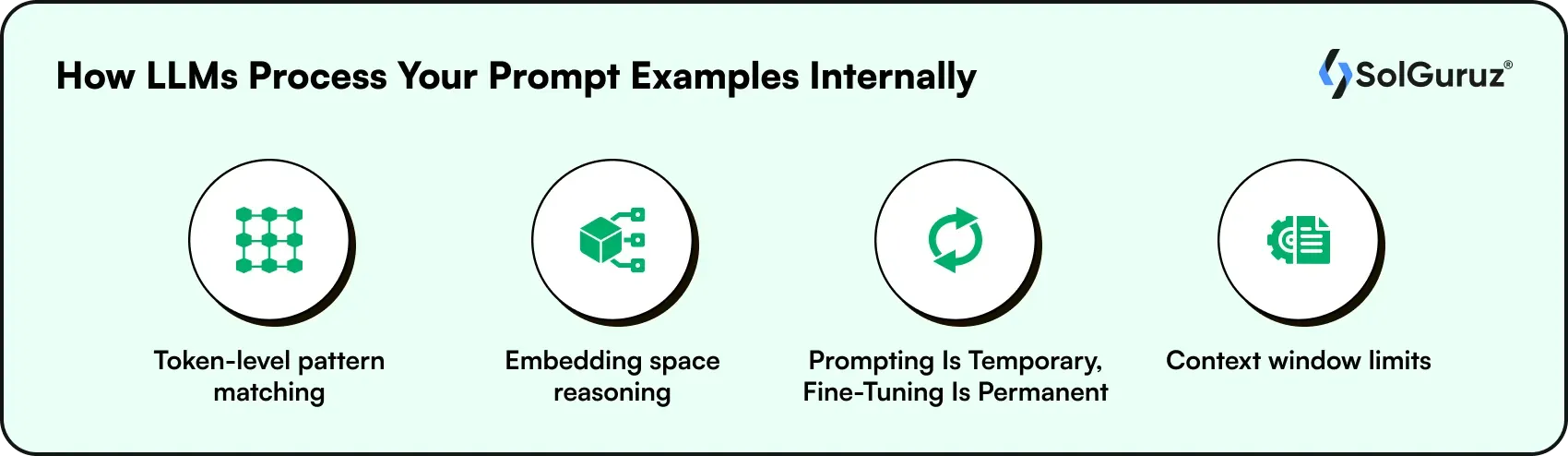
All 3 approaches are forms of in-context learning. The model learns from the examples inside the prompt itself without any update to its underlying weights.
Understanding what happens inside the model helps you use these methods more precisely.
1. Token-level pattern matching
A token is a small chunk of text.
- "Hi" = 1 token
- "Prompting" = 1 token
- "Few-shot prompting" = 3 tokens
- "zero-shot, one-shot, and few-shot" = 8 tokens
The model does not read your prompt like a sentence. It processes it token by token, scanning for patterns between input and output.
When you add examples, the model scans those tokens and learns: "when the input looks like this, the output should look like that." More examples give it more pattern data to work with. This is why few-shot produces more consistent output than zero-shot on structured tasks; the model has seen the pattern multiple times before it has to apply it.
2. Embedding space reasoning
Every word gets converted into a number that represents its meaning.
- "Refund" and "return" = Close numbers (similar meaning)
- "Refund" and "rocket" = Very different numbers (no relation)
When you add examples, you are telling the model: stay in this zone of meaning.
A few-shot example set for customer service emails pulls responses toward professional, resolution-focused language automatically. You never have to say "don't be casual" or "don't be too technical." The examples handle that instruction for you.
3. Prompting Is Temporary, Fine-Tuning Is Permanent
Prompting means giving the model instructions or examples inside your request each time you use it. You write the prompt, the model responds, and that is it.
Fine-tuning means retraining the model itself on a large set of examples specific to your use case. The model learns that behavior permanently, so you do not need to repeat instructions in every prompt.
Now here is how they differ in practice:
With prompting:
- Model reads your examples
- Generates a response
- Completely resets
- Next request starts fresh with zero memory of the last one
With fine-tuning:
- You train the model on hundreds or thousands of examples
- Those patterns become part of how it responds by default
- No examples needed in the prompt anymore
4. Context window limits
The context window is the model's working memory for one request. Everything you send has to fit inside it:
- Your instructions
- Your examples
- Your actual question
- Any documents you attach
Deciding what earns a place in that window across a multi-step system is the discipline of context engineering.
How much space do you get?
| Model | Context window |
| GPT-4 | 128K tokens (~96,000 words) |
| Claude 3 | 200K tokens |
| Gemini 1.5 Pro | 1 million tokens |
What happens when you exceed it?
Earlier content gets cut off. The model loses your instructions or examples and starts producing inconsistent output.
Simple rule:
2 to 5 short examples keep you well within limits for most tasks while still improving output quality significantly.
The better you understand these mechanics, the more effectively you can shape model behavior without changing the model itself.
Zero-Shot vs. One-Shot vs. Few-Shot: Direct Comparison
Choosing the right prompt strategy often matters as much as choosing the right AI model.
| Factor | Zero-Shot | One-Shot | Few-Shot |
| Examples provided | None | One | Two or more |
| Setup time | None | Minimal | Moderate |
| Output accuracy | Lower on complex tasks | Moderate | Highest |
| Output consistency | Low | Moderate | High |
| Token cost per request | Lowest | Medium | Higher |
| Format control | Weak | Moderate | Strong |
| Best for simple tasks | Yes | Yes | Yes |
| Best for complex tasks | No | Sometimes | Yes |
| Typical use cases | Q&A, translation, summarization | Structured emails, document extraction | Code generation, content at scale, customer service |
The right choice depends on task complexity and how consistent the outputs need to be. For production AI workflows where errors are costly, few-shot is the right starting point.
Zero-Shot vs Few-Shot: How GPT-4, Claude, and Gemini Respond Differently
The same prompting method behaves differently depending on which LLM you use. Here is how the three main production models handle each approach:
| Model | Zero-Shot Strength | Few-Shot Behavior | Notes |
| GPT-4 (ChatGPT-OpenAI) | Strong on general tasks and reasoning | Responds well to 3-5 structured examples | Sensitive to example ordering; later examples carry more weight |
| Claude 3.5 / Claude 4 (Anthropic) | Excellent instruction following out of the box | Performs well with 2-4 clear examples | A longer context window allows more examples without degradation |
| Gemini 1.5 Pro (Google) | Strong on multimodal and multilingual tasks | Handles few-shot across text and image inputs | Useful for zero-shot on tasks involving document + image reasoning |
| LLaMA 3 /Meta/ Mistral (Open Source) | Varies by model size | Benefits more from a few-shot than proprietary models on structured tasks | Smaller models need more examples to match proprietary zero-shot performance |
If you are integrating any of these models into your product, the right prompting architecture depends on each model's behavior patterns.
Reasoning models are the exception. Models trained to reason through a problem before answering, such as OpenAI's o1 series and DeepSeek-R1, respond differently to worked examples than standard chat models. OpenAI's own guidance for o1 recommends keeping prompts simple and avoiding heavy few-shot scaffolding, since the model already performs its own step-by-step reasoning. If you are prompting a reasoning model, start zero-shot and add examples only if the output format is wrong.
Prompting Methods in AI Agent Workflows
Shot-based prompting does not only apply to standalone AI requests. It is a core input design pattern inside agentic AI systems, where multiple models or agents work together to complete multi-step tasks.
In a multi-agent setup, each agent receives a prompt. How that prompt is structured determines whether the agent produces reliable, consistent output or drifts off-task.
- Zero-shot in agents: Used for routing decisions, intent classification, and general-purpose reasoning steps where the task is well-defined, and the model's training is sufficient.
- Few-shot in agents: Used for steps where the agent must follow a specific output format that other agents or downstream systems depend on. If agent A passes structured JSON to agent B, a few-shot example of the expected format in agent A's prompt prevents format errors before they propagate.
- System prompts as extended context: Production agent systems often use system prompts as a form of extended few-shot context, documenting the agent's role, expected output format, constraints, and example responses in a single instruction block. This is the pattern behind tools like Claude Code's CLAUDE.md files and Cursor's .cursorrules.
If your team is building AI agent systems or integrating LLMs into automated workflows, understanding how AI agents work in production shows how prompt design connects to overall agent reliability.
Common Mistakes When Using These Prompting Techniques
Even the right prompting method can fail if examples, instructions, and expectations are not carefully aligned.
Mistake 1: Using zero-shot on format-sensitive tasks
If the output must match a template, brand voice, or data structure, zero-shot will produce inconsistent results. One or two examples fix this quickly and cost far less than repeated corrections downstream.
Mistake 2: Providing contradictory examples in a few-shot
If example 1 uses formal language and example 2 is casual, the model does not know which pattern to follow. Examples must be consistent in tone, format, and structure.
This is majority label bias: when one label or pattern dominates your examples, the model over-predicts it. Zhao et al. (2021) documented this alongside recency bias, the tendency to weight the last example most heavily. Balance your examples across the outcomes you expect, and vary their order when you test.
Mistake 3: Adding more examples than the task needs
Three examples rarely outperform two for simple formatting tasks. Match example count to task complexity. Unnecessary examples consume context window space and increase token cost without improving output.
Order matters as much as count. Because of recency bias, moving your strongest example to the end of the prompt often changes the output more than adding another one.
Mistake 4: Treating prompts as one-time text
A prompt that works on 80% of inputs needs testing on the other 20%. Production AI workflows require iterative prompt refinement, versioning, and monitoring, the same way code requires version control and testing.
For teams scaling AI across a product, understanding the full range of AI prompt engineering applications shows how structured prompting fits into real business workflows beyond individual tasks.
Prompting, RAG, or Fine-Tuning: Which One Does Your Use Case Need?
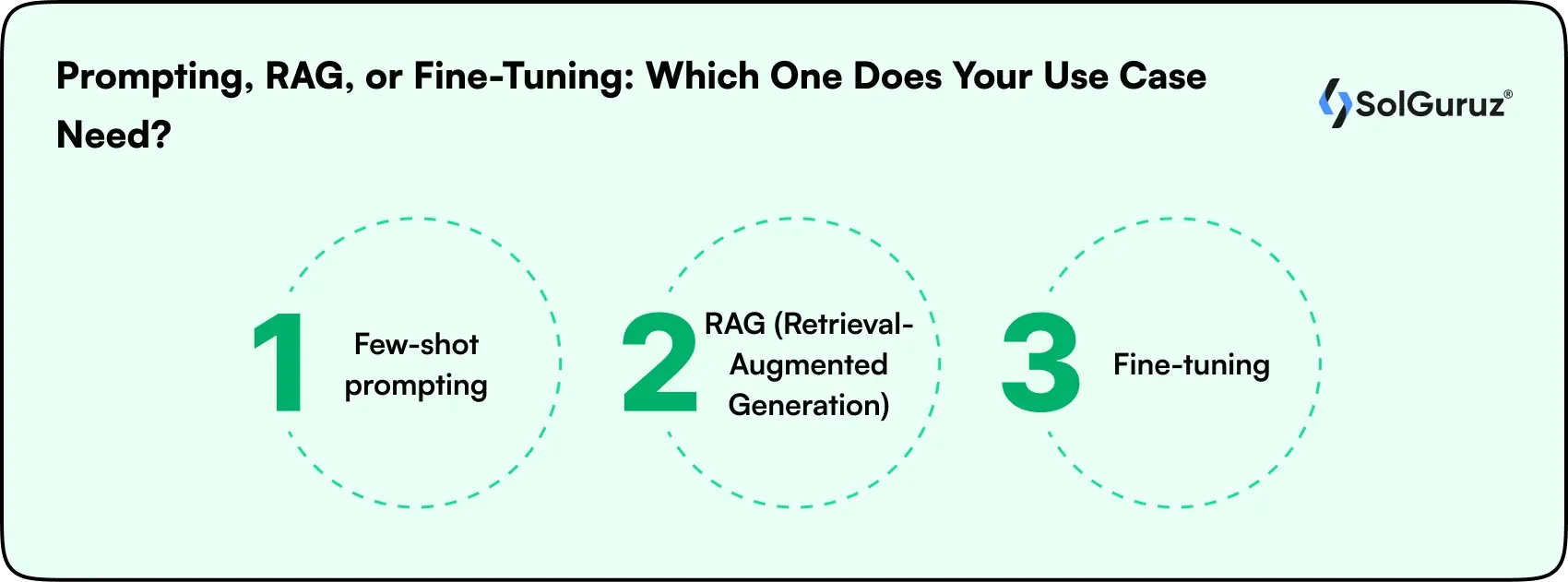
Shot-based prompting is one of 3 ways to improve LLM output quality. The other two are RAG (Retrieval-Augmented Generation) and fine-tuning. Understanding when to use each one prevents teams from over-engineering solutions.
1. Few-shot prompting
Few-shot prompting means giving the model 2 or more examples inside the prompt before asking it to complete a task. No training is involved. The model reads the examples, picks up the pattern, and applies it to the new input, all within a single request.
- Best when: You need a consistent output format or tone for a repeatable task. Fast to implement. No training required. Works at inference time.
- Limitation: Few-shot prompting cannot add new knowledge to the model. If the task requires specialized or up-to-date information that the model was never trained on, examples alone will not solve the problem.
2. RAG (Retrieval-Augmented Generation)
RAG is a method where the system fetches relevant information from an external source, such as your documents, database, or knowledge base, and includes it in the prompt before the model generates a response. Think of it as giving the model a reference pulled directly from your own data right before it answers.
For example, if a user asks your AI chatbot about a product that launched last month, RAG retrieves the relevant product page and feeds it into the prompt. The model answers using that retrieved content rather than guessing from training data.
- Best when: The model needs access to information it was not trained on, such as your internal documents, product data, or recent events.
- Limitation: Requires a vector database and retrieval pipeline. More infrastructure to set up and maintain.
3. Fine-tuning
Fine-tuning an LLM means retraining the model on a dataset of examples specific to your use case. Unlike few-shot prompting where examples go into the prompt, fine-tuning trains those patterns directly into the model's core behavior. The model does not need examples in the prompt anymore because the behavior is now built into how it responds by default.
For example, a legal firm might fine-tune a model on thousands of contract reviews so it consistently applies the firm's specific clause interpretation standards across every document, without needing examples in every prompt.
- Best when: You need the model to consistently follow a very specific style, tone, or reasoning pattern across millions of requests. The behavior becomes a permanent part of how the model responds, not something you have to include in every prompt.
- Limitation: Requires labeled training data, computational cost, and time. Changes are harder to roll back than prompt edits.
Exploring open-source LLMs helps teams evaluate which models are strong enough for zero-shot or need few-shot scaffolding to perform consistently.
How SolGuruz Approaches Prompting in AI Products
At SolGuruz, we treat prompt design as part of the architecture from Day 1. For every AI integration we build, our team defines the prompting strategy, tests it thoroughly, and maintains it the same way we maintain code.
1. We audit the task before choosing a method
Complexity level, required output format, acceptable error rate, and token budget together determine whether zero-shot, one-shot, or few-shot is the right starting point. We do not default to a few-shot everywhere.
2. We build prompt libraries, not one-off prompts
Every project gets a structured library of tested, versioned prompts. Each one is documented with its intended task, example count, output expectations, and known failure cases.
3. We test across edge cases before deploying
A prompt that works on 20 test inputs is not production-ready. We run prompts against edge cases, ambiguous inputs, and failure scenarios before any prompt enters a live workflow.
4. We calibrate per model
Claude, GPT-4, and Gemini handle few-shot examples differently, especially around example ordering, context window placement, and response format. We tune example count and structure per the specific LLM your product runs on.
5. We build feedback loops into the system
Prompts drift as input patterns shift over time. Our AI integrations include monitoring so the team catches when prompt performance drops and can update before it affects users.
If you need engineers who apply this practice from day one, you can hire generative AI engineers from SolGuruz who are trained to build production-ready AI systems with structured prompting built into every workflow.
From a verified Clutch review
"We were very happy with all aspects of their delivery."
Matt Kuperholz, AI Scientist & Advisor, Matt Kuperholz Consultancy
The Bottom Line
Zero-shot, one-shot, and few-shot prompting each serve a different purpose. Zero-shot handles simple tasks. One-shot guides format. Few-shot delivers consistency at scale.
Choosing the right method deliberately, and treating prompt quality as an engineering discipline, is what separates AI tools that work reliably from ones that work sometimes. Prompting is one layer of that discipline, and AI development services cover the layers underneath it.
At SolGuruz, every prompt is a production asset built with intent and improved continuously. If you are ready to build AI workflows that hold up in production, contact us, and we will scope the right approach for your use case.
Frequently Asked Questions
1. What is the difference between zero-shot, one-shot, and few-shot prompting?
Zero-shot gives the model no examples and relies entirely on its training. One-shot provides a single example to guide format or tone. Few-shot uses two or more examples to improve accuracy and consistency on complex tasks. The right choice depends on task complexity and how structured the output needs to be.
2. When should you use few-shot prompting?
Use few-shot when the task is complex, the output format must be consistent across many requests, or errors carry real operational cost. Code generation, customer support automation, and structured data extraction are strong fits. For simple general tasks, zero-shot is usually sufficient.
3. What is meant by the term "shot" when using a generative AI model?
A shot is one example provided to the model inside the prompt. Zero-shot means no examples. One shot means one example. Few-shot means two or more. The number of shots tells the model how much task context it has before generating a response.
4. How does few-shot prompting compare to fine-tuning a model?
Few-shot prompting requires no changes to the model and works immediately by adding examples to the prompt. Fine-tuning retrains the model on task-specific data, making the behavior a permanent part of how it responds. It delivers higher accuracy but requires labeled data, computational cost, and time. For most production use cases, few-shot prompting is the faster and more practical starting point.
5. Can zero-shot prompting work for code generation?
Yes, for simple, isolated functions where the intent is unambiguous. For anything involving a specific codebase style, error handling conventions, or multi-function logic, one-shot or few-shot prompting with examples from the actual codebase produces significantly better and more consistent output.
6. How does shot-based prompting reduce AI hallucinations?
Examples anchor the model's output to a known pattern. When the model can see what a correct response looks like, it is less likely to fill gaps with invented content, which is how AI hallucinations occur. Few-shot prompting is particularly effective at reducing hallucinations on structured tasks where the expected output format is clear.
7. How does prompting connect to RAG and fine-tuning?
They solve different problems. Few-shot prompting improves output format and consistency at inference time without infrastructure. RAG gives the model access to information it was not trained on by retrieving relevant content at runtime. Fine-tuning bakes a specific behavior into the model's weights permanently. Most teams start with few-shot prompting, then add RAG when domain knowledge is needed, and consider fine-tuning only when consistency requirements exceed what prompting can deliver.
8. Do prompting methods work differently across models like GPT-4, Claude, and Gemini?
Yes. Each model has different sensitivities to example count, placement, and format. Claude tends to follow structured examples with high fidelity. GPT-4 is more sensitive to the order of examples. Gemini performs well on a few-shot for multimodal tasks. Calibrating the approach per model is part of building a reliable production AI workflow.
9. Is one-shot prompting enough for production AI outputs?
For structured message templates, email formats, and document extraction with a clear pattern, one example often delivers reliable results. For higher-stakes workflows requiring consistency across hundreds or thousands of outputs, few-shot is the safer approach.
Looking for an AI Development Partner?
SolGuruz helps you build reliable, production-ready AI solutions - from LLM apps and AI agents to end-to-end AI product development.

Strict NDA

Trusted by Startups & Enterprises Worldwide

Flexible Engagement Models

1 Week Risk-Free Trial
Next-Gen AI Development Services
As a leading AI development agency, we build intelligent, scalable solutions - from LLM apps to AI agents and automation workflows. Our AI development services help modern businesses upgrade their products, streamline operations, and launch powerful AI-driven experiences faster.


Why SolGuruz Is the #1 AI Development Company?
Most teams can build AI features. We build AI that moves your business forward.
As a trusted AI development agency, we don’t just offer AI software development services. We combine strategy, engineering, and product thinking to deliver solutions that are practical, scalable, and aligned with real business outcomes - not just hype.
Why Global Brands Choose SolGuruz as Their AI Development Company:

Business - First Approach
We always begin by understanding what you're really trying to achieve, like automating any mundane task, improving decision-making processes, or personalizing user experiences. Whatever it is, we will make sure to build an AI solution that strictly meets your business goals and not just any latest technology.
Custom AI Development (No Templates, No Generic Models)
Every business is unique, and so is its workflow, data, and challenges. That's why we don't believe in using templates or ready-made models. Instead, what we do is design your AI solution from scratch, specifically for your needs, so that you get exactly what works for your business.
Fast Delivery With Proven Engineering Processes
We know your time matters. That's why we follow a solid, well-tested delivery process. Our developers follow AI-Assisted Software Development principles to move fast and stay flexible to make changes. Moreover, we always keep you posted at every step of the AI software development process.
Senior AI Engineers & Product Experts
When you work with us, you're teaming up with experienced AI engineers, data scientists, and designers who've delivered real results across industries. And they are not just technically strong but actually know how to turn complex ideas into working products that are clean, efficient, and user-friendly.
Transparent, Reliable, and Easy Collaboration
From day one, we keep clear expectations on timelines, take feedback positively, and share regular check-ins. So that you'll always know how we are progressing and how it's going.
From Our Portfolio
AI Projects We Have Shipped to Production
SolGuruz has shipped 102+ products across 14 industries. See how SolGuruz built production AI applications - LLM-powered clinical documentation, AI travel planning, healthcare staffing intelligence, and AI journaling - using GPT-4, Claude, and custom ML models at real-world scale.

AI Clinical Notes Platform That Turns 2-Hour Documentation Into One Click
NoteCliniq transforms clinical conversations into HIPAA-compliant SOAP notes in seconds, eliminating 2+ hours of manual documentation daily for busy clinicians.
Key Outcomes
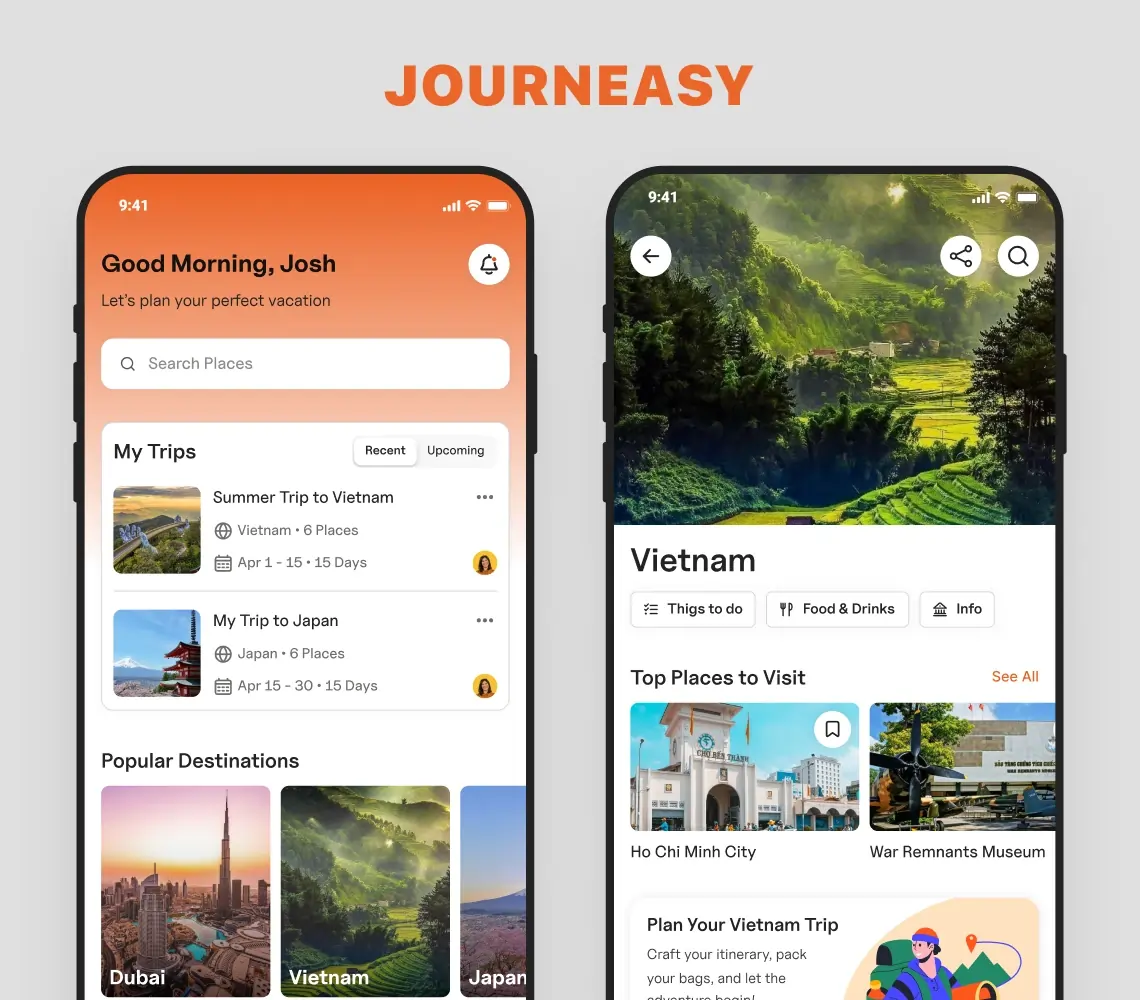
AI-Powered Trip Planner App Solution
Explore how SolGuruz created an AI-powered trip planner app. It is an exclusive AI vacation planner that helps with finding hotels, cabs, places, and complete itineraries.
Key Outcomes
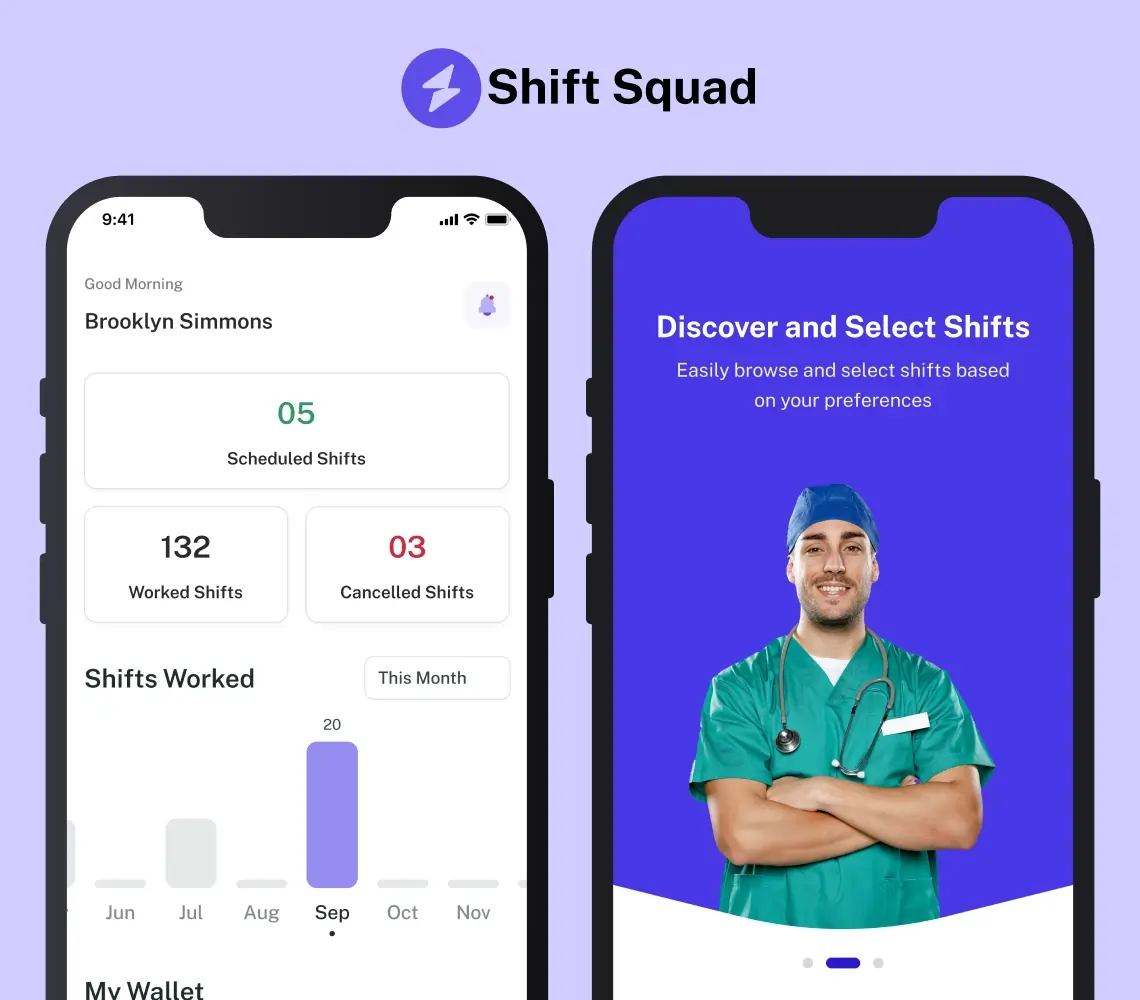
AI-Powered Healthcare Staffing App Solution
Explore our AI-powered healthcare staffing app case study. See how SolGuruz's expertise turns nurse staffing challenges into a system that holds up on a live rota.
Key Outcomes

AI Journaling App Development Solution
Discover with us how we built Dream Story, an AI-powered journaling application that helps manage daily notes by capturing your thoughts and emotions. A one-stop solution for those who love noting down daily summaries!
Key Outcomes
Whether you’re modernizing a legacy system or launching a new AI-powered product, our AI engineers and product team help you design, develop, and deploy solutions that deliver real business value.

