How to Integrate AI into Android Apps (On-Device ML Kit vs Cloud LLMs)
Integrating AI into Android apps requires choosing the right approach-on-device ML Kit, cloud-based LLMs, or a hybrid model. This guide breaks down performance, cost, privacy, architecture, and real use cases to help you pick the smartest AI path for your product. Build AI features with confidence, speed, and scalability.

Summarise with AI


Ever tried adding “AI features” to your Android app, only to realize it slowed everything down, blew up your cloud bill, or confused your dev team about what should run where?
We bet you did. Right?
We understand most teams don’t struggle with AI itself – they struggle with choosing the right AI path. Yes, it is confusing, with so many options and so many decisions to make.
Should your intelligence live on the device for instant speed?
Should you rely on cloud LLMs for richer reasoning?
Or is the real answer a hybrid approach that blends both?
This guide is built exactly for that moment.
By the end, you’ll know exactly which path fits your app, your users, and your long-term product vision.
Let’s make your Android app not just “AI-enabled”…
but AI-confident, AI-fast, and AI-smart.
Integrating AI into Android apps comes down to choosing between on-device ML Kit and cloud-based LLMs, each serving very different needs. ML Kit is best for real-time, offline, privacy-sensitive tasks like OCR, barcode scanning, and on-device classification — it’s fast, free per use, and lightweight.
Cloud LLMs (like Gemini or GPT-4.1) excel at generative tasks such as chat, summarization, translation, and reasoning but rely heavily on internet connectivity, incur API costs, and introduce latency. If your app needs instant responses, works in low-connectivity environments, or handles sensitive data, on-device ML Kit wins.
If you need natural conversations, advanced text generation, or multimodal reasoning, cloud LLMs are the better fit. For most modern Android apps, a hybrid approach (ML Kit for preprocessing + LLM for heavy reasoning) offers the best balance of performance, cost efficiency, and user experience.
“For 80% of Android apps, hybrid is the sweet spot: ML Kit preprocesses → LLM reasons → UI delivers fast results.”
Table of Contents
Understanding Your Options: On-device ML Kit vs Cloud LLMs
When you integrate AI into your Android app, your first big decision is where the intelligence should live – on the device or in the cloud. Both approaches are powerful, but they serve very different purposes.
What Is On-Device AI (ML Kit)?
On-device AI runs directly on the user’s smartphone using compact, optimized models such as Google ML Kit, TensorFlow Lite, or Gemini Nano. As the computation happens locally, there is
No need for an internet connection, providing offline accessibility
Ultra low latency
Ideal for tasks that need to be fast, secure, and consistent across environments.
Typical on-device AI tasks include
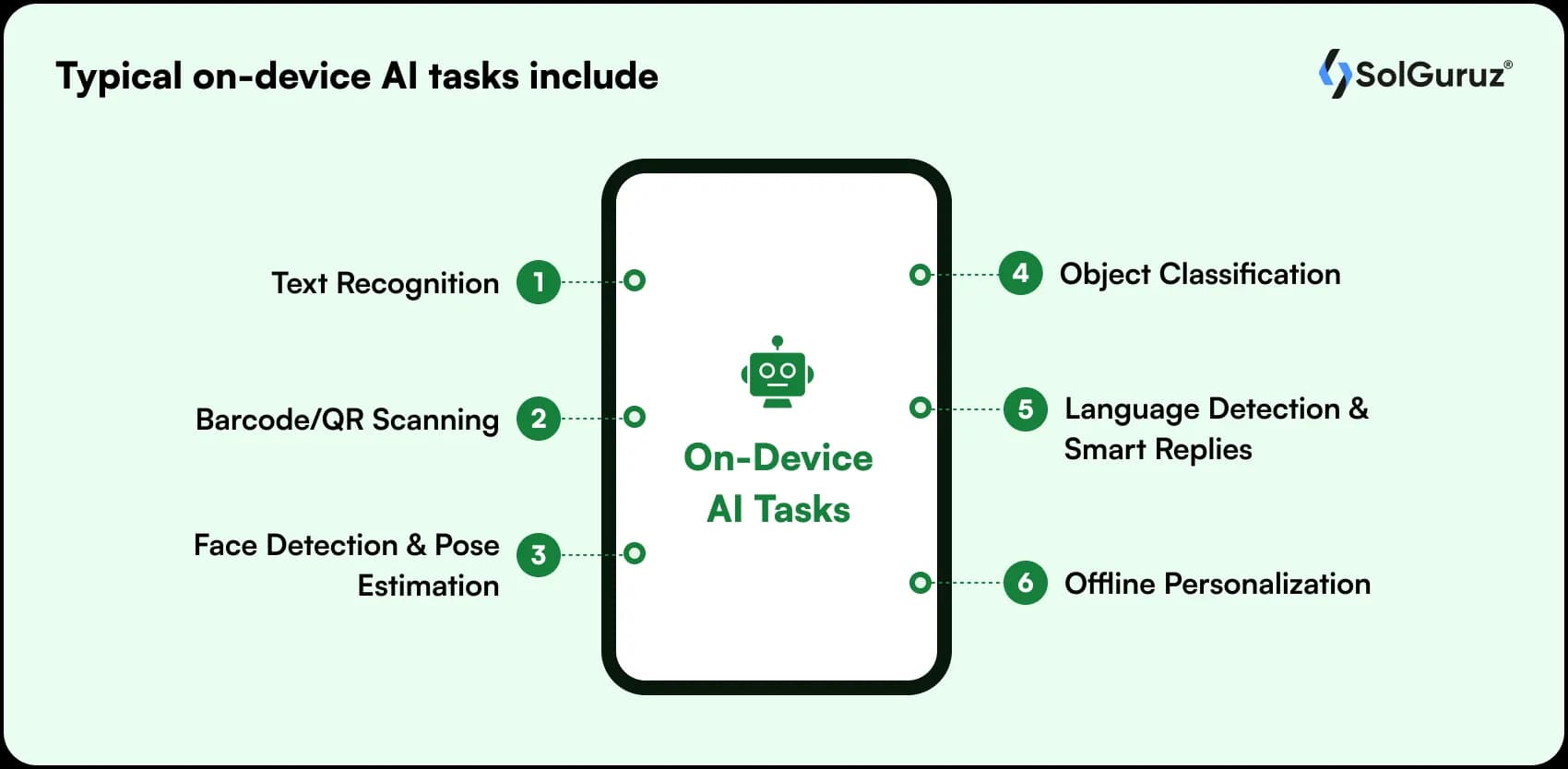
- Text recognition (OCR)
- Barcode/QR scanning
- Face detection & pose estimation
- Object classification
- Language detection & smart replies
- Offline personalization
As everything is happening locally, there is no question of data leaving the device, making it highly privacy-friendly. Hence, it becomes more suitable for domains like fintech, healthcare, and enterprise apps.
What Are Cloud LLMs?
Cloud-based large language models (LLMs) like Google Gemini, OpenAI, and others hosted by cloud providers operate on remote servers.
These models are far more powerful, capable of generating content, summarizing documents, reasoning over large inputs, and powering conversational experiences.
Typical cloud LLM tasks include:
- Chatbots & customer support agents
- Text generation, rewriting, or translation
- Summarization & document analysis
- Recommendations
- Multimodal understanding (image + text)
Cloud AI excels in depth, creativity, and reasoning – but relies on network quality and incurs per-request costs.
| Factor | On-Device ML Kit | Cloud LLMs |
| Latency | Instant (no network) | Slower, network-dependent |
| Offline Support | Full | None |
| Privacy | High (local data) | Medium (requires secure handling) |
| Output Richness | Basic–Intermediate | Advanced, generative, multimodal |
| Cost | Free per use | API-based, pay-per-request |
Why Choosing the Wrong Approach Hurts?
Integrating AI into Android apps is not that difficult. But choosing the wrong method can prove to be a mistake for your product.
The symptoms like slow responses, privacy concerns, rising API bills, and frustrated users wondering why your “AI feature” feels broken.
For example, imagine adding a cloud LLM to power a camera-based feature like real-time object recognition. On paper, it sounds pretty smart.
But in reality? Every frame gets uploaded, processed, and returned.
Users experience 1–3 second delays, the app feels laggy, and your monthly cloud costs skyrocket.
A simple on-device ML Kit model would have handled the same task instantly and offline – with zero API cost.
This is why choosing the wrong approach isn’t just a technical mistake – it threatens UX, performance, scalability, and your overall product economics.
And once the AI layer becomes a bottleneck, everything built on top of it becomes harder to maintain, test, scale, or justify.
To avoid this, you need to be clear about what you want.
So here is a decision framework to help you.
Decision Framework: On-Device vs Cloud vs Hybrid
Use these guiding questions to choose the correct AI approach:
1. Does it need instant, real-time responses?
✔ Yes → On-device
✖ No → Continue
2. Does it involve sensitive user data (health, finance, identity)?
✔ Yes → On-device or Hybrid
✖ No → Cloud is fine
3. Does your feature require generative AI or advanced reasoning?
✔ Yes → Cloud LLM
✖ No → ML Kit works
4. Is your user base in low-connectivity regions?
✔ Yes → On-device
✖ No → Hybrid or Cloud
5. Do you want the lowest long-term cost?
✔ Yes → On-device or Hybrid
✖ No → Cloud is acceptable
6. Do you care more about accuracy than speed?
✔ Yes → Cloud
✔ Both → Hybrid
Decision Making Section – When to Use On-device, Cloud, or Hybrid?
The easiest way to make a decision about the right AI approach is to think of real-world scenarios where these approaches are useful.
Mapping real-life product scenarios to tech that fits them the best will naturally determine the right course of approach.
We compiled a few practical, founder-friendly examples that mirror actual Android development challenges
When to Use On-Device ML Kit
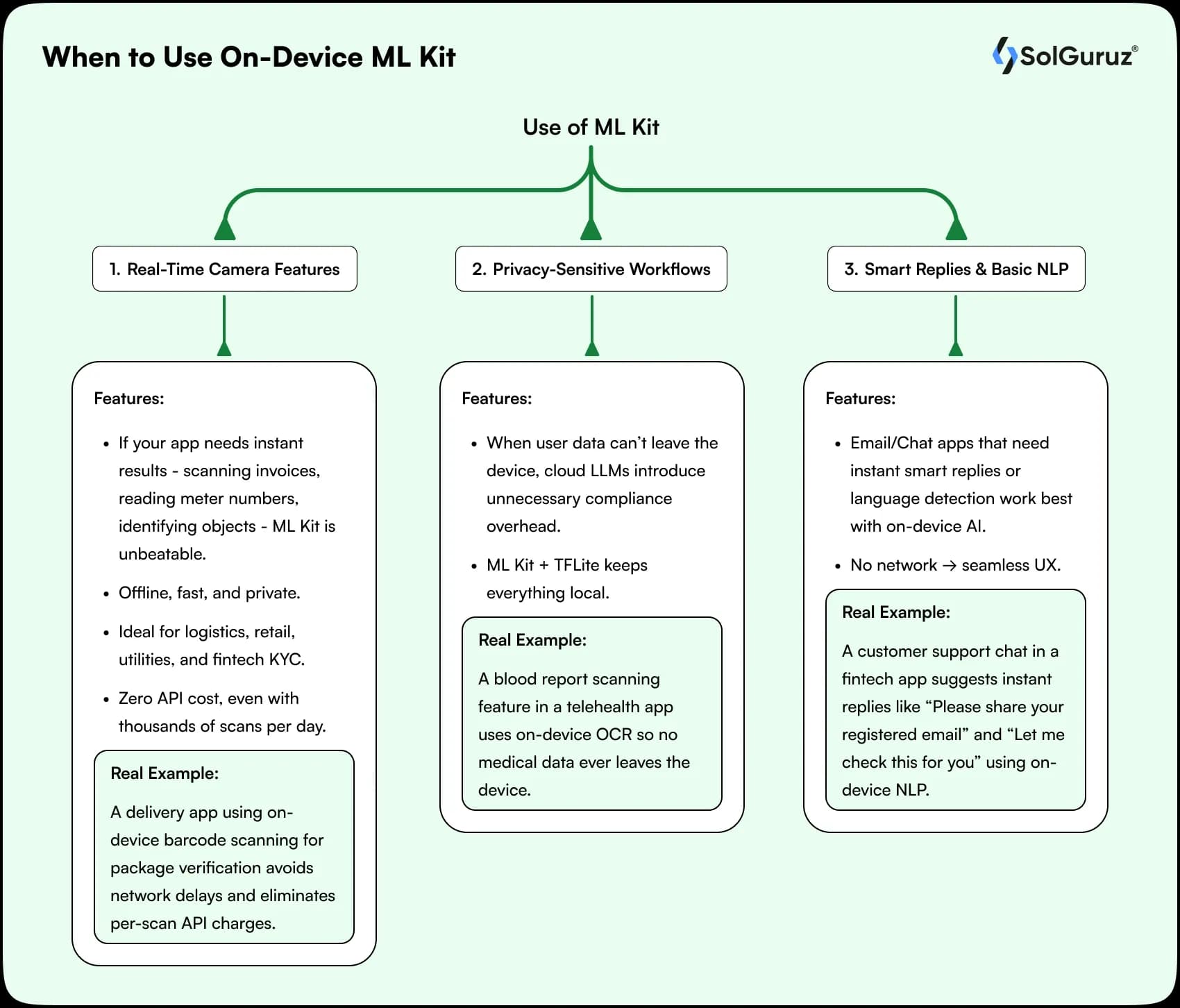
You need on-device AI/ML for camera features or
1. Real-Time Camera Features (OCR, Barcode, Object Detection)
If your app needs instant results — scanning invoices, reading meter numbers, identifying objects — ML Kit is unbeatable.
Offline, fast, and private
Ideal for logistics, retail, utilities, and fintech KYC
Zero API cost, even with thousands of scans per day
Real example:
A delivery app using on-device barcode scanning for package verification avoids network delays and eliminates per-scan API charges.
2. Privacy-Sensitive Workflows (Healthcare, Fintech, Enterprise)
When user data can’t leave the device, cloud LLMs introduce unnecessary compliance overhead.
ML Kit + TFLite keeps everything local.
Real example:
A blood report scanning feature in a telehealth app uses on-device OCR so no medical data ever leaves the device.
3. Smart Replies & Basic NLP
Email/Chat apps that need instant smart replies or language detection work best with on-device AI.
No network → seamless UX.
Real example:
A customer support chat in a fintech app suggests instant replies like “Please share your registered email” and “Let me check this for you” using on-device NLP.
When to Use Cloud LLMs
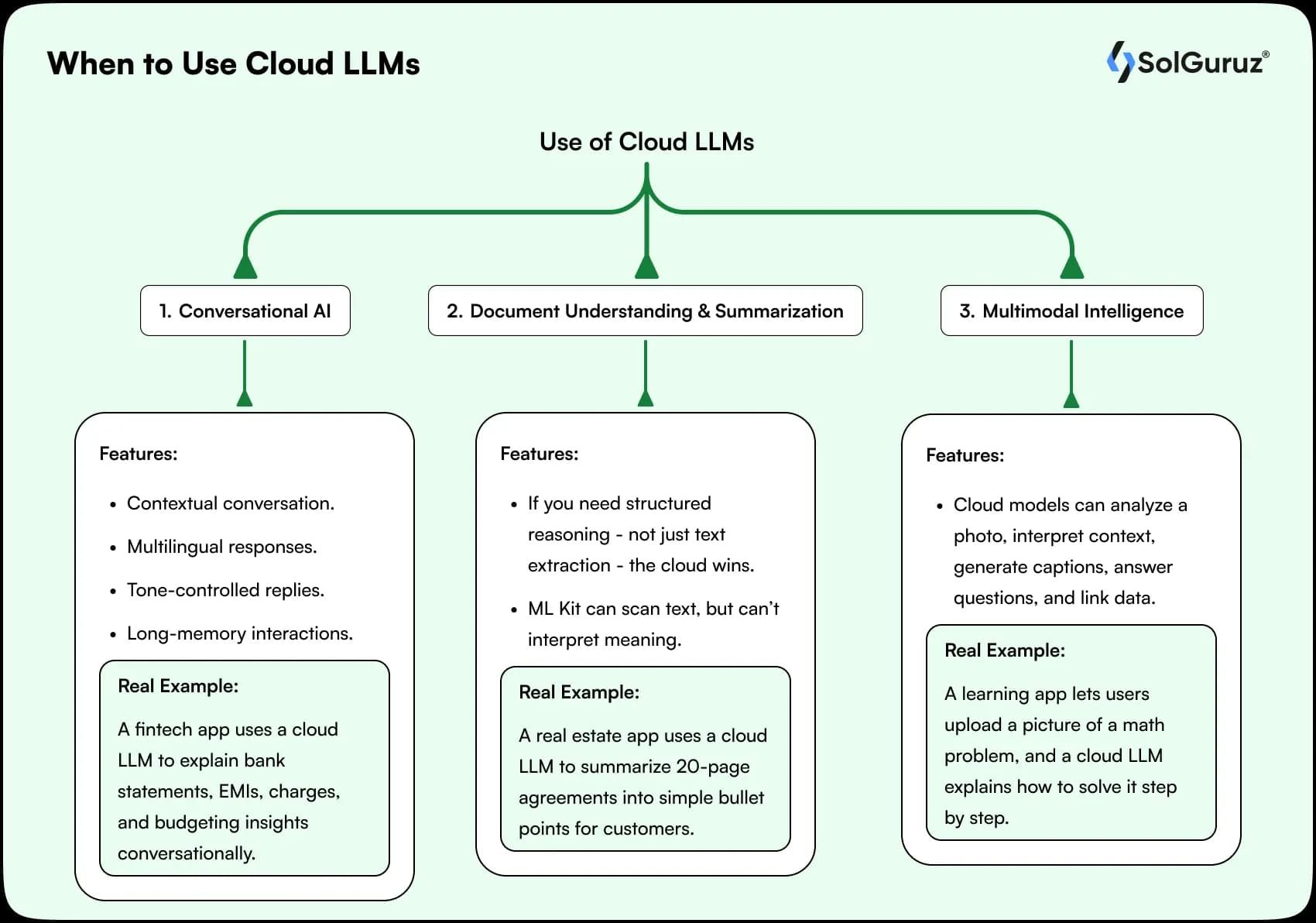
The times when cloud LLMs prove to be more useful
1. Conversational AI (Chatbots, Support Agents)
Cloud LLMs like Gemini and GPT-4.1 excel at:
- Contextual conversation
- Multilingual responses
- Tone-controlled replies
- Long-memory interactions
Real example:
A fintech app uses a cloud LLM to explain bank statements, EMIs, charges, and budgeting insights conversationally.
2. Document Understanding & Summarization
If you need structured reasoning — not just text extraction — the cloud wins.
ML Kit can scan text, but can’t interpret meaning.
Real example:
A real estate app uses a cloud LLM to summarize 20-page agreements into simple bullet points for customers.
3. Multimodal Intelligence (Image + Text + Search)
Cloud models can analyze a photo, interpret context, generate captions, answer questions, and link data.
Real example:
A learning app lets users upload a picture of a math problem, and a cloud LLM explains how to solve it step by step.
When Hybrid Is the Smartest Choice
The most modern Android apps use a hybrid AI approach:
- On-device ML Kit → fast preprocessing (OCR, detection)
- Cloud LLM → deep reasoning, summarization, or conversation
Real example:
A loan eligibility app:
- ML Kit extracts data from a scanned ID.
- Cloud LLM interprets the applicant’s financial profile.
- Final output is delivered instantly and accurately.
- Hybrid delivers speed, accuracy, cost-efficiency, and privacy — no trade-offs.
Architecture Patterns – How to Build ML Kit + Cloud LLM-Based Android Apps?
Once you’ve decided what should run on-device and what should live in the cloud, the next step is designing an architecture that is fast, maintainable, and safe.
It is a relief that you don’t need a complex setup.
A clean MVVM + Use Case + Repository architecture works beautifully for AI-powered Android apps.
High-Level Architecture (Hybrid AI)
Goal:
- Use ML Kit for local, instant tasks (OCR, detection, scanning).
- Use a Cloud LLM for heavy reasoning (summarization, explanations, chat).
On-Device ML Flow
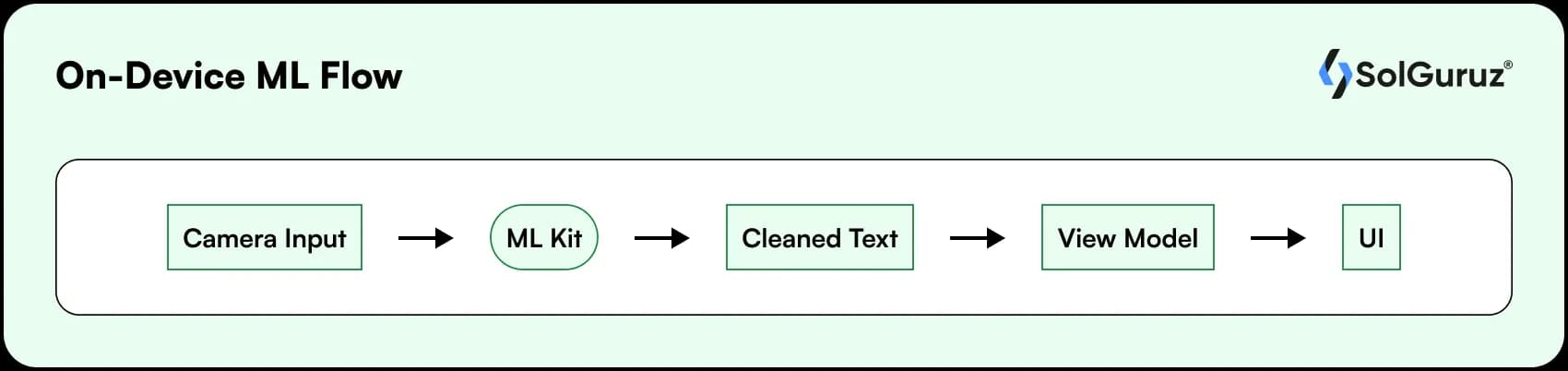
Here we have shown a typical flow for a real-life example of OCR scanning using an on-device camera.
Key components are:
1. OnDeviceAI handles:
- Image preprocessing
- ML Kit calls
- Error handling (e.g., low light, blur)
2. AI Repository returns a sealed result type (Success / Error) to keep the UI clean.
Cloud LLM Flow
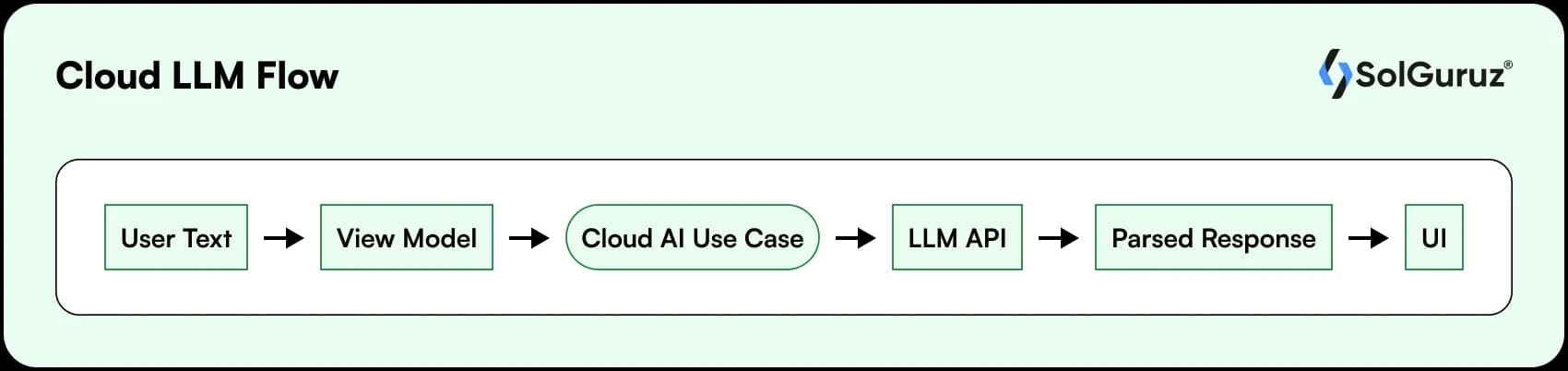
Here, for cloud LLM, an example of a summary or explanation is used.
Key components are:
- CloudAIUseCase:
- Builds prompts
- Calls LLM API (Retrofit/OkHttp)
- Handles timeouts, rate limits, and retries
Consider using:
- Interceptors for auth headers (API keys/tokens)
- Network checker for offline states
Hybrid Flow (Most Powerful Pattern)
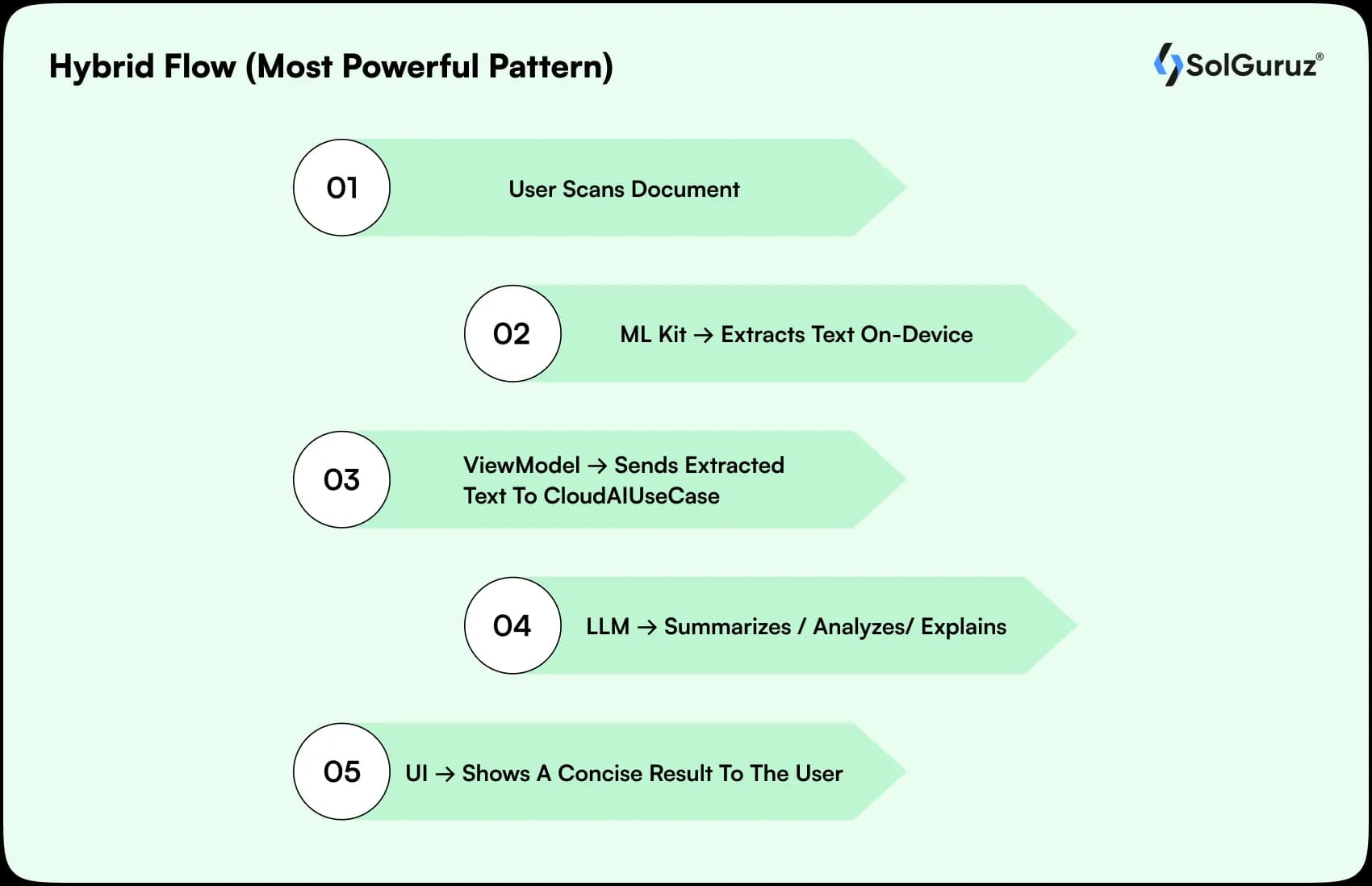
The real magic happens when you chain ML Kit → Cloud LLM. Combine on-device and cloud LLMs for the best result.
1) User scans document (camera)
2) ML Kit → Extracts text on-device
3) ViewModel → Sends extracted text to CloudAIUseCase
4) LLM → Summarizes / analyzes/explains
5) UI → Shows a concise result to the user
Cost Modeling: On-device vs Cloud LLMs
Cost is one of the biggest deciding factors when adding AI to Android apps. A feature that looks simple on paper can become unexpectedly expensive once your user base grows. This section helps you model costs realistically and shows how to stay in control.
Cloud LLM Cost Modeling
Cloud LLMs follow a pay-per-request system, typically based on tokens (input + output).
Costs scale with:
- Daily Active Users (DAUs)
- Average API calls per day
- Tokens per call
- Provider pricing (Gemini, OpenAI, Llama on Bedrock, etc.)
A realistic projection table shows
Assuming that you have taken:
- Token cost of approx. $0.001–$0.01 per 1K tokens
- Average prompt + response size is approx. 1,500 tokens, then –
| DAUs | Calls/User/Day | Tokens/Call | Est. Monthly Tokens | Est. Monthly Cost |
| 1,000 | 2 | 1,500 | 90,000,000 | $90–$900 |
| 10,000 | 3 | 1,500 | 1.35B | $1,350–$13,500 |
| 50,000 | 3 | 1,500 | 6.75B | $6,750–$67,500 |
| 100,000 | 5 | 2,000 | 30B | $30,000–$300,000 |
On-Device AI Cost Modeling
On-device models (ML Kit, TFLite, Gemini Nano) have near-zero per-call cost because all computation happens on the device.
What do you pay for?
- Developer effort (one-time or periodic)
- Model optimization & testing
- Storage/download overhead (5–30MB typically)
- Occasional updates or retraining
What don’t you pay for?
- Tokens
- API calls
- Cloud compute
- Network bandwidth
Once implemented, on-device AI is free at scale. This makes it ideal for apps expecting millions of daily interactions.
How to Choose the Right Cost Strategy?
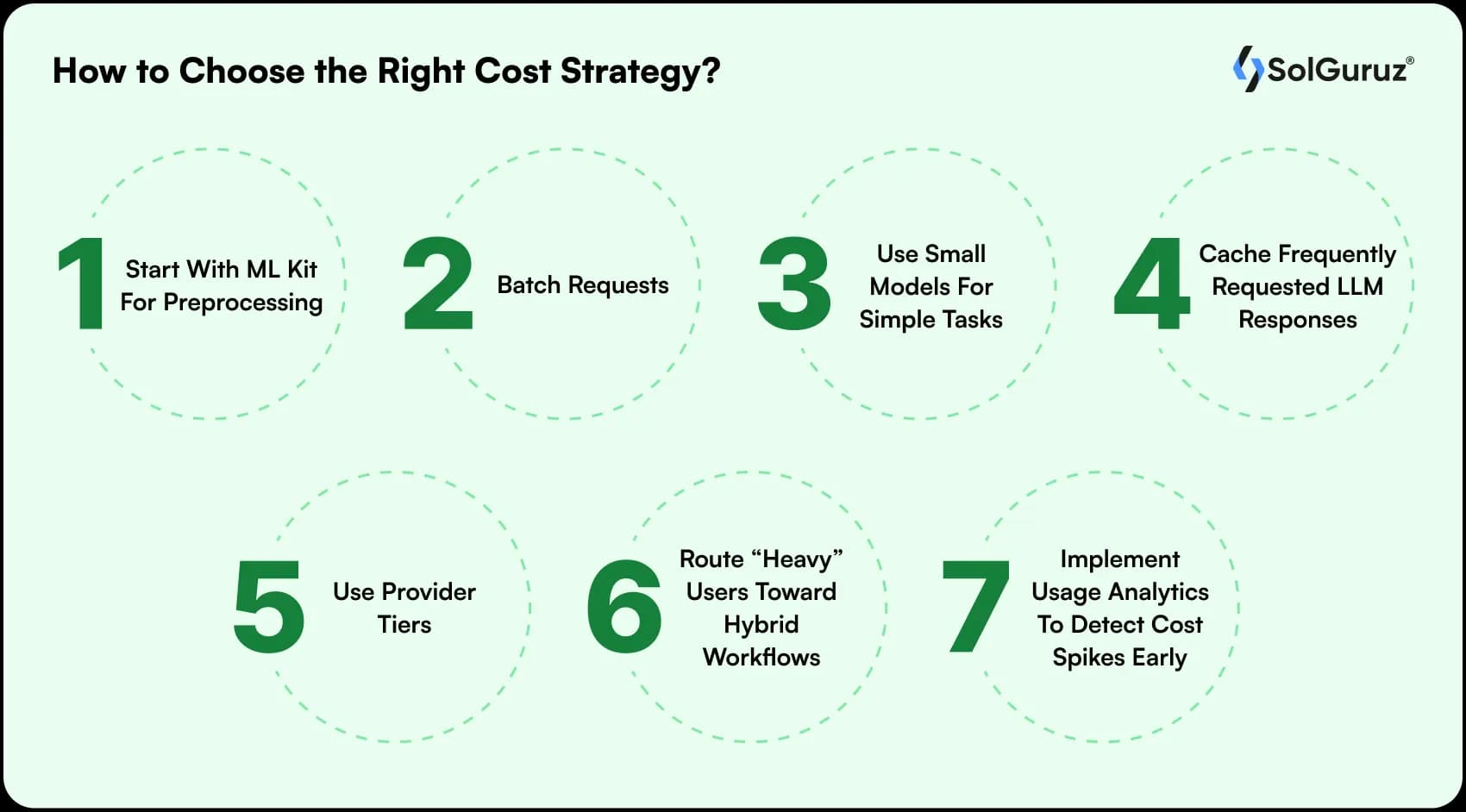
Follow these rules to avoid any surprises or mid-project pivots:
- Start with ML Kit for preprocessing → send only structured text to LLM
- Batch requests (e.g., summarize 3 items at once)
- Use small models for simple tasks
- Cache frequently requested LLM responses
- Use provider tiers (e.g., Gemini 1.5 Flash for cheaper inference)
- Route “heavy” users toward hybrid workflows
- Implement usage analytics to detect cost spikes early
How to Protect User Data in AI-Driven Android Apps – Privacy, Security, and Compliance Blueprint
When integrating AI into Android apps, security is not optional – it’s foundational. Users expect intelligence, but they also expect their data to remain safe, private, and fully under their control. The right AI architecture depends heavily on the type of data you process and the compliance landscape your product operates in.
What Must Stay On-Device vs What Can Go to the Cloud?
Certain categories of data should never leave the device:
Data That Must Stay On-Device
| Category | Examples | Why |
| PII (Personally Identifiable Information) | Aadhaar/SSN, PAN details, bank details | Regulatory & trust risk |
| Health Data | Vitals, lab reports, prescriptions | HIPAA/HITECH-like compliance |
| Biometrics | Face embeddings, fingerprints | High sensitivity |
| Images/Documents | IDs, invoices, medical scans | Avoid network exposure |
For these tasks, ML Kit + TFLite provides high privacy and regulatory comfort because data never leaves the user’s phone.
Data That Can Safely Go to the Cloud
| Category | Examples |
| Non-sensitive text | Summaries, generic prompts |
| Derived insights | Extracted numbers/text chunks |
| Public content | Search queries, educational content |
| Anonymized input | Redacted documents or simplified text |
Performance & Latency: What to Expect on Real Devices
When integrating AI into Android apps, real-world performance matters more than benchmarks. Users don’t care how powerful your model is – they care whether the feature responds instantly. This section breaks down how on-device ML Kit and cloud LLMs actually behave on real Android devices, across different hardware tiers and network conditions.
On-Device ML Kit Performance (Fast, Stable, Predictable)
On-device AI delivers consistent low-latency results because computation happens entirely on the user’s phone. There’s no dependency on network, backend servers, or token processing.
| Device Tier | ML Kit OCR | Object Detection | Language ID |
| Low-end (₹6k–₹10k) | 120–250 ms | 180–300 ms | 20–40 ms |
| Mid-range (₹10k–₹20k) | 80–120 ms | 120–160 ms | 10–20 ms |
| Flagship (₹40k+) | 30–60 ms | 40–90 ms | <10 ms |
Why ML Kit feels fast:
Uses TensorFlow Lite micro-models
Optimized for ARM CPUs & Android NNAPI
No network overhead
Predictable performance regardless of region
This makes ML Kit perfect for camera-heavy, real-time, offline-first apps.
Cloud LLM Latency (Powerful but Network-Dependent)
Cloud LLMs rely on round-trip network calls + server-side processing. Even with fast models (Gemini Flash, GPT-4o-mini), latency is inherently higher.
Expected Cloud LLM Latency
| Network Condition | Latency (Prompt → Response) |
| Weak 3G / unstable WiFi | 1500–4000 ms |
| Average 4G | 800–2000 ms |
| 5G & high-speed WiFi | 500–1200 ms |
Why cloud models feel slower:
- Token streaming
- Server queue time
- Request/response serialization
- Network congestion
- Large prompt sizes
Cloud LLMs shine when you need deep reasoning, creativity, summarization, translation, or non-deterministic output quality – not instant reactions.
Hybrid Latency (Best of Both Worlds)
A hybrid approach significantly improves UX by filtering, cleaning, or compressing data on-device before sending it to the cloud.
Example:
Camera Input →On-device ML Kit (OCR in 80 ms) →Send cleaned text (50–200 tokens) to LLM →Cloud response returned in 700–1200 ms →Final UI
Latency drops dramatically because
You send data, not images
Prompts are smaller
Cloud inference is simpler-Total perceived latency ≈ is 1 second for powerful AI results -making it feel snappy and intentional.
Performance Considerations Developers Often Miss
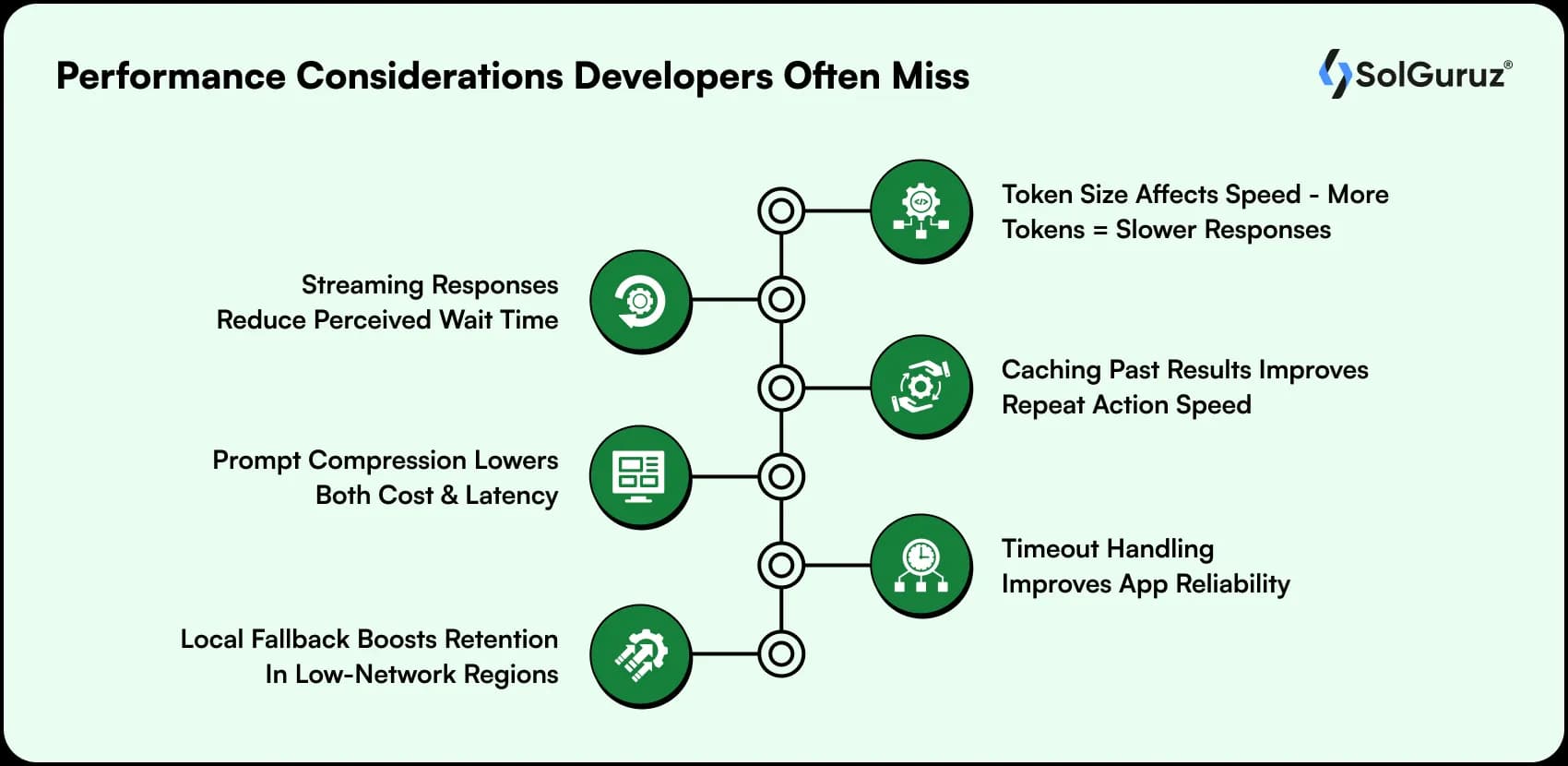
- Token size affects speed – more tokens = slower responses
- Streaming responses reduce perceived wait time
- Caching past results improves repeat action speed
- Prompt compression lowers both cost and latency
- Timeout handling improves app reliability
- Local fallback boosts retention in low-network regions
Pick Your AI Path with Confidence
AI isn’t a checkbox feature anymore; it’s a competitive advantage. The right AI strategy for your Android app can dramatically improve the UX, speed, strengthen privacy, and reduce operational costs.
Whether it’s on-device ML Kit, cloud LLMs, or a hybrid approach, the future belongs to teams that blend intelligent architecture with intelligent execution.
If you’re looking to accelerate your product roadmap, modernize your Android app, or build AI-powered features without compromising performance or privacy, SolGuruz can help you.
We can design, architect, and implement a production-ready Android AI experience from day one.
From strategy to engineering to delivery, we make sure your app doesn’t just embed AI, it uses AI to win.
FAQs
1. What’s the difference between on-device AI and cloud AI in Android apps?
On-device AI (like ML Kit or TensorFlow Lite) runs directly on the user’s device, offering fast, offline, privacy-safe processing. Cloud AI uses remote LLMs (like Gemini or GPT-4.1) for advanced reasoning, generative tasks, and multimodal capabilities. On-device is faster and cheaper; cloud AI is more intelligent and scalable.
2. When should I use ML Kit instead of a cloud LLM in my Android app?
Use ML Kit when you need real-time results, offline support, lower latency, or when handling sensitive data like IDs, health documents, or biometrics. Tasks like OCR, barcode scanning, face detection, and language ID perform better on-device.
3. When do cloud LLMs make more sense for Android apps?
Cloud LLMs are ideal for tasks requiring deep reasoning, conversation, summarization, translation, or multimodal understanding. If your feature needs generative output like a chatbot, document summary, or explanation, cloud-based LLMs will outperform on-device models.
4. Can I combine ML Kit and cloud LLMs in the same app?
Yes. Most modern Android apps use a hybrid approach: ML Kit handles fast local tasks (like OCR or entity extraction), and a cloud LLM processes the extracted text for reasoning or summarization. Hybrid AI reduces latency, improves privacy, and lowers cloud costs.
5. Is it safe to send user data to cloud LLMs from an Android app?
It’s safe when you apply best practices: redact PII, anonymize sensitive fields, send only derived or essential features, use HTTPS with certificate pinning, and route all requests through a secure backend. For high compliance needs (health, finance), keep raw data on-device.
From Insight to Action
Insights define intent. Execution defines results. Understand how we deliver with structure, collaborate through partnerships, and how our guidebooks help leaders make better product decisions.
 How we Work
Want AI features Without Slowing Your Android App?
We build fast, secure, and production-ready Android apps powered by ML Kit + Cloud LLMs.

Strict NDA

Trusted by Startups & Enterprises Worldwide

Flexible Engagement Models

1 Week Risk-Free Trial
Give us a call now!

+1 (724) 577-7737