How to Build a CRM from Scratch: Complete Development Guide For Businesses [2026]
This CRM development guide shows you how to ditch messy spreadsheets for a custom CRM designed specifically for your team’s unique workflows. SolGuruz explains the 10-step process to help you own your data, automate your sales pipeline, and finally build a system that fits your business instead of forcing your business to fit the software.

Summarise with AI


Key takeaway
- What is a Custom CRM?
A custom CRM is a platform engineered from scratch to align with a company’s unique sales workflows. Unlike off-the-shelf software, custom CRM development ensures 100% data ownership, specialized security, and features built specifically for your business.- Custom CRM increases productivity:
Industry data shows businesses report a 29% increase in sales productivity and a 34% improvement in customer satisfaction when using CRMs that actually fits their workflows.- Quick Cost Tiers:
Small Business/MVP ($20k–$25k); Mid-Market/SME ($25k–$50k); Enterprise ($50k–$100k+).- Simplify User-adoption:
70% of CRM projects fail due to poor user adoption rather than technical glitches, so you should ensure your CRM is end-user-friendly and provide proper training.- The AI Future:
By 2026, AI integration is a must-have for competitive growth. Using AI for lead scoring and churn prediction can boost revenue per salesperson by up to 41%.
Your sales team is using three different spreadsheets, and the support team doesn’t know what the sales team said to the lead. Your marketing team is sending emails to leads who have already left 2 months ago
If that sounds familiar to you, it may be time to consider custom CRM development to create a system tailored to your business needs.
Industry research says that businesses using CRM software report a 29% increase in sales productivity and a 34% improvement in customer satisfaction.
This is the complete 2026 guide to building a CRM from scratch. You’ll get the step-by-step development process, must-have features, tech stack recommendations, realistic cost estimates, and tips to make your custom CRM a perfect business fit.
Table of Contents
What Is a CRM?
CRM software centralizes customer interactions, tracks sales pipelines, automates marketing activities, and gives teams one shared source of truth. Custom CRM proves better than off-the-shelf CRM because it fits your business instead of your business fitting it.
What is a custom CRM?
A custom CRM (Customer Relationship Management system) is software built from scratch to match a specific company’s sales process, customer data structure, and team workflows. Unlike off-the-shelf CRMslike Salesforce or HubSpot, a custom CRM is designed around how your business actually operates, giving you full control over features, data ownership, integrations, and compliance requirements.
CRM increases productivity and operational accuracy by streamlining operations and giving your teams a single-source-of-truth database. Let’s discover when to build your custom CRM and the time and cost it takes to build one.
Should You Build a CRM or Buy One?
If you’re confused about whether you should subscribe to a ready-to-use CRM from the market or build a custom CRM for your company, we’re here to answer that question. Off-the-shelf CRMs like Salesforce, HubSpot, and Zoho are powerful, but they’re built to be used by millions of businesses, which means they have common templates for everything, and your business might need custom-built processes to match your workflow.
When Off-the-Shelf CRM Works Fine
- Your sales process is standard (lead → contact → deal → close)
- You have fewer than 50 users
- You don’t need deep integrations with proprietary systems
- Your budget is under $500/month
When Building a Custom CRM Makes Sense
If you have one (or many) of the following requirements, you have a need of a custom CRM.
- Your industry has unique compliance needs (HIPAA for healthcare, GDPR for EU operations)
- Your sales cycle doesn’t follow a common pipeline (real estate, healthcare, and education enrollment)
- You need to integrate with legacy systems or internal databases
- You’re facing feature limits/paying for features you’ll never use
- You want full data ownership and security control
Build vs Buy: Side-by-Side Comparison
Let’s visualize the pros and cons of off-the-shelf CRMs like Salesforce and Custom CRMs so you can decide properly which is perfect for your business growth.
| Factor | Off-the-Shelf CRM | Custom CRM from Scratch |
| Cost (Year 1) | $3,000–$60,000/year | $20,000–$100,000 one-time |
| Long-term Cost | Subscription grows with users | Lower cost over 3+ years |
| Customization | Limited by platform | Unlimited |
| Data Ownership | Shared with vendor | 100% yours |
| Compliance | Standard only | HIPAA, GDPR, SOC 2 as needed |
| Integrations | Pre-built connectors only | Any API or legacy system |
| Time to Launch | Days to weeks | 3-12 months |
| Scalability | Depends on plan tier | Built to your growth plan |
Remember: For small-sized companies with basic workflows, off-the-shelf may be the better choice, but for companies that are scaling up and have custom processes built for success, building a custom CRM is the right choice for long-term benefits and growth.
How to Build a CRM from Scratch: A 10-Step Process
If you’re wondering how to create a CRM, it is a lot like building a house. You need a plan before you start, the right materials, and experienced people. Here are the 10 steps to build a powerful custom CRM.

Step 1: Define Your CRM Goals and Requirements
The first step is to get clarity on why you’re making the CRM and what results you’re hoping for.
- What problems is your CRM solving?
- Who will use it: sales, marketing, support, or all three teams?
- What customer data do you need to capture?
- What does your current workflow look like (and what needs to be improved)?
- What tools does your CRM need to connect with?
Create a Software Requirement Specifications (SRS) document to set the scope for your project and keep you on track with your CRM requirements.
Step 2: Map Your User Roles and Workflows
Different people use a CRM differently.
- A sales manager needs pipeline visibility.
- A support agent needs conversation history.
- A marketing analyst needs campaign data.
You need to map out user roles (admin, sales rep, manager, support, read-only), permission levels for each role, and the key workflows each role uses daily. Talk to the people in your company to make sure that your workflow design actually helps them do their work better and faster.
Step 3: Design Your Database Architecture
A CRM is, in plainest terms, a smart database. For smooth workflows and operations, you should map out these important modules:
- Contacts (people) and Accounts (companies)
- Leads (potential customers) and Deals (active opportunities)
- Activities (calls, emails, meetings, tasks)
- Users, Teams, and Permission Groups
- Tags, Categories, and Custom Fields
Use relational database design (PostgreSQL is the most common choice for CRM systems). You should plan for data/user growth as well. For example, a healthcare clinic might start with 500 patient contacts and reach 50,000 within two years, and you want the CRM to function properly then as well.
Step 4: Choose Your Tech Stack
| Layer | Options | 2026 Recommendation |
| Frontend | React, Vue.js, Angular | React, the largest ecosystem, fastest development |
| Backend | Node.js, Django, FastAPI, Laravel | Node.js for real-time; FastAPI for AI/ML integration |
| Database | PostgreSQL, MySQL, MongoDB | PostgreSQL + Redis (caching layer) |
| Authentication | OAuth2, JWT, Auth0 | Auth0, fastest to implement securely |
| Cloud Hosting | AWS, GCP, Azure | AWS: most mature CRM tooling ecosystem |
| APIs | REST, GraphQL | REST for standard; GraphQL for complex queries |
| Mobile | React Native, Flutter | React Native, shared codebase with web frontend |
If you’re planning to add AI features like lead scoring or predictive analytics, FastAPI with Python is the easiest way, as the Python ML ecosystem makes AI integration very fast.
Step 5: Build the Backend
The backend handles data storage and processing, business logic, authentication, API integrations, and background jobs. Start with core data models, then build your API layer. Write quality tests simultaneously, as your CRM holds critical business data, and bugs are more troublesome here.
Step 6: Build the Frontend (UI/UX)
If your CRM is not user-friendly, users will not use it. For designing a good User Experience (UX) for your CRM, keep these key criteria in mind:
- Speed over beauty: Every extra click wastes a salesperson’s time
- Full info at a glance: Shows everything about a contact on one screen
- Keyboard shortcuts: Your power users will thank you
- Mobile-first: Sales representatives are in the field, and support agents use tablets
You should start with wireframes and test with actual users before you start building, so you can make changes based on user feedback at the design stage itself.
Step 7: Integrate Third-Party Tools
A CRM that doesn’t link to your other tools decreases your productivity because you need to juggle between different tools. We recommend that you add these common integrations to your CRM:
- Email (Gmail, Outlook, SMTP)
- Calendar (Google Calendar, Outlook Calendar)
- Phone/SMS (Twilio, RingCentral)
- Marketing (Mailchimp, HubSpot Marketing, ActiveCampaign)
- Payments (Stripe, PayPal)
- Industry-specific: EHR systems for healthcare, MLS for real estate, LMS for education
Step 8: Test, QA, and Security Audit
Before launching, you should always put your CRM through a detailed testing cycle to protect your sensitive customer data.
- Start with unit and integration tests and check if the individual features and third-party APIs work correctly, then start Performance Testing to ensure the system handles high traffic without crashing.
- Finally, take a Security Audit based on the OWASP Top 10 to identify issues like SQL injection or broken authentication.
Step 9: Deploy and Train Your Team
After deployment, the first thing to do is train your team to use the CRM, as low user adoption is one of the major causes of CRM failures. Your launch plan needs:
- Phased rollout (start with one team, not the whole company)
- Role-specific training (not common for all users)
- Clean data migration plan (clean and check before importing data)
- Feedback loop (weekly check-ins for the first 30 days)
Step 10: Maintain and Scale
A CRM is a living and growing product, so your journey doesn’t end at deployment but keeps continuing, so you should plan for:
- Monthly security patches and updates
- Quarterly feature releases based on user feedback
- Annual database optimization as data grows.
Now that you know how to develop a CRM, let’s know more about what features to have in your CRM.
Must-Have CRM Features to Build in 2026
Please don’t rush to add all features to your CRM software. Instead, just select the features that you absolutely need to get started and then plan the rest of the features in the next development phases. From this feature list, you will also understand how CRM helps sales by streamlining workflows and increasing productivity, which leads to better customer satisfaction and more revenue.
| Feature | Functionalities |
| Contact and Account Management |
|
| Lead and Pipeline Management |
|
| Task and Activity Tracking |
|
| Reporting and Analytics Dashboard |
|
| Marketing Automation and Email Integration |
|
| AI-Powered Features (2026 Must-Have) |
|
| Mobile CRM Access |
|
| Role-Based Permissions and Security |
|
How to Build Industry-Specific CRM Systems
Every CRM has different features and workflows because they change depending on the industry your business is in. When you develop a CRM system for your business, consider these few examples of industry-specific CRM features:
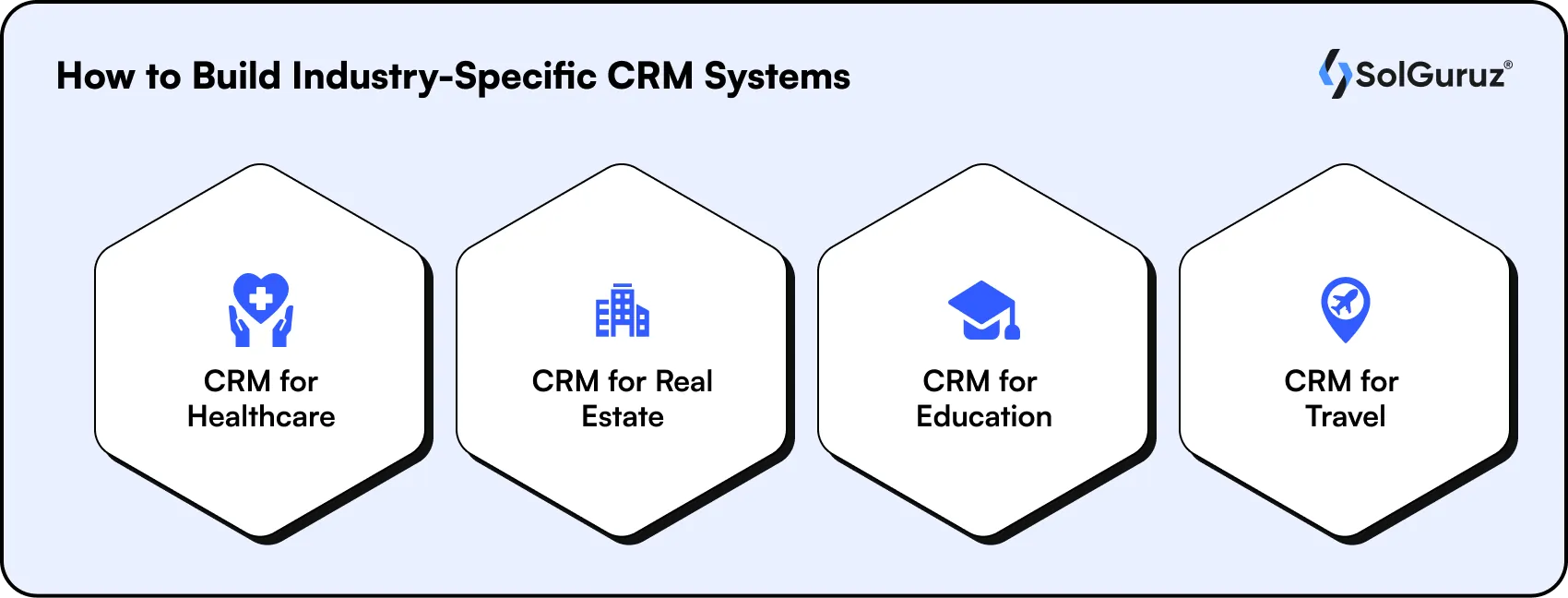
CRM for Healthcare
Healthcare CRMs are very different from sales CRMs. The ‘customer’ is a patient, and the relationship follows very strict regulations.
- HIPAA compliance is compulsory, and all patient data must be encrypted and access-controlled
- Integration with EHR/EMR systems (Electronic Health Records)
- Track patient journey: referral → appointment → treatment → follow-up
- Automated appointment reminders to reduce no-shows by up to 30%
- Multi-provider communication (physicians, nurses, admin staff)
CRM for Real Estate
Real estate deals don’t follow linear pipelines. A lead might go quiet for six months and then close the biggest deal of the quarter.
- Long, non-linear sales cycles, leads can take 12–24 months to close
- Property matching links contacts to specific listings
- Site visit scheduling and tracking
- Channel partner management (brokers, agents, co-brokers) with commission tracking
- MLS (Multiple Listing Service) integration
CRM for Education
Education CRMs are more about communication and resource sharing than sales.
- The student lifecycle is longer and more complex than a typical sales cycle
- Integration with Learning Management Systems (Moodle, Canvas, Blackboard)
- Student application and enrollment pipeline with stage-based automation
- FERPA compliance is required in the US
- Communication with: students, parents, counselors, faculty
CRM for Travel
Travel businesses manage highly time-sensitive customer interactions, bookings, itinerary changes, loyalty programs, and last-minute requests.
- Booking and itinerary data must integrate directly with your CRM
- Record customer preferences (seat choices, dietary needs, travel style)
- Loyalty program management
- Multi-channel communication (email, WhatsApp, app notifications)
- Manage pipeline according to season demands (eg, high demand during vacation season)
How Much Does It Cost to Build a CRM from Scratch?
Here’s the honest answer:
CRM development cost depends on three things: the scope of features, the complexity of integrations, and the experience level of your development team.
| CRM Type | Estimated Cost | Timeline | What You Get |
| MVP / Basic CRM | $20,000 – $25,000 | 2-3 months | Contact management, pipeline, basic reporting, email integration |
| SMB CRM | $25,000 – $50,000 | 4–6 months | All MVP + automation, mobile app, integrations, and custom dashboards |
| Enterprise CRM | $50,000 – $100,000+ | 7–12 months | Full enterprise: ERP integration, multi-region deployment, SLA support |
What Drives CRM Cost Up
- HIPAA or GDPR compliance requirements
- Custom integrations with legacy systems
- Multi-language and multi-currency support
- AI and machine learning features
- Advanced reporting and BI dashboards
What Keeps CRM Costs Down
- Starting with an MVP and adding features in phases
- Using a proven tech stack (React + Node.js + PostgreSQL)
- Working with a development partner who has built CRMs before, like SolGuruz
Common Challenges When Building a CRM (And How to Solve Them)
Building a CRM is often complex if you forget some of the most common challenges faced while making one.

Challenge 1: Poor User Adoption
Studies show that up to 70% of CRM failures are caused by poor user adoption, which makes it the #1 reason for CRM failures.
How to solve it: Involve end users in design decisions early and run a phased rollout starting with your most enthusiastic team. Also, make your training role-specific so your users can use functions made specially for them more easily.
Challenge 2: Data Migration Complexity
Moving years of customer data from spreadsheets or old CRMs into a new system is very messy because it has duplicates, inconsistent formats, and missing fields.
How to solve it: Before migrating data, you should check and clean it. Even then, do a test migration with 10% of your data first to ensure there are no problems in the data migration process.
Challenge 3: Integration Failures
It often happens that integrating other tools like email and marketing with your CRM takes some time and raises some issues which cause project delays.
How to solve it: Map all CRM data integrations in the requirements phase and allocate budget and time for all the integrations to take place.
Challenge 4: Security and Compliance Gaps
Customer data is very valuable, but it will quickly turn into a liability if you don’t protect it properly. Healthcare businesses follow HIPAA; EU-facing businesses follow GDPR; California-based businesses follow CCPA.
How to solve it: Build security from day one in our custom CRM architecture. SolGuruz runs penetration testing regularly after launch. We include compliance requirements in your initial tech specifications.
Challenge 5: Scope Creep During Development
During the development process, you may feel like you want to add one or two features outside the planned requirements. This will increase your timeline and cost compared to what was estimated originally.
How to solve it: Use an MVP mindset, build what you need for day one, and plan phase 2 clearly. Freeze scope two weeks before development starts, so all new requests go into a phase 2 backlog.
Key Note: Stop Data Decay
Nearly 22% of your contact data becomes outdated every year as people change jobs or emails. To prevent your expensive new CRM from filling up with dead leads, build in automatic cleanup alerts that flag old or inactive records for a quick review. This keeps your data fresh and your team’s productivity high without extra manual work.
CRM Development Timeline: What to Expect
Here’s a realistic week-by-week breakdown for a mid-tier CRM system development project.
| Phase | Duration | Key Deliverables |
| Discovery & Requirements | Week 1–2 | Requirements doc, user story map, project plan |
| Design & Architecture | Week 3–6 | Database schema, wireframes, UI mockups, tech stack finalized |
| Backend Development | Week 7–14 | API layer, data models, authentication, business logic |
| Frontend Development | Week 9–16 | UI components, dashboards, user roles, mobile views |
| Integrations | Week 15–18 | Email, calendar, third-party APIs, data migration |
| QA & Testing | Week 17–20 | Unit tests, integration tests, security audit, UAT |
| Deployment & Training | Week 21–22 | Production deployment, team training, documentation |
| Post-Launch Support | Week 23–24+ | Bug fixes, user feedback, phase 2 planning |
Total time for a mid-tier CRM is approximately 4–6 months from kickoff to launch.
Final Thoughts
Building a CRM from scratch is a real investment. It’s not the right choice for every business, every stage, or every budget.
But for businesses in healthcare, real estate, education, and travel, where workflows are complex, and you need to comply with industry regulations, a custom CRM is often the smartest long-term decision.
The key is starting with the right plan.
With SolGuruz’s experience of building custom CRM software solutions for clients globally, by following a transparent, structured process, we are confident in building a perfect custom CRM solution for you based on your business goals for your growth.
Let’s not delay further and start on your revenue-increasing journey- with your custom CRM! SolGuruz experts are ready to help you!
FAQs
1. What is a CRM system?
A CRM (Customer Relationship Management) system is software that helps businesses manage customer data, track sales pipelines, automate marketing activities, and improve customer relationships. CRM systems centralize customer interactions so teams can work from one shared source of truth instead of scattered spreadsheets and email threads.
2. Who needs a Custom CRM?
Any business that has industry-specific requirements and complex, unique workflows that are not executable by off-the-shelf CRMs has the need for a Custom CRM. Businesses that are compliance-heavy and prefer data ownership for security reasons, like healthcare and fintech, often need Custom CRM solutions. If you’re also scaling and using multiple tools, you need a Custom CRM to help connect all that data in your CRM for a single source of truth.
3. How long does it take to build a custom CRM?
A basic CRM MVP takes 2-3 months. A mid-tier CRM with automations and integrations takes 3–6 months. An enterprise CRM with AI features and full compliance requirements can take 10–12 months. The timeline depends heavily on integration complexity and compliance requirements.
4. How much does it cost to build a CRM from scratch?
A basic CRM costs $20,000–$25,000. A mid-tier CRM runs $25,000–$50,000. Enterprise CRMs can reach $100,000 or more. Cost is driven primarily by integration complexity, compliance requirements, and the number of user roles.
5. What is the difference between CRM and ERP?
A CRM manages customer-facing operations, sales, marketing, and support interactions. An ERP (Enterprise Resource Planning) manages internal business operations, finance, HR, inventory, and supply chain. Some businesses integrate both systems for full operational visibility. For most businesses, CRM is the better starting point.
6. Can I add AI features to a custom CRM?
Yes. AI features like lead scoring, churn prediction, and next-best-action recommendations can be built into a custom CRM. Python-based backends (FastAPI, Django) integrate most naturally with AI and ML models. AI-enabled CRMs report up to a 41% increase in revenue per salesperson, according to research.
7. What happens to my data if I switch away from my custom CRM later?
With a custom CRM, you own 100% of your data. You can export it in any format at any time. This is a major advantage over SaaS CRMs, where data portability is often limited or requires expensive export services from the vendor.

Written by
Paresh Mayani
Paresh Mayani is the Co-Founder and CEO of SolGuruz, a global custom software development and product engineering company. With over 17+ years of experience in software development, architecture decisions, and technology consulting, he has worked across the full lifecycle of digital products, from early validation to large-scale production systems. He started his career as an Android developer and spent nearly a decade building real-world mobile applications before moving into product strategy, technical consulting, and delivery leadership roles. Paresh works directly with founders, scaleups, and enterprise teams where technology choices influence product viability, scalability, and long-term operational success. He partners closely with founders and cross-functional teams to take early ideas and turn them into scalable digital products. His work revolves around AI integration, agent-driven workflow automation, guiding product discovery, MVP validation, system design, and domain-specific software platforms across industries such as healthcare, fitness, and fintech. Instead of solely focusing on building features, Paresh helps organizations adopt technology in a way that fits business workflows, teams, and growth stages. Beyond delivery, Paresh is also an active tech community contributor and speaker, contributing to global developer ecosystems through Stack Overflow, technical talks, mentorship, and developer community (Google Developers Group Ahmedabad and FlutterFlow Developers Group Ahmedabad) initiatives. He holds more than 120,000 reputation points on Stack Overflow and is one of the top 10 contributors worldwide for the Android tag. His writing explores AI adoption, product engineering strategy, architecture planning, and practical lessons learned from real-world product execution.




From Insight to Action
Insights define intent. Execution defines results. Understand how we deliver with structure, collaborate through partnerships, and how our guidebooks help leaders make better product decisions.
 How we Work
Increase Business Revenue with Custom CRM
Get 29% more productivity and 34% higher customer satisfaction

Strict NDA

Trusted by Startups & Enterprises Worldwide

Flexible Engagement Models

1 Week Risk-Free Trial