




What is a Headless CRM and Why Do You Need One?
A headless CRM separates the data layer from the user interface, giving development teams the freedom to build any frontend while keeping customer data centralized. This guide covers the architecture, real-life use cases, and which industries benefit most from the headless approach.

Summarise with AI


Quick Definition
A headless CRM is a customer relationship management system where the data layer and the user interface are fully separated. The backend manages contacts, pipelines, tasks, and automations and exposes everything through APIs. Any frontend application connects to those APIs independently to display and write data. This means a healthcare portal, a mobile check-in app, and an internal coordinator dashboard can all run on the same customer data without duplication or sync delays.
Most CRMs bundle the database, the business logic, and the user interface into one system. When you log into an off-the-shelf CRM, you are using an interface that those companies designed for a generic sales team. That works fine until your business has specific workflows, multiple user types, or custom data requirements that do not fit the default mold.
A headless CRM solves this problem. For example, a healthcare group managing patient relationships across a web portal, a mobile check-in app, and an internal coordinator dashboard is not well-served by a traditional CRM that pushes all three user groups through one interface. With a headless CRM, all three applications pull from the same backend in real time, with their custom interfaces, while the data stays centralized and consistent.
Table of Contents
How Does Headless CRM Architecture Actually Work?
Unlike traditional CRM systems, where the interface and database are tightly coupled, a headless CRM routes everything through an API layer that any frontend application can call independently. The table below shows exactly which component handles what.
Key Architectural Components
| Component | What It Does | Technology Examples |
| Data layer / CRM backend | Stores all customer records, pipelines, tasks, and automations | PostgreSQL, MongoDB, custom APIs |
| API gateway | Controls access, rate limiting, and authentication | REST API, GraphQL, webhooks |
| Business logic layer | Handles workflow rules and automation triggers, and integrations | Node.js, Python, Go |
| Frontend applications | Present CRM data to different user groups | React, Next.js, Vue.js, Flutter |
| Integration connectors | Connect CRM to EHR, ERP, and marketing platforms | Custom integrations |
Healthcare Scenario: How Headless CRM components work
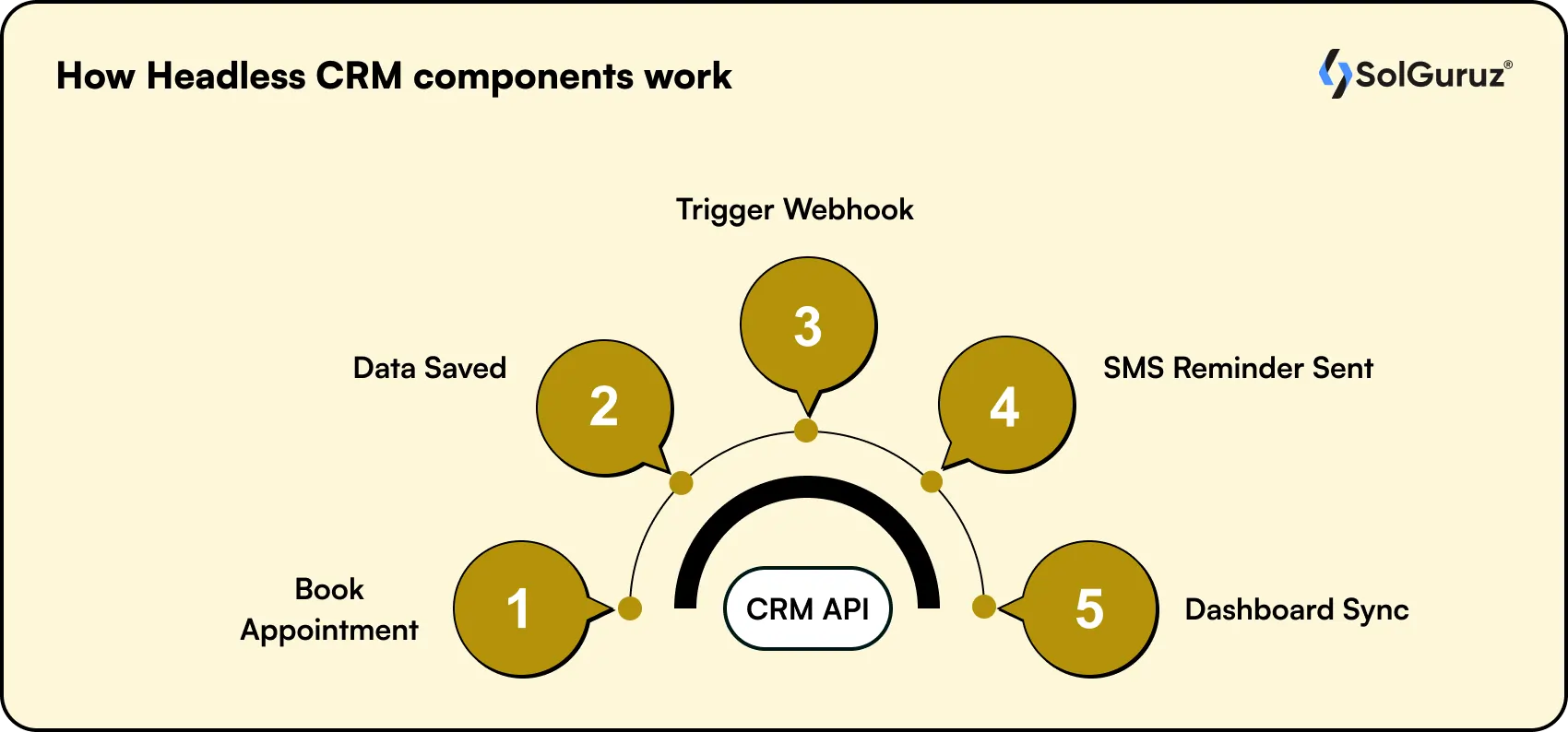
- When a patient books an appointment through a healthcare portal, here is what happens behind the scenes.
- The portal, built in React and hosted independently of the CRM, sends a POST request to the CRM’s API.
- The API writes the appointment to the data layer and triggers a webhook that fires an SMS reminder to the patient.
- Separately, the care coordinator opens an internal dashboard, a completely different frontend application, that calls the same API and displays the appointment in a case management view.
Same data, two completely different frontends, zero duplication. That is headless CRM architecture working as intended, and it is why healthcare providers, real estate platforms, and EdTech companies are moving toward it.
Headless CRM vs Traditional CRM
Traditional CRM software solutions and headless CRMs are not competing products; they are different architectural approaches built for different stages of business complexity. Here is how they compare across the decisions that actually matter.
| Traditional CRM | Headless CRM | |
| Architecture | Backend and frontend bundled into one system | The data layer and the presentation layer are fully separated |
| Customization | Limited to what the platform allows out of the box | Frontend is built to your exact workflow and user needs |
| Multi-frontend support | One interface for all user types | Different applications can connect to the same backend simultaneously |
| Scalability | Licensing costs grow linearly as your team grows | Infrastructure scales without per-seat pricing penalties |
| Compliance readiness | Dependent on the vendor’s built-in compliance features | Compliance architecture is designed around your industry requirements |
| Data ownership | Data and logic live inside the vendor’s system | Your team owns the underlying data and IP |
| Setup time | Faster to deploy with pre-built templates | Longer initial build time, designed around your specific use case |
| Best for | Small teams with standard sales workflows | Businesses with complex workflows, multiple user types, or industry-specific requirements |
The right choice depends entirely on where your business is. Traditional CRMs get teams moving quickly. Headless CRMs are built for situations where the standard setup stops fitting the actual workflow.
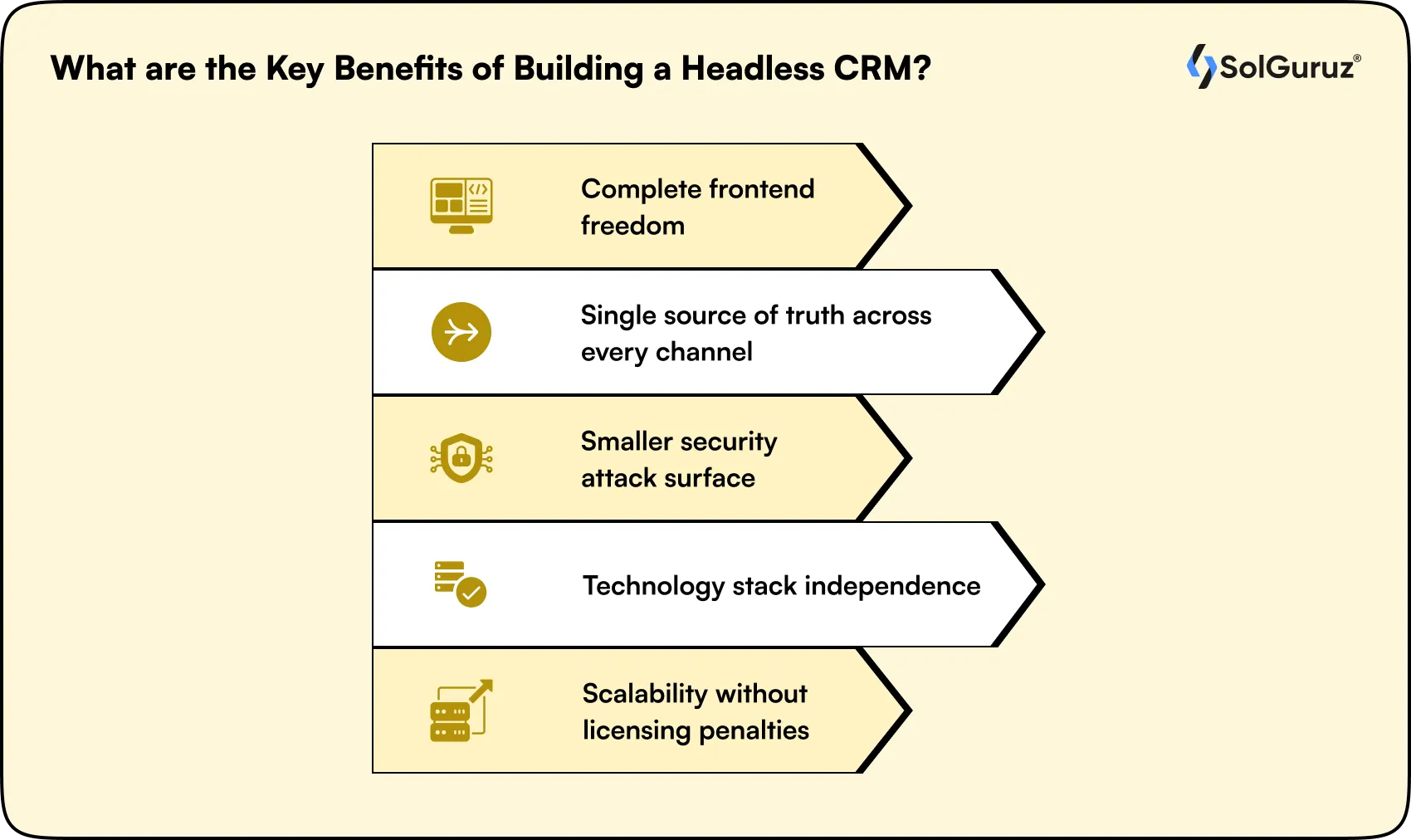
What are the Key Benefits of Building a Headless CRM?
A headless CRM is not just a technical architecture choice; it is a business decision about how much control you want over your customer data, your workflows, and the experience you deliver across every touchpoint. Here is what that control actually looks like in practice.
-
Complete frontend freedom
Your sales team, support team, and field agents do not work the same way, and they should not be forced to use the same interface. A headless CRM lets you build role-specific frontends, a deal management dashboard for sales, a case resolution view for support, a mobile check-in screen for field teams, all pulling from the same backend in real time. Every team gets a tool built around how they actually work, not how a SaaS vendor assumed they would.
-
Single source of truth across every channel
In a traditional CRM setup, customer data gets duplicated across a marketing platform, a support tool, an analytics dashboard, and sometimes a spreadsheet someone built three years ago. A headless CRM with an API-first backend becomes the single source of truth for your entire stack. Every application reads from and writes to the same data layer, so customer records stay consistent across every touchpoint without manual syncing.
-
Smaller security attack surface
Because the frontend and backend are fully separated, a vulnerability in one frontend application does not expose the CRM backend. For healthcare organizations handling PHI under HIPAA, or financial services firms operating under GDPR, this architectural separation is a meaningful compliance and security advantage, not just a development preference.
-
Technology stack independence
Headless CRM data is served over APIs, which means your development team can choose their own frontend technology and change it over time without touching the CRM backend. If your team moves from a PHP-based frontend to a React or Next.js architecture, the APIs remain the same. Your CRM investment does not become obsolete every time your frontend stack evolves.
-
Scalability without licensing penalties
Traditional CRM platforms charge per seat. As your team grows from 50 to 500 users, those subscription costs scale linearly while the functionality stays largely the same. According to Nucleus Research, CRM applications deliver an average return of $8.71 for every dollar spent, but per-seat licensing costs erode that return as teams scale past 100 users. A custom headless CRM removes the monthly licensing growth tax entirely. You own the infrastructure, you own the data, and your costs scale with actual usage rather than headcount.
These five advantages compound over time. The longer your product runs on a headless architecture, the more value you extract from having built the data layer correctly the first time.
How SolGuruz Approaches Headless CRM Development
Headless CRM projects deliver the best outcomes when the data model and architecture decisions are settled before development begins. SolGuruz works through a structured process that front-loads those decisions so the build itself stays predictable and on scope.
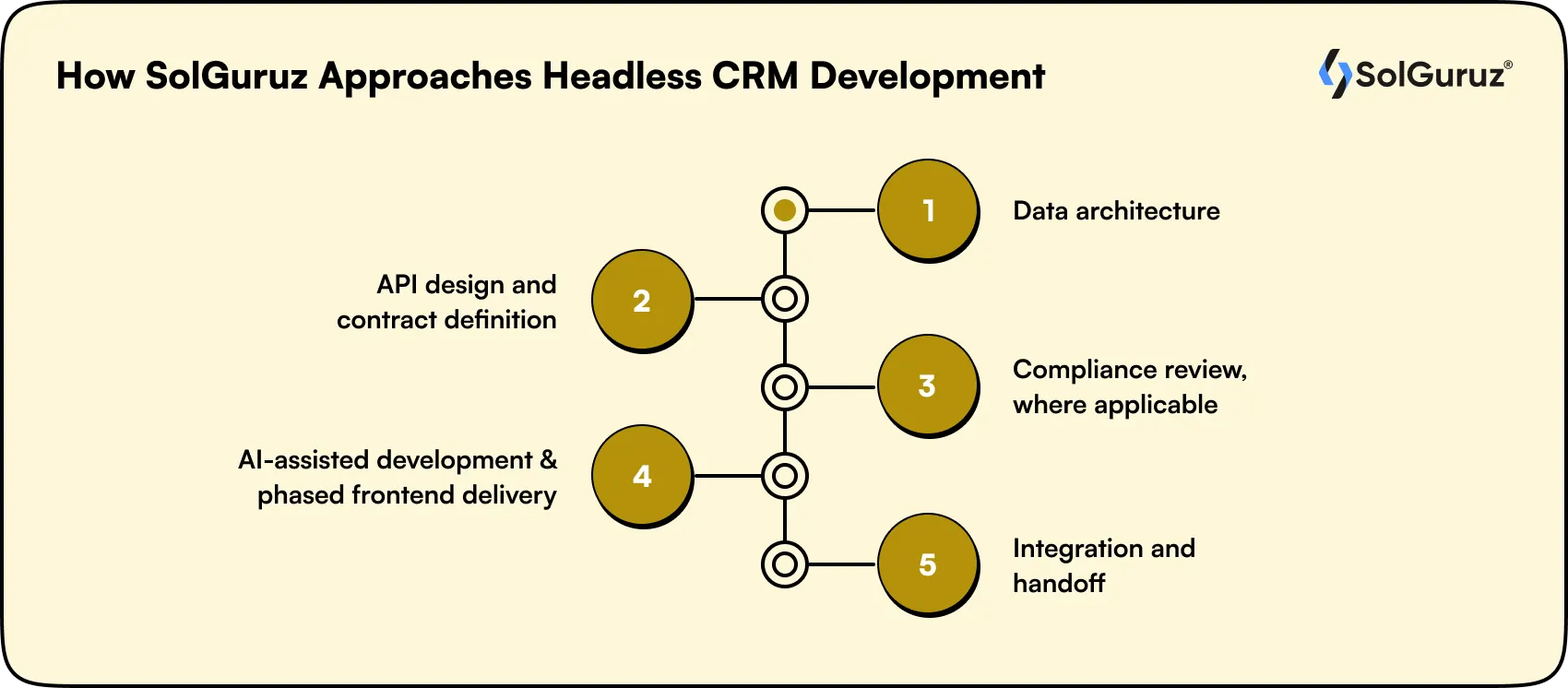
Step 1: Data architecture
The most common mistake in custom CRM projects is starting with features instead of the data model. SolGuruz maps the client’s actual customer journey first, including how leads enter the system, how they move through pipeline stages, what data points are captured at each stage, and what triggers automated actions. Not a single line of code is written until this model is documented and agreed upon.
Step 2: API design and contract definition
Before the frontend is designed, the API contract is documented. Every endpoint is defined, every data object is typed, and integration points with third-party systems like EHR platforms, ERP systems, and marketing tools are mapped. This prevents the frontend and backend teams from building toward incompatible assumptions.
Step 3: Compliance review, where applicable
For healthcare clients, this step covers HIPAA-compliant data architecture at the API and database layer, including role-based access control, audit logging, and encryption at rest and in transit. For clients in financial services or education, equivalent regulatory requirements are reviewed at this stage before frontend development begins.
Step 4: AI-assisted development and phased frontend delivery
SolGuruz uses AI-assisted development tooling during the build phase to accelerate repetitive code generation, API documentation, and test coverage. The core backend and first frontend are delivered together. Additional frontends are built in phases, with each one consuming the same API layer. This keeps the scope manageable and gives clients a working system to test and iterate on before the full build is complete.
Step 5: Integration and handoff
SolGuruz handles EHR, ERP, and marketing platform integrations within the same engagement. At handoff, the client owns the full codebase, the data, and the documentation. There are no vendor lock-in clauses and no ongoing licensing fees tied to the build itself.
What are the Real-Life Use Cases of Headless CRM?
A headless CRM architecture works best when the business has multiple user types, multiple touchpoints, or data requirements that a standard CRM interface was not built to handle. These are the situations where teams get the most value from it.
-
Omnichannel customer experiences
When customer data needs to flow consistently across a website, a mobile app, and in-person touchpoints like kiosks or check-in terminals, a headless CRM serves as the single backend powering all of them. A healthcare provider, for example, can give patients a consistent experience whether they are booking through a web portal, checking in on a tablet, or receiving an SMS reminder, all reading from the same data layer.
-
Custom self-service portals
Businesses that need clients to check order status, manage their accounts, submit support requests, or access documents benefit from a purpose-built portal that connects directly to the CRM backend rather than a vendor-designed interface bolted on as an afterthought.
-
Account-based marketing
When sales and marketing teams need to surface personalized content to high-value prospects based on real-time CRM data, a headless architecture makes that connection direct and immediate. The CRM backend feeds the frontend with live account data, so every interaction reflects where that account actually is in the pipeline.
-
IoT and connected device integration
Headless CRM APIs can connect to non-traditional interfaces, including digital signage, wearables, and smart devices, which makes this architecture relevant for healthcare organizations tracking patient devices, logistics companies monitoring field equipment, or retail environments using connected hardware.
-
Unified data hubs
When customer data is spread across a marketing platform, a support tool, an analytics dashboard, and a sales system, a headless CRM consolidates everything into one backend. Every team works from the same customer record, which removes the inconsistencies that come from maintaining parallel data in separate tools.
What are the Industry-specific Applications of Headless CRM?
The businesses that get the most out of a headless CRM architecture are the ones managing customer relationships across multiple touchpoints, user types, or regulatory environments at the same time. Here is what that looks like across the industries SolGuruz works with most.
1) Healthcare CRM: Patient relationship management across multiple touchpoints
Challenge: A multi-location urgent care network in the USA wants to manage patient relationships across a patient portal, a mobile check-in app, an SMS follow-up system, and an internal care coordinator dashboard. Each of those interfaces serves a different user with different data needs, but all of them need to reflect the same patient record in real time.
Solution: A headless healthcare CRM backend manages the patient relationship layer, including appointment history, communication logs, and care plan status, and exposes it via API to each frontend independently. HIPAA compliance is handled at the API & database layer, covering role-based access control, audit logging, and encryption at rest and in transit, rather than being dependent on a vendor’s built-in settings.
2) Real estate CRM: Omnichannel lead and deal management
Challenge: A property consultancy with 200 agents, a buyer-facing property search portal, and a channel partner management portal needs all three to reflect the same lead and deal data in real time. A single prospect might visit three properties over four months, engage with a channel partner, and ultimately close through a different agent entirely.
Solution: A headless CRM built around real estate workflows handles channel partner attribution, site visit tracking, live inventory sync, and commission calculation without requiring workarounds or duplicate records. Each portal connects to the same backend, so every agent and partner is always working from the current state of a deal.\
3) Travel CRM: Loyalty program and booking CRM
Challenge: A travel company running a loyalty program needs to surface member tier status, points balance, and personalized offers across a web portal, a mobile app, and an in-flight entertainment system simultaneously. All three frontends need the same customer data at the same time, and any delay or inconsistency in that data directly affects the member experience.
Solution: A headless CRM backend manages member records and exposes them to all three interfaces via API. Personalization logic runs at the backend level, and each frontend renders it in whatever format suits that device and context. When a member redeems points through the app, the web portal, & in-flight system reflects the updated balance immediately.
4) Education CRM: LMS-CRM data bridge for student journey management
Challenge: An EdTech platform managing student leads, course enrollments, progress tracking, and alumni relationships needs one customer data layer that feeds both the marketing CRM and the Learning Management System. When those two systems maintain separate records, data entry becomes manual, sync delays create inconsistencies, and reporting across the full student journey becomes difficult.
Solution: A headless CRM acts as the shared customer data backbone. The marketing team’s dashboard and the course delivery system both call the same API to read student records. When a student converts from lead to enrolled, both systems update simultaneously without any manual intervention required.
Each of these use cases shares the same underlying requirement: customer data that multiple systems need to access simultaneously, consistently, and without duplication. That is exactly the problem a headless CRM backend is designed to solve.
Challenges of Building a Headless CRM
A headless CRM offers meaningful advantages, but it is a more complex build than configuring an off-the-shelf platform. These are the tradeoffs worth understanding before scoping a project.
| Challenge | What It Means | Solution |
| Higher upfront build time | A headless CRM requires data modeling, API design, and frontend development before anything is usable | Front-load architecture decisions and use phased delivery so the first frontend ships before the full build is complete |
| Requires stronger technical oversight | API contracts, data schemas, and integration points need to be defined precisely or the build drifts | Assign a dedicated technical lead who owns the data model from day one |
| More complex compliance implementation | HIPAA, GDPR, and similar requirements need to be built into the API and data layer deliberately | Build compliance review into the architecture phase, not as a post-build checklist |
| Integration complexity with legacy systems | Connecting to older EHR, ERP, or marketing platforms often requires custom connectors | Map all third-party integration points during API design before development begins |
| Ongoing maintenance responsibility | You own the codebase, which means maintenance, updates, and security patches are your team’s responsibility | Plan for a post-launch maintenance budget and document the codebase thoroughly at handoff |
The businesses that navigate these challenges well are the ones that treat architecture and data modeling as the actual project, with frontend development as the second phase. Rushing into features before the data model is settled is where most of the avoidable complexity comes from.
Wrapping Up
A headless CRM gives your team role-specific interfaces, keeps your customer data centralized, and lets your technology stack evolve without rebuilding from scratch. Whether you are managing patient journeys across four touchpoints or coordinating real estate deals across agents and partners, the architecture is flexible enough to fit how your business actually operates.
With the right data model and a clear API contract, building a headless CRM is a well-understood process. SolGuruz has done it in multiple industries and seen business scale much faster without the hassle of scaling a monolithic CRM.
See you next time with more CRM insights.
FAQs
1. What is a headless CRM example?
A headless CRM is any setup where a custom frontend application connects to a central CRM backend through APIs rather than using the vendor's built-in interface. A practical example is a patient portal built in React that pulls appointment history, contact records, and care plans from a central CRM backend via REST API. The portal is one frontend. A separate care coordinator dashboard consuming the same backend is another. Same data, two completely different interfaces, zero duplication.
Headless means a backend system operates independently of any fixed user interface. The data layer manages all records, logic, and automations, while frontend applications connect to it through APIs and display the data in whatever format suits their use case. The system has no predetermined interface, so development teams build their own based on actual user needs.
3. What does it mean for a CRM to be headless?
A headless CRM is one where the customer data layer and the user interface are fully decoupled and communicate through APIs. Your team builds the interface that fits your workflows, whether that is a sales dashboard, a patient portal, or a mobile field app, and connects it to the CRM backend independently. Multiple interfaces can connect to the same backend simultaneously without duplicating data.
4. How much does it cost to build a headless CRM?
Build costs depend on the number of frontends, the data model complexity, and whether compliance requirements like HIPAA or GDPR are involved. A Basic CRM MVP runs $15,000 to $25,000, an SMB-scale build falls between $30,000 and $50,000, and enterprise systems with compliance review and integrations range from $70,000 to $100,000 and above. Each additional frontend beyond the first adds $15,000 to $40,000, depending on complexity.
5. What is the difference between headless CRM and traditional CRM?
A traditional CRM bundles the database, business logic, and user interface into a single system designed by the vendor. A headless CRM separates those layers entirely, exposing the data and logic through APIs that any frontend can consume. Traditional CRMs are faster to deploy for standard workflows. Headless CRMs are built for businesses with multiple user types, complex workflows, or compliance requirements that a vendor interface was not designed to handle.

Tirth Patel is a Senior Business Analyst at SolGuruz with 5+ years of experience translating complex business requirements into structured development roadmaps. His work spans requirements discovery, workflow mapping, stakeholder analysis, and product scoping across multiple industries, including healthcare, real estate, travel, fintech, and ecommerce. Within his role, Tirth specialises in custom CRM strategy and development, helping businesses evaluate, scope, and build CRM systems tailored to how they actually operate. He brings hands-on experience across custom CRM builds, AI-powered CRM features, and CRM migration projects, and writes from that direct project experience rather than vendor documentation.


From Insight to Action
Insights define intent. Execution defines results. Understand how we deliver with structure, collaborate through partnerships, and how our guidebooks help leaders make better product decisions.
 How we Work
Custom CRM, Your Way
Share your requirements and get a clear project plan.

Strict NDA

Trusted by Startups & Enterprises Worldwide

Flexible Engagement Models

1 Week Risk-Free Trial
Real-World Examples of Our Expertise
Explore how real-world challenges were turned into opportunities with our success stories and case studies, showcasing impactful solutions and measurable results.
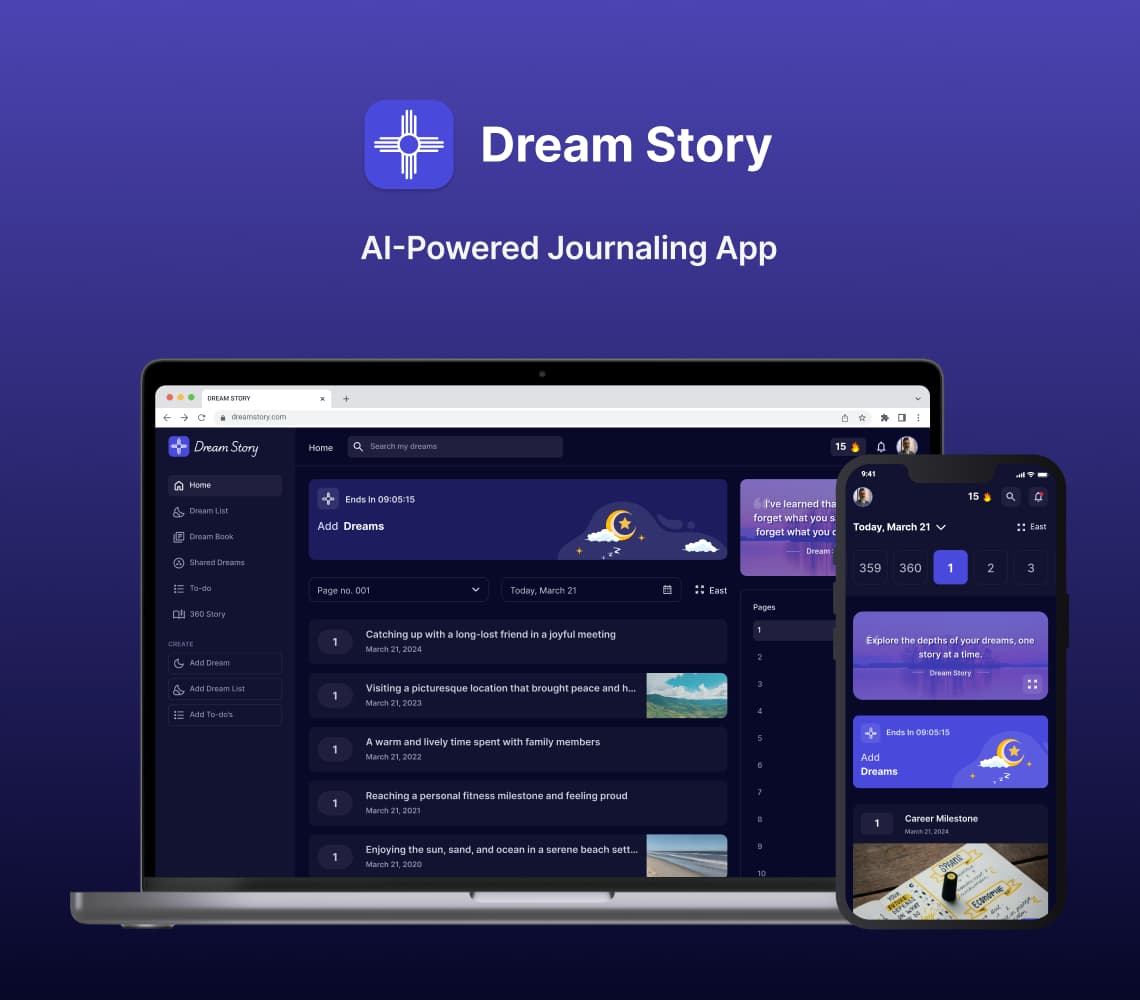
AI Journaling App Development Solution
Discover with us how we built Dream Story, an AI-powered journaling application that helps manage daily notes by capturing your thoughts and emotions. A one-stop solution for those who love noting down daily summaries!
Generative AI
Prompt Engineering
AI Integration
Mobile App
Flutter
Android
iOS
Web App
Desktop
Website
UI/UX
Backend
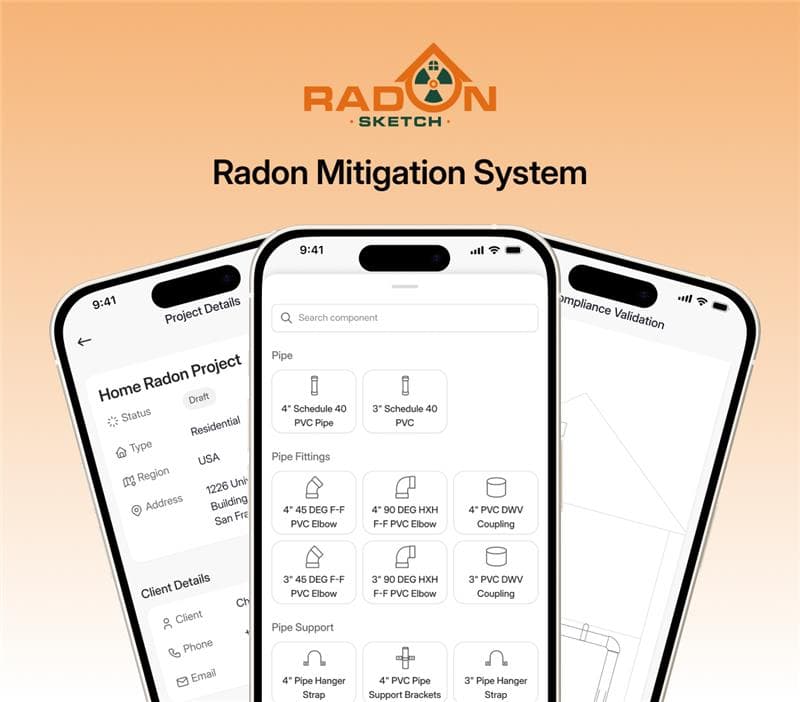
Radon Mitigation System for Mitigators And Enterprise
SolGuruz designed and developed RadonSketch, a smart radon mitigation system solution for mitigators and enterprises. It modernizes outdated workflows with automation, guided compliance, and a powerful visual builder - built end-to-end by our expert team.
Real Estate
UI/UX
MVP Development
Mobile App
Flutter
Android
iOS
Backend
Launch & Maintenance
Digital Transformation
Digital Marketing