




Best AI Workflow Automation Tools for 2026 | Complete Guide
AI workflow automation tools are transforming business operations by handling repetitive tasks like document processing and onboarding through AI agents and no-code platforms. With adoption accelerating in 2026, analysts predict that over 80% of routine processes will be automated by 2027. This guide covers top tools, emerging trends, and a comparison between traditional and Modern automation tools to help you select the right solution for future-ready operations.

Summarise with AI


Businesses using AI workflow automation grow 2× faster. That’s not a prediction; it’s happening right now.
Manual workflows are slower and exhausting. Teams are busier with endless emails, approvals, and spreadsheets.
But AI has changed everything.
Modern automation understands context, routes tasks smartly, and manages operations in real time, allowing teams to focus on results instead of a hectic schedule workflow.
The result is surprising:
- 30%+ faster execution
- 40% fewer errors
- 2× quicker decisions
Staying manual means falling behind. The competition is automating. The team is getting frustrated. Your customers expect speed.
In this blog, we’ll walk you through some of the best AI workflow tools in 2026, how they actually work in practice, and how teams are using them to get more done, faster, while cutting out tedious manual steps.
Table of Contents
What is AI Workflow Automation?
Do you know the real reason why AI Automation is such a hype? AI workflow automation is all about using a smarter system to run and improve daily business functions.
With AI workflow automation:
- Avoid the manual workload
- Get speed, accuracy, and real-time analytics
Businesses are now evolving with AI agent workflow tools that learn from data, understand context, and simplify the work complexity.
The 4 Core Pillars of AI Workflow Automation
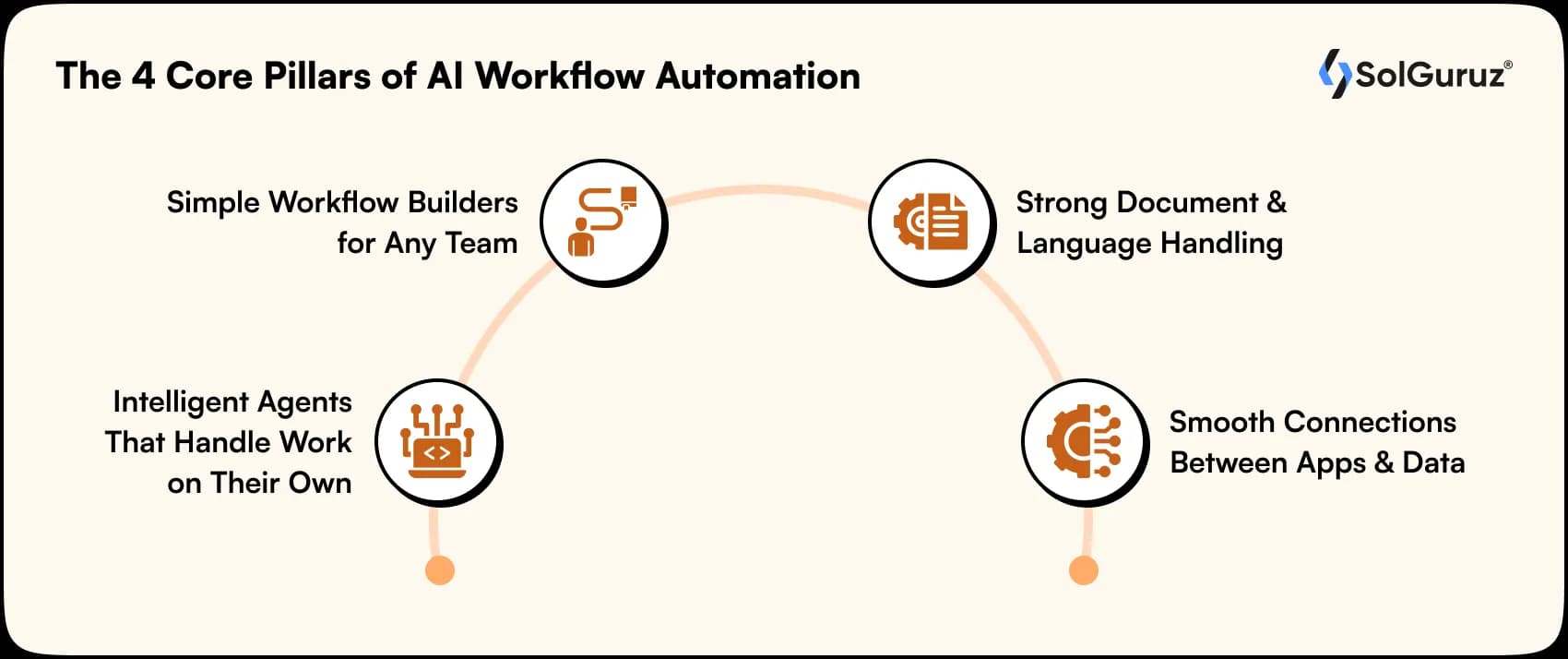
Here are the key factors to consider:
1. Intelligent Agents That Handle Work on Their Own
Modern AI agents are smarter, faster, and provide quick deployment.
These AI agents reduce human involvement, keep operations running smoothly, making AI integration into daily workflows seamless.
2. Simple Workflow Builders for Any Team
Most of the tools now offer visual builders that allow you to map out a process with quick drag-and-drop steps.
This makes it convenient for technical teams not to create and update workflows on their own. It reduces the time, enhances engagement, and reduces the need for additional resources.
3. Strong Document & Language Handling
In today’s modern era, tools can now handle and manage documents, extract information, analyze written content, and create reports as well.
This ability is crucial for technical teams that manage a large amount of data, paperwork, emails, and more.
4. Smooth Connections Between Apps and Data
AI workflow tools help your systems work together by linking CRMs, ERPs, spreadsheets, communication platforms, and databases.
With everything connected, information moves automatically, eliminating manual work.
How does AI Workflow Automation work?
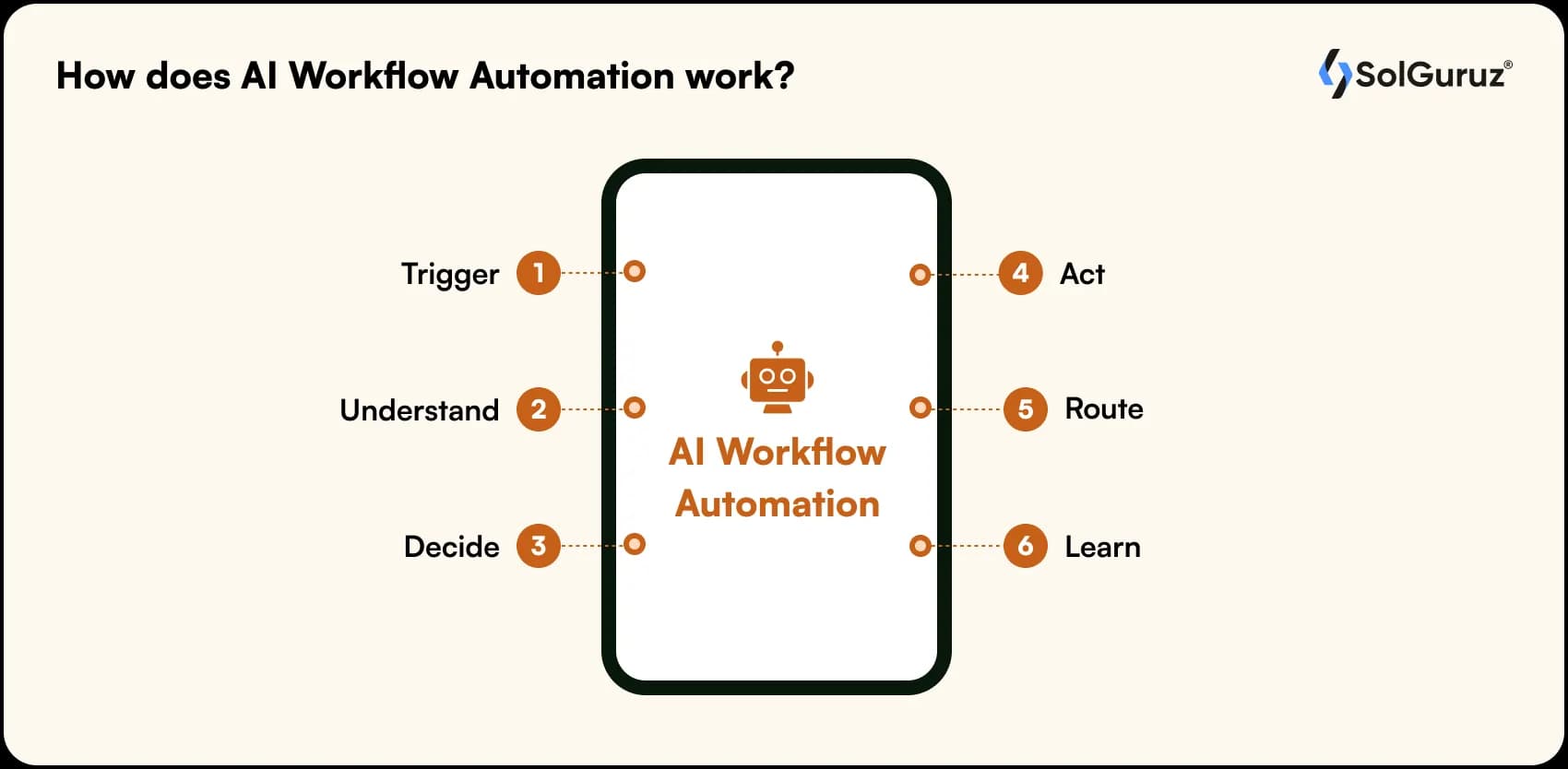
AI workflow automation gets connected to various tools and platforms, collects information from emails, databases, forms, and other sources in real-time.
Let’s see quickly how it works:
- Trigger: Detects events like emails, forms, or uploads.
- Understand: AI reads and interprets the data.
- Decide: Chooses the next action based on rules and context.
- Act: Performs tasks automatically (emails, updates, assignments).
- Route: Sends tasks to the right people or tools.
- Learn: Improves workflows over time.
Thus, if you want to speed up your business operations, adopt AI workflow automation.
Now, let’s look at the standout workflow automation tools shaping 2026.
The 8 Best AI Workflow Automation Tools for 2026
Highlighting below the shortlisted best AI workflow automation tools 2026.
| Tool / Platform | What It Does / Why It’s Useful | Pricing | Best For |
| Zapier | The most used no-code automation tool that enables you to connect thousands of apps without technical skills. | Free plan available; paid plans range from $0 and go up to $103.50/month. | Startup & Mid-Size Business |
| Make (formerly Integromat) | It is specially designed for complex, multi-step processes. It handles branching logic and data transformations. | Free plan available; paid plans from $9/month (billed annually) | Startup & Mid-Size Business |
| UiPath | This tool combines RPA + AI (document understanding, process mining, and more. | Basic plans from $25/month; enterprise pricing available | Enterprise (also scalable for mid-size) |
| Microsoft Power Automate | Organizations within the Microsoft 365 and Azure ecosystem | Paid plans from $15/user/month (billed annually) | Mid-Size & Enterprise |
| n8n | An open-source automation tool you can host yourself. Best for teams that want privacy, custom setups, and flexibility. | Starting from $24/month, and the pro version $60/month | Startup & Mid-Size Business (technical teams) |
| Workato | Large enterprises with complex, cross-departmental integration needs | Free plan available, then it starts at $10.59/month. | Enterprise |
| Vellum AI | Enterprise teams that need a secure, robust AI development and automation platform | Free tier; paid plans starting $25/month; enterprise plans available | Mid-Size & Enterprise (AI development teams) |
| Kissflow | Kissflow provides a single platform for workflow automation, case management, and application development. | Small Business Plan starting at $15 per user/month (min 20 users) and a Corporate Plan at $20 per user/month (min 100 users) | Mid-Size & Enterprise |
Note: With over 67% of companies planning to increase automation budgets in 2030, choosing the right workflow tool isn’t just an upgrade; it’s a competitive advantage.
AI Workflow Automation Tools vs Traditional Automation
Traditional automation used to focus on fixed rules and handle repetitive tasks.
AI workflow automation has additional capabilities, such as it learn from data, adapting to new situations, and making decisions effectively.
The difference isn’t just technical; it’s transformational for how businesses operate and expand in the market.
| Aspect | Traditional Automation | AI Workflow Automation |
| Decision-Making | Rule-based, follows pre-set conditions | It can adapt based on data and patterns |
| Flexibility | Requires manual updates for changes | Learns and adjusts automatically over time |
| Task Complexity | Handles simple, repetitive tasks | Manages multi-step, complex workflows end-to-end |
| Data Handling | Processes structured data only | Understands unstructured data easily |
| Error Handling | Stops when exceptions occur | Identifies issues, suggests fixes, or reroutes tasks |
The shift from traditional to AI-powered automation changed the working process of completely thinking about how work gets done.
Companies that follow this change get more speed and flexibility.
7 Emerging Trends Shaping AI Workflow Automation in 2026
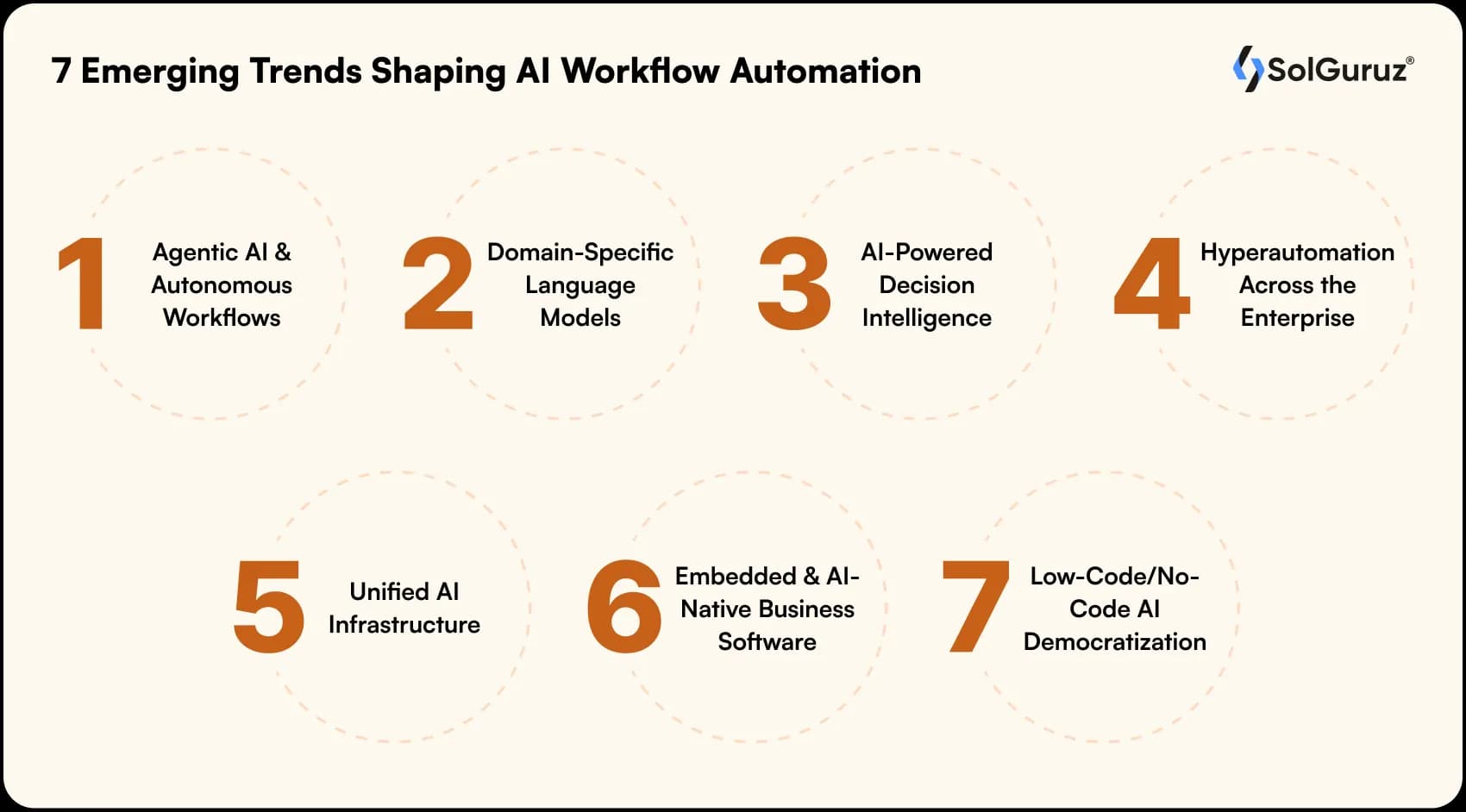
Below are some of the most emerging trends in 2026 that let you implement smarter and faster automation.
1. Agentic AI & Autonomous Workflows
We’re moving old basic task automation into something more substantial. Modern systems now handle complete objectives from beginning to end, collecting information, executing necessary steps, and fixing issues as they arise.
2. Domain-Specific Language Models
Yes, this is important. Why? Due to the increase in competition across different industries such as healthcare, legal work, finance, and marketing, various AI models have started to develop.
These models, powered by LLM Development, can understand industry-specific problems, requirements, and proposals, allowing smarter business decision-making.
3. AI-Powered Decision Intelligence
The AI-powered decision intelligence helps enterprises to stay ahead in the market and get informed about the operational risks before they occur.
Such systems make the prediction with current data to adapt actional recommendations. More easier to get clear visibility into what’s coming and not just what happened.
4. Hyperautomation Across the Enterprise
Now, you no longer have to clash with other departments due to work or functional reasons.
Companies are integrating their automation tools, robotic process automation, and other workflows into a unified system.
5. Unified AI Infrastructure
Managing several separate AI tools creates a problematic situation. Organizations are transforming themselves into single platforms that handle everything, automation, governance, and coordination from one place.
This removes integration issues and ensures workflows operate consistently across different teams.
6. Embedded & AI-Native Business Software
AI functionality has become more common for everyday business tools. Your CRM, ERP, HR system, and productivity apps are all getting built-in intelligence.
7. Low-Code/No-Code AI Democratization
New systems reduce the launch of AI automation
Minimizes the need for IT-skilled employees, allowing the team to launch faster.
AI Workflow Automation Tools for Enterprises vs SMBs
Going with the right automation tool completely relies on:
- Organization’s size
- Complexity
- Resources.
What works for a startup doesn’t mean it will also be suitable for an enterprise, and vice versa.
For Small and Medium Businesses (SMBs)
SMBs demand for type of tools that are easy to use and fast to deploy, affordable.
Platforms like Zapier, Make, and n8n offer no-code interfaces that enable non-technical teams to build workflows in less time.
For Enterprise Organizations
Enterprises manage thousands or millions of users, and strict compliance requirements and complex cross-departmental workflows are a priority. They need robust platforms like UiPath, Microsoft Power Automate, or Workato that provide them with advanced security, audit trails, and scalability.
Note:
- SMBs optimize for flexibility
- Enterprises optimize for control and scale.
Use Cases: What Can You Automate with AI Workflow Tools?
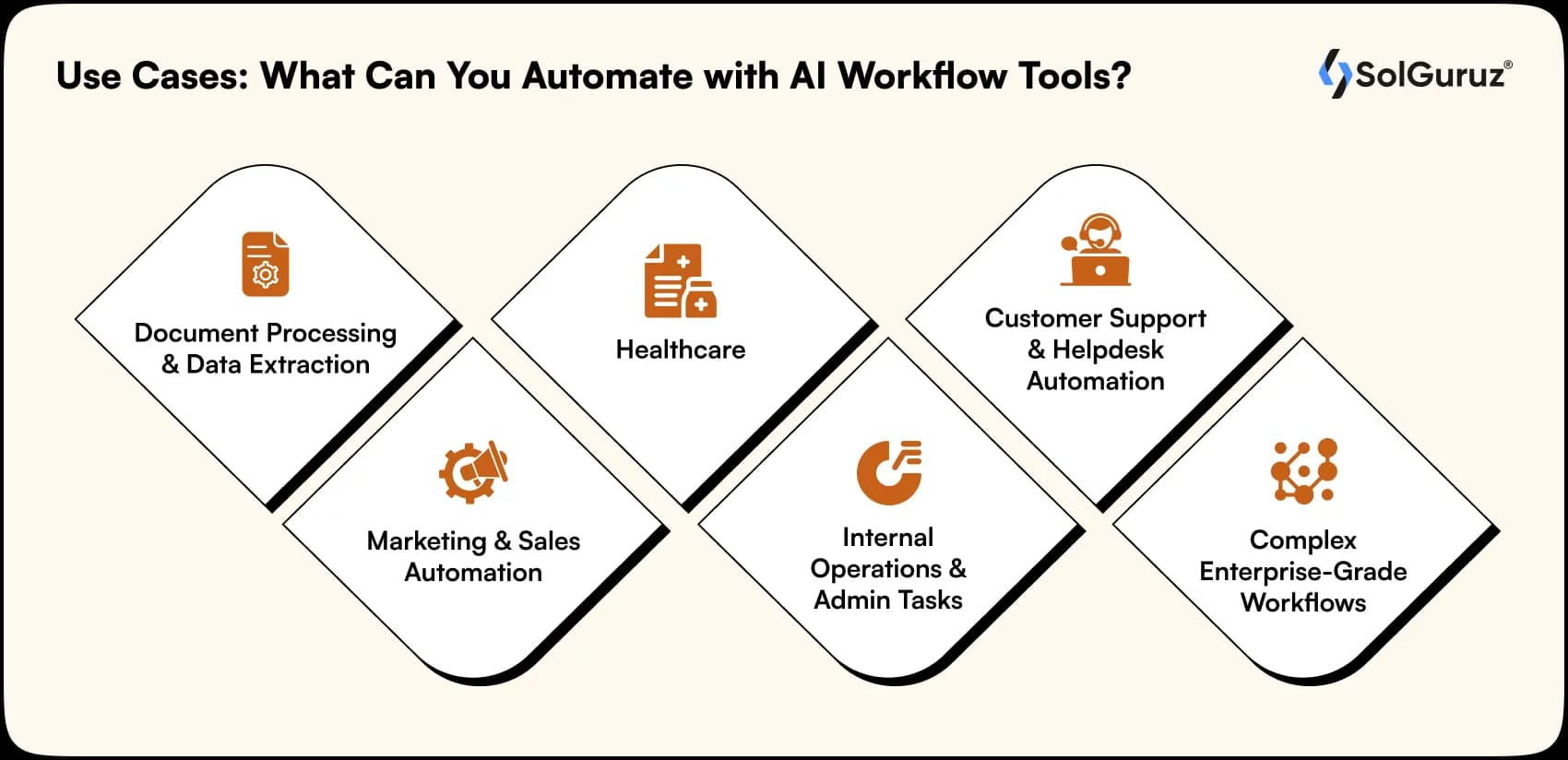
AI workflow automation isn’t limited to one department; it transforms how an organizations operate.
Here are some practical applications that deliver real results:
1. Document processing & data extraction
Manual workloads and data entry are easy to avoid now due to the use of Enterprise AI workflow automation tools such as UiPath that help in extracting the data from emails, PDFs, and scanned images automatically.
2. Marketing & Sales Automation
All the business workflow, including marketing and sales, can be automated. For example, customized email campaigns, CRM updates, and follow-ups can all be done through AI automation.
Most used tools, such as Zapier, eliminated the need for manual operations.
3. Healthcare
Integrating AI workflow automation into healthcare operations helps in managing clinical decision support and patient data records.
Image analysis for disease detection.
4. Internal operations & admin tasks
Through AI automation, companies are able to manage the recruitment process more conveniently, such as onboarding new employees, routing approval requests, and processing expenses, all become smooth.
Less admin work, faster actions.
5. Customer support & helpdesk automation
AI automated chatbots can solve your queries, tickets get transferred to the right person, and important issues are highlighted first.
- Complex problems -> Priority
- Routine queries -> Solved automatically.
6. Complex enterprise-grade workflows
Yes, automation in big enterprises handles multi-chain tasks with a focus on systems such as compliance checks, approval chains, and conditional logic.
Challenges and Best Practices: What to Watch Out For
We all know AI automation workflow eases the work process, reduces manual workload, but it also comes up with certain limitations to be focused on:
| Challenge | Description of the pitfall | Best practices |
| Over-automation & Governance Risk | AI autonomy can minimize visibility into decisions and compliance steps. | It is important to have human intervention where loopholes are present, keep audit logs, and set clear approval rules. |
| Complexity & Technical Debt | Customized scripts and workflows become hard to maintain | Go for modular designs, consistent naming, and systematic documentation. |
| Data Security & Privacy Concerns | Crucial data could face issues around access, storage, and compliance. | Select protected platforms with encryption, access controls, and compliance certifications |
| Quality & Oversight of AI Outputs | AI models may generate errors or inconsistent decisions | Apply validation rules, include human review, and track performance regularly |
How to Choose the Right AI Workflow Automation Tool for Business?
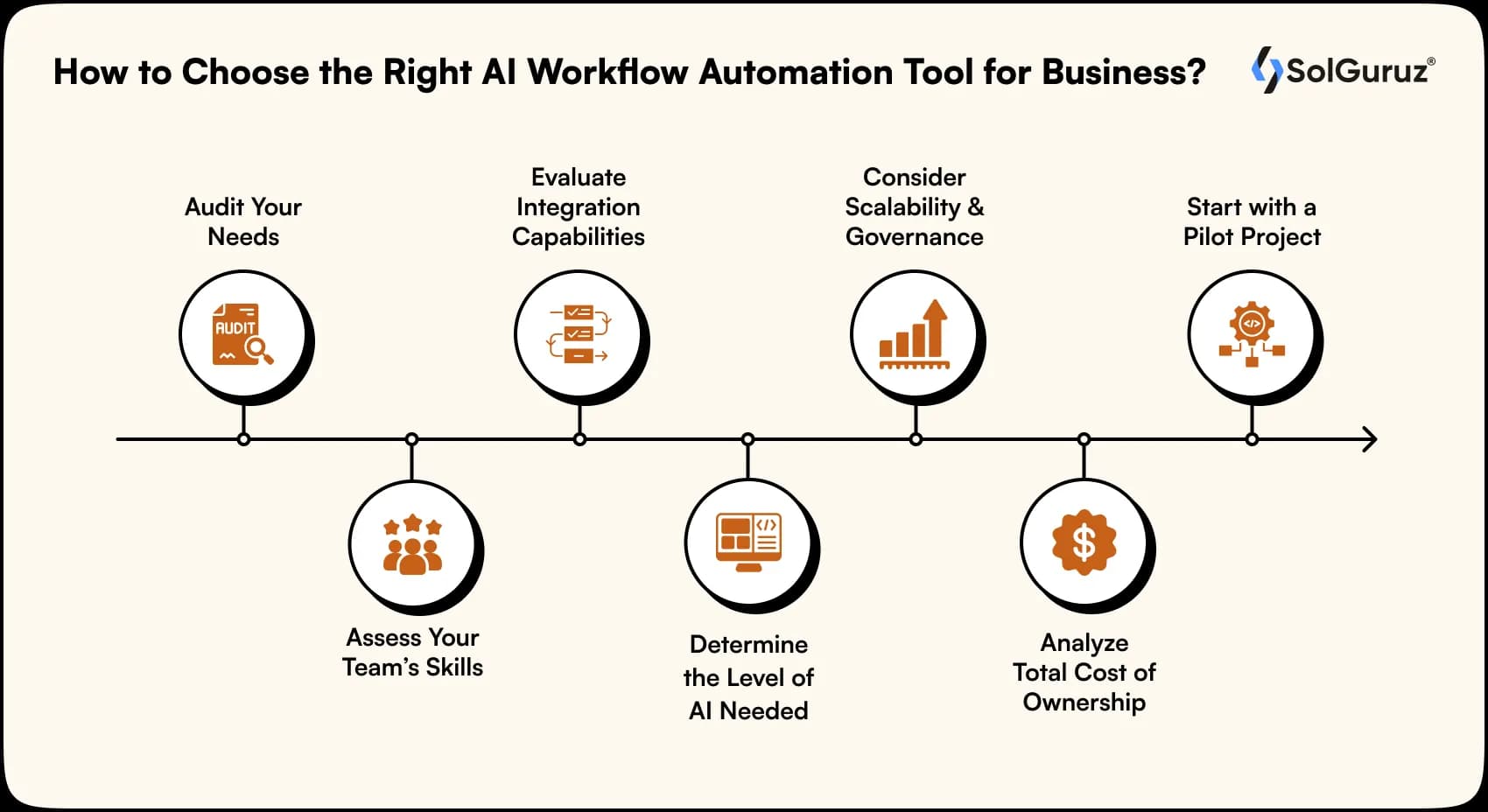
Picking up the right automation tool isn’t about selecting the most advanced option; it’s about selecting one that actually solves your real problems.
1. Audit Your Needs
Analyze what you really need:
- Check the task slowing down team performance
- Analyze the business workflow and audit your needs.
2. Assess Your Team’s Skills
Identify the team’s skill set before choosing AI automation tools.
- If the technical team is into (coding) -> Select AI tools with deep customization.
- If the technical team (with less coding knowledge) -> Choose a simple AI automation tool.
3. Evaluate Integration Capabilities
To test integration capabilities:
- Analyze whether the tool is fit with the software that your team already uses.
- There are several companies still using systems such as CRMs, ERPs, email apps, and more.
4. Determine the Level of AI Needed
- For basic tasks like content classification or simple workflows, standard AI features are used.
- For advanced needs document processing, multi-step reasoning, predictive analytics, go with full-scale AI orchestration.
5. Consider Scalability and Governance
- Nice to have a stronger platform that can handle a large volume of data. Why? Because the user grows over a period of time.
- The platform follows stricter compliance and handles more users.
6. Analyze Total Cost of Ownership
Things to remember:
- Avoid focusing on the monthly subscription price.
- Look at the full picture, including setup effort, training needs, integration work, and any extra charges linked to usage.
7. Start with a Pilot Project
Avoiding going with automation at full scale, first choose the most required workflow. Test if the tools align with the business requirements or not.
Rule of thumb: Deploy the tool that suits your team, solves real pain points, and expands with your business.
Why AI Workflow Automation Matters in 2026
As companies are adopting technology and AI automation simultaneously within their workflow, they can save time and cost within the business. Earlier, traditional automation used to handle only repetitive tasks, but modern systems driven by AI Agent Development can now manage whole operations independently.
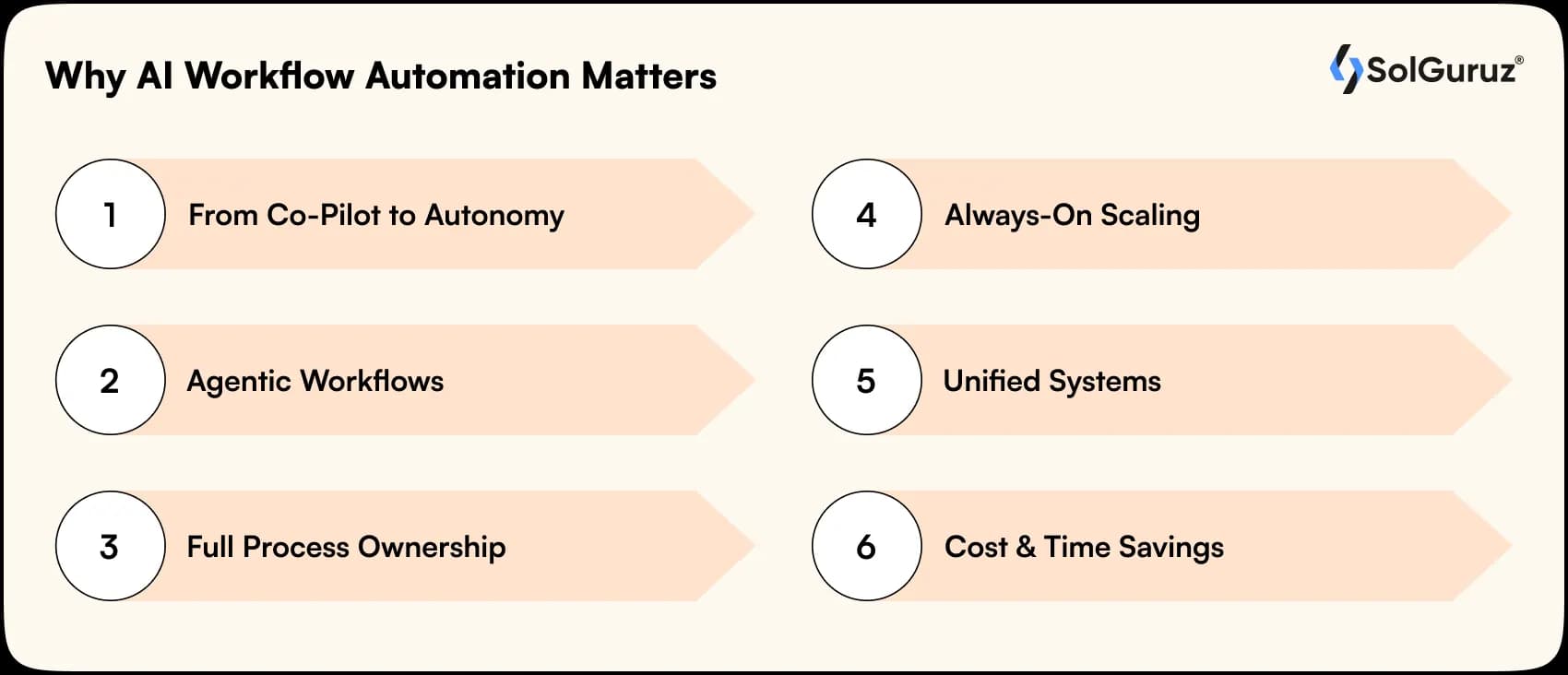
What’s Powering This Shift?
This shift empowers businesses to move faster, reduce human dependency, and achieve smarter, more reliable operations at scale.
1) From Co-Pilot to Autonomy:
AI is now being considered as an independent agent, managing complete workflows end-to-end.
2) Agentic Workflows:
Uses reasoning, memory, and tools to fix errors and cut manual review by 5–10x.
3) Full Process Ownership:
Manages tasks across sales, finance, operations, onboarding, and more.
4) Always-On Scaling:
24/7 reliability with rapid scale and consistent output.
5) Unified Systems:
Combines RPA, BPM, and LLMs into one intelligent platform for all.
6) Cost & Time Savings:
Delivers 40–60% lower costs and 2x faster cycles.
AI-driven workflows are allowing companies to operate with better speed and resilience without increasing the level of complexity.
Choosing the Right Partner: How SolGuruz Helps You Scale with AI Automation
Are you confused about how to choose the right automation partner for your workflow?
It is important to select the right partner for a successful AI workflow automation journey. At SolGuruz, we transform complex processes into smart workflows that scale and increase efficiency, and allow your team to focus on priority work instead of manual tasks.
Why SolGuruz Stands Out:
Here’s why you should choose SolGuruz as a reliable partner:
1. Proven AI Expertise
Over a decade helping companies implement AI-driven workflow automation and enterprise-grade integrations.
2. Tailored Solutions
Strategies designed specifically for your business processes and goals.
3. Smooth Integration
Works seamlessly with your existing CRMs, ERPs, and productivity tools.
4. Scalable & Secure
Built with enterprise-grade governance, compliance, and architecture that grows with your business.
5. Actionable Insights
Automation combined with real-time data can reduce errors and improve decision-making.
With SolGuruz, your business does more than automate; it evolves into a smarter, faster, and more resilient organization. See How We Work.
The Key Takeaway: Scale Smarter with SolGuruz
By 2026, AI automation won’t just be an efficiency booster, but it will be a core driver of how enterprises operate, scale, and stay competitive. From eliminating repetitive work to orchestrating complex, multi-step processes, AI-powered workflows allow teams to have the speed, accuracy, and intelligence they need.
And this is where the right partner matters.
SolGuruz automation goes beyond just completing tasks; we transform your workflows into intelligent, autonomous systems that drive growth, efficiency, and a clear competitive edge in 2026 and beyond.
With years of experience across industries, we simplify complex processes and deliver measurable results quickly.
Your competitors are already automating. The question is, will you lead the shift or follow it? Let SolGuruz help you take the lead.
FAQs
1. What is AI workflow automation, and why should my business care?
AI workflow automation uses smart systems to manage repetitive tasks and complex processes. It reduces manual errors, speeds up operations, and frees your team to focus on higher-value work. For businesses aiming to scale efficiently, it’s no longer optional; it’s essential.
2. Which AI workflow automation tools are best for small businesses?
Tools like Zapier, Make (formerly Integromat), and n8n are ideal for small and mid-size teams. They offer easy-to-use interfaces, no-code/low-code options, and seamless integrations with common apps, helping teams automate workflows without needing extensive technical expertise.
3. How do I choose the right AI automation platform for my organization?
Start by auditing your workflows, assessing your team’s technical skills, and checking integration capabilities. Consider the level of AI needed, scalability, and total cost of ownership. A pilot project can also help test the platform before full-scale implementation.
4. What are common challenges in implementing AI workflow automation?
Challenges include over-automation, data privacy concerns, technical complexity, and monitoring AI outputs. Best practices involve keeping human checkpoints, documenting workflows, ensuring compliance, and continuously reviewing AI performance to avoid errors.
5. Can AI workflow automation handle complex, multi-step processes?
Yes, modern AI workflow tools can manage end-to-end processes across departments. They can route tasks, handle approvals, integrate data from multiple systems, and make small decisions along the way. This allows businesses to automate even the most intricate workflows efficiently.

Lokesh Dudhat is the Co-Founder and CTO of SolGuruz, with 15+ years of hands-on experience in full-stack and product engineering. He spent over a decade building native applications across iPhone, iPad, Apple Watch, and Apple TV ecosystems before expanding into backend systems, Angular, Node.js, Python, AI software and solutions, and cloud architecture. As CTO, Lokesh defines and enforces engineering standards, architecture practices, and DevOps maturity across all delivery teams. He is actively involved in system design reviews, scalability planning, code quality frameworks, and platform architecture decisions for complex products. He works closely with product teams and enterprise clients to design resilient, maintainable, and performance-driven systems. His writing focuses on software architecture, headless CMS systems, backend engineering, scalability patterns, and engineering best practices.


From Insight to Action
Insights define intent. Execution defines results. Understand how we deliver with structure, collaborate through partnerships, and how our guidebooks help leaders make better product decisions.
 How we Work
Ready to Automate Smarter?
See how top enterprises achieve 30% faster execution with AI workflow automation tools built for scale.

Strict NDA

Trusted by Startups & Enterprises Worldwide

Flexible Engagement Models

1 Week Risk-Free Trial
Real-World Examples of Our Expertise
Explore how real-world challenges were turned into opportunities with our success stories and case studies, showcasing impactful solutions and measurable results.
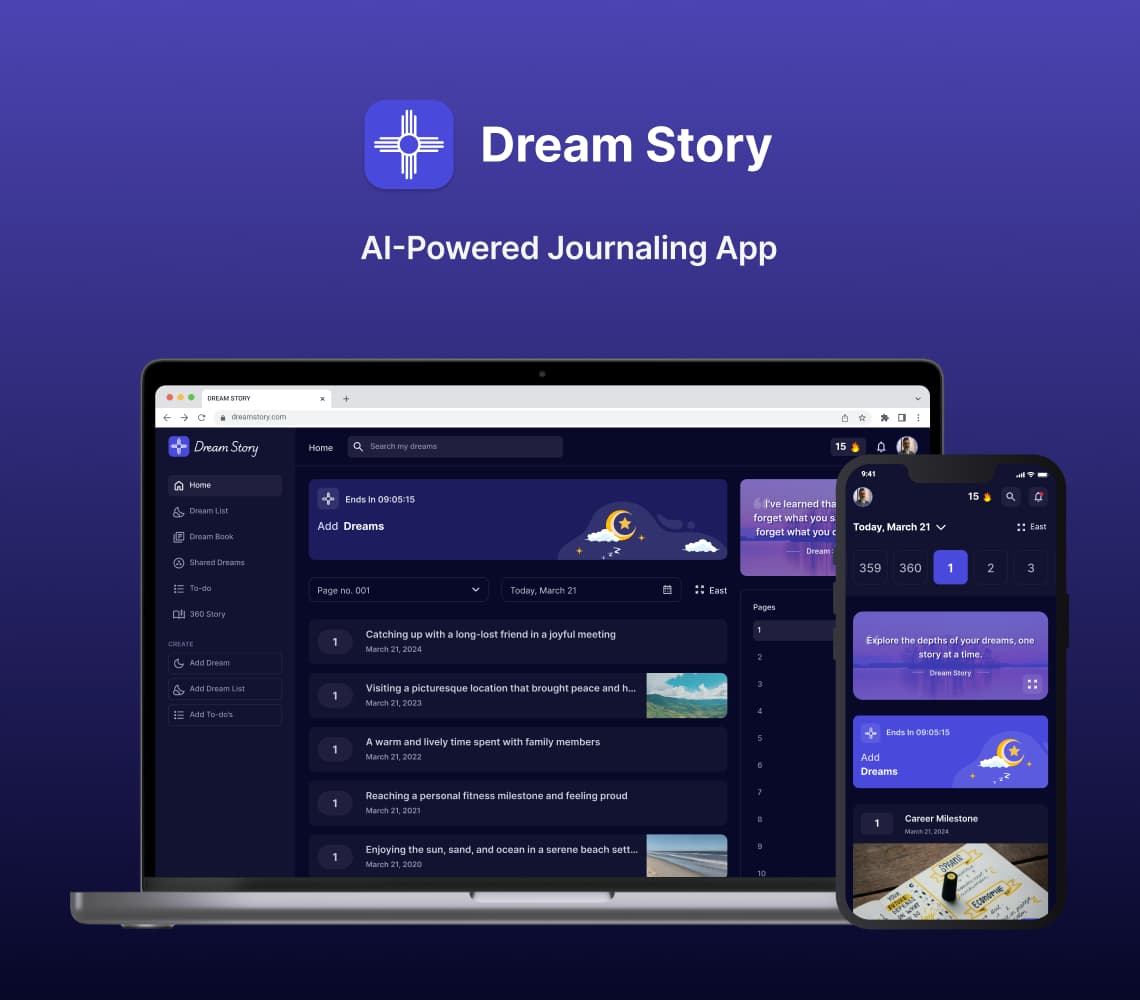
AI Journaling App Development Solution
Discover with us how we built Dream Story, an AI-powered journaling application that helps manage daily notes by capturing your thoughts and emotions. A one-stop solution for those who love noting down daily summaries!
Generative AI
Prompt Engineering
AI Integration
Mobile App
Flutter
Android
iOS
Web App
Desktop
Website
UI/UX
Backend
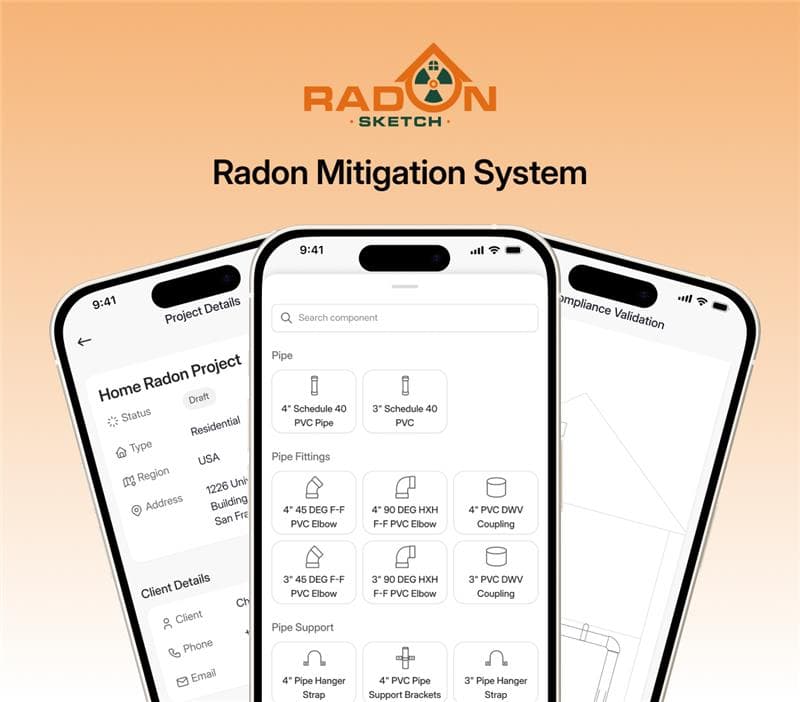
Radon Mitigation System for Mitigators And Enterprise
SolGuruz designed and developed RadonSketch, a smart radon mitigation system solution for mitigators and enterprises. It modernizes outdated workflows with automation, guided compliance, and a powerful visual builder - built end-to-end by our expert team.
Real Estate
UI/UX
MVP Development
Mobile App
Flutter
Android
iOS
Backend
Launch & Maintenance
Digital Transformation
Digital Marketing