




AI in CRM: 8 Use Cases, Benefits, and How to Implement It in 2026
This guide covers the full AI CRM picture: eight core use cases, industry-specific applications for healthcare and real estate, implementation steps, and the challenges most guides leave out.

Summarise with AI


Key Takeaways
- What is AI in CRM: AI in CRM (Customer Relationship Management) refers to the use of machine learning, natural language processing, and predictive analytics to automate sales workflows, score leads, predict customer behavior, and personalize engagement at scale, without manual data analysis.
- Growth: According to Gartner, AI agents will resolve 80% of common customer service issues autonomously by 2029.
- Current Scenarios: Most businesses in 2026 are building CRMs from scratch, tailored to their workflows. There are 3 options for AI in CRM: adding AI features to an existing CRM platform, integrating standalone AI tools via APIs, or building a custom AI-powered CRM around their specific workflows.
- Future Vision: Companies that design their AI CRM strategy around their actual sales cycle, rather than default platform features, report significantly higher adoption rates and measurable ROI within the first year.
Most CRM systems sitting in hospitals, property agencies, travel companies, and schools today were built to store customer data, not understand it. They log interactions, track pipeline stages, and send reminders, but they do not learn, predict, or act on their own. AI changes that, though not automatically, and not at the same cost or complexity level for every business. This blog covers what AI actually does inside a CRM, which features matter most by industry, and how to figure out how you will benefit from AI in your CRM platform.
Table of Contents
What Is AI in CRM?
AI in CRM (Customer Relationship Management) is the application of machine learning, natural language processing, and predictive analytics inside a CRM system. Instead of passively storing customer data, the CRM actively trains on interaction history, identifies patterns, gives predictions about sales outcomes and churn risk, and gives recommendations, moving from a record-keeping tool to an intelligent decision-support system.
What AI in CRM Actually Does: Use Cases
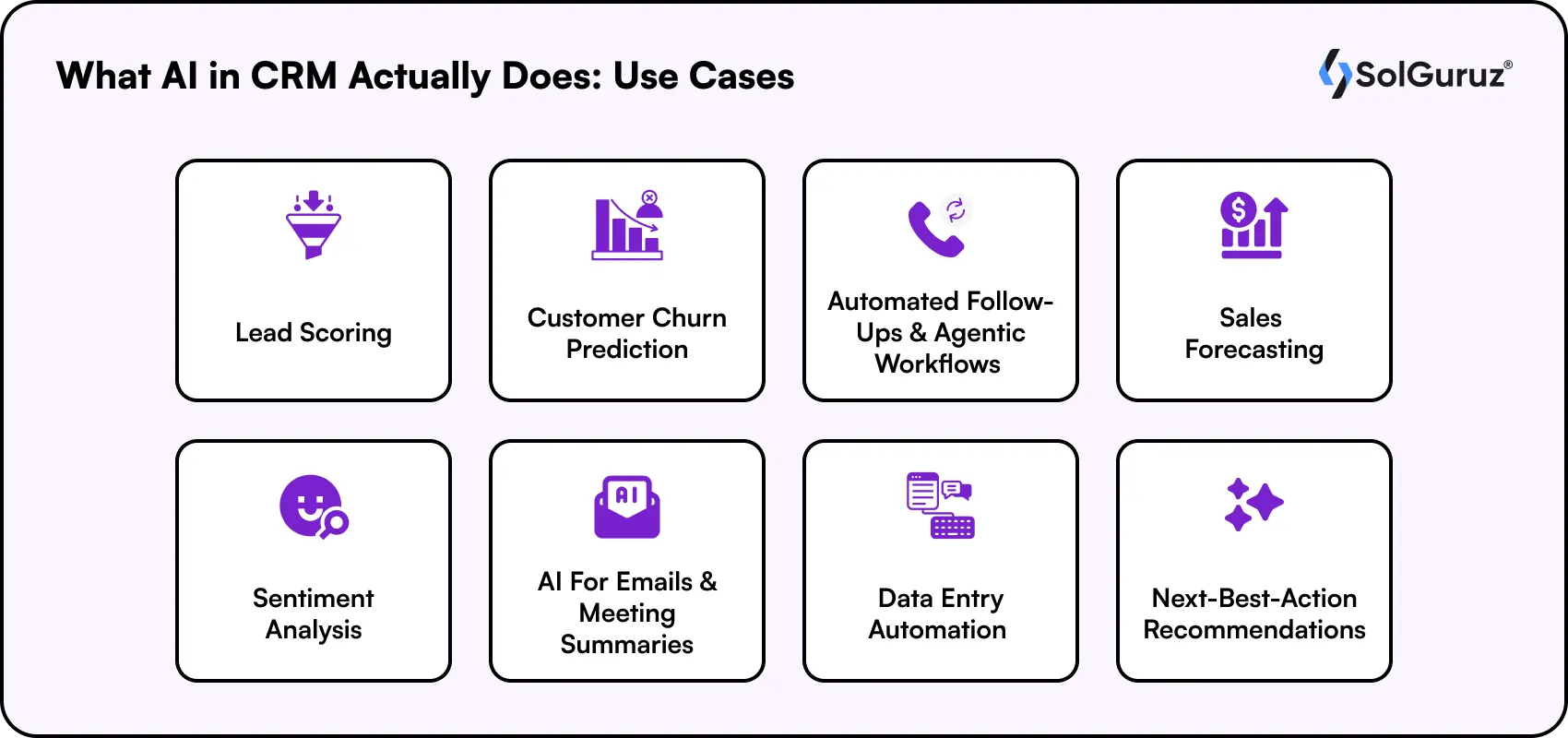
Most conversations about AI in CRM start and end with chatbots. That is a small piece of a much larger picture. Modern AI-powered Custom CRM systems are doing eight distinct things across sales, service, marketing, and data operations, and each one has a measurable impact on how teams spend their time and how consistently they achieve their goals.
1. Lead Scoring
AI builds a ranked probability score for every lead using engagement history, company size, deal stage activity, and response patterns, and then sends high-probability leads to sales representatives and lower-probability ones to automated sequences. Teams using AI-driven lead scoring report reducing wasted outreach time by up to 30%, because reps stop spending equal effort on unequal opportunities.
2. Customer Churn Prediction
AI CRM software analyzes behavioral signals like declining engagement, support ticket frequency, payment delays, and usage drops, and then flags accounts trending toward churn before it happens. In healthcare, that is a patient drifting toward a different provider. In real estate, it is a buyer going quiet before they sign with a competitor. Knowing 60 days before renewal beats knowing the day they cancel.
3. Automated Follow-Ups and Agentic Workflows
Unlike rule-based automation that follows a fixed script, agentic AI evaluates context:
- What did the prospect say last?
- Where are they in the pipeline?
- What similar deals looked like at this stage?
Based on these questions, it decides what to send, when, and whether to loop in a human sales representative. Healthcare CRM and real estate CRM teams managing long, non-linear sales cycles get the biggest time savings.
4. Sales Forecasting
AI CRM platforms pull data directly from pipeline data like deal velocity, historical close rates by rep and segment, and real-time engagement signals, and then make revenue predictions that update weekly rather than sitting as a number someone assembled from rep estimates on a Friday. Finance and leadership get a forecast they can actually plan around.
5. Sentiment Analysis
NLP reads tone and urgency across support tickets, call transcripts, emails, and reviews at a scale no team can manage manually. A hospitality company can flag a dissatisfied guest for proactive recovery before they post a review. A healthcare provider can catch patient frustration in follow-up messages before it becomes a formal complaint. Teams stop learning that a customer was unhappy after they already left.
6. Generative AI for Emails, Proposals, and Meeting Summaries
A sales rep can generate a context-aware first draft of a follow-up email from a deal’s history in under 60 seconds, then edit and send rather than write from scratch. For real estate consultants managing 40 active property inquiries or healthcare sales teams pitching hospital procurement, generative AI in CRM handles the first draft so the human can focus on the judgment call.
7. Data Entry Automation
AI CRM captures and logs customer interactions from emails, calls, and meetings automatically, and updates records without requiring the rep to do anything after the conversation ends. This matters beyond the time saving: lead scoring, churn prediction, and forecasting all depend on clean, complete data. Data entry automation reduces the chances of errors, which is the foundation that makes the rest of the AI stack reliable.
8. Next-Best-Action Recommendations
When a deal pauses or a support ticket opens, AI recommends the first response, like sending a pricing overview, escalating to a senior stakeholder, or referencing a relevant case study based on what has worked in comparable situations at the same stage. Teams do not have to figure out the right move from scratch every time, and newer sales representatives get the benefit of patterns that only experienced ones would otherwise recognize.
Intelligent CRMs have multiple use cases. Let’s find out how you can integrate AI in your CRM and get the most out of it.
Curious about what this would cost you? Explore our full insights on CRM development cost.
How to Implement AI in CRM
CRM AI features that deliver real results have a clear sequence CRM building sequence. The steps below are ordered the way they are for a reason.
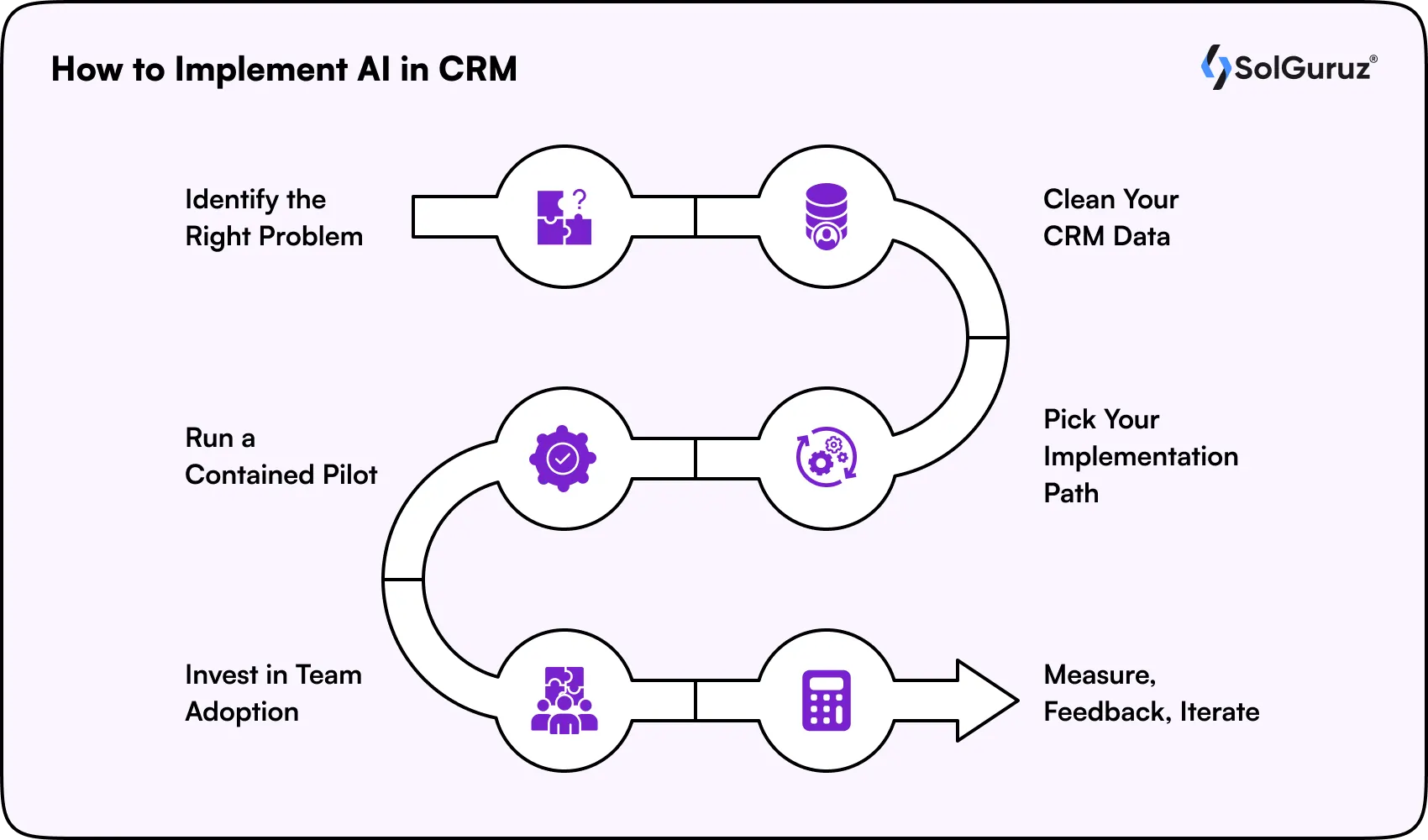
Step 1: Identify the Right Problem
Do not start with a platform. Start with a specific problem worth solving. For example:
- Low lead conversion
- High churn in a particular segment
- Sales reps wasting too much time on admin
A defined use case gives you a measurable baseline and prevents the implementation from expanding into something too broad to evaluate.
Step 2: Clean Your CRM Data
AI models depend entirely on the quality of data they train on. Before selecting any tool, clean your existing CRM records, identify where data is fragmented across systems, and establish what accurate, unified customer data looks like for your business. This step gets skipped most often and causes the most problems later.
Step 3: Pick Your Implementation Path
Decide whether you are activating AI features within an existing platform like Salesforce Einstein or Microsoft Dynamics 365, integrating external AI tools via APIs, or building a custom AI CRM around your specific workflows. The right choice depends on your compliance requirements, existing tech stack, and how closely your processes match what off-the-shelf platforms are built for.
Step 4: Run a Contained Pilot
Pick one high-impact use case and test it with a small team first. Lead scoring, automated follow-up sequences, and sentiment-based ticket routing are all contained enough to pilot without disrupting live operations. A pilot gives you real adoption data before committing to a wider rollout.
Step 5: Invest in Team Adoption
Sales, marketing, and service teams need to understand what the AI is doing and why it is making the recommendations it makes. Adoption of the CRM depends on trust. Change is what determines whether the AI CRM integration actually gets used.
Step 6: Measure, Feedback, Iterate
Track performance against the KPIs you defined in Step 1. AI models improve with feedback loops that flag when predictions were wrong. Build a regular review cycle into the plan from the start rather than treating go-live as the finish line.
The businesses that get the most out of CRM automation AI are not always the ones with the biggest budgets or the most sophisticated platforms. They are the ones who started with a clear problem, prepared their data, and gave their teams time to build trust in the system before scaling it.
Benefits of AI in CRM
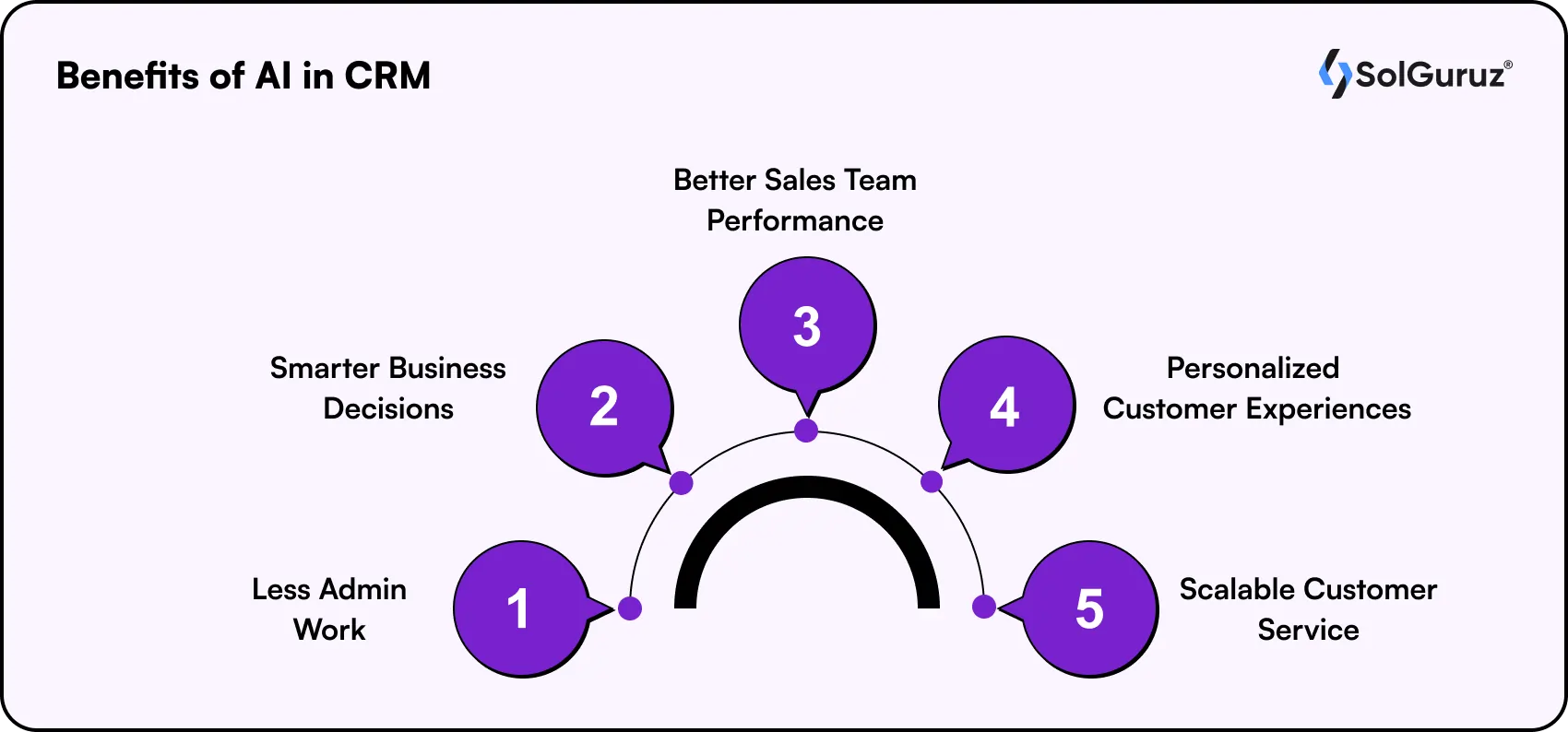
There are 5 core benefits of integrating AI in your CRM. From these, you can find more industry-specific CRM benefits for your business.
Less Admin Work
AI captures and logs contact information, email threads, and meeting notes directly into the CRM without anyone having to do it manually. Generative AI CRM drafts follow-up emails and summarizes calls after they end. The hours that were going into data entry and documentation go back to actual selling, servicing, and relationship-building.
Smarter Business Decisions
AI analyzes historical customer data, pipeline velocity, and behavioral signals to give CRM predictive analytics, often about sales performance, churn risk, and customer lifetime value through dashboards that anyone on the team can actually read and act on.
Better Sales Team Performance
AI gives each sales representative lead scores, next-best-action prompts, and real-time recommendations based on what has worked in comparable deals. It’s not generic advice, but guidance specific to the account they are working on right now. Newer reps get the benefit of patterns that only experienced ones would otherwise recognize.
Personalized Customer Experiences
AI lets marketing and sales teams personalize outreach, content, and support at a scale that would be impossible to manage manually. A healthcare provider can tailor patient communications based on care history. A real estate team can match follow-up content to a buyer’s specific property interest. Customers stop receiving generic outreach and start receiving communication that actually reflects their situation.
Scalable Customer Service
AI agents can handle 60 to 70% of routine customer inquiries like scheduling, order tracking, and standard FAQs without human intervention. When a case needs a person, intelligent routing sends it to the right agent with the relevant context already loaded. Service quality holds up as volume grows, without a corresponding increase in team size.
CRM with AI has many benefits, but there are a few challenges presently that we must keep in mind to make our CRM successful.
Challenges of AI in CRM
The IBM Institute for Business Value found that while 78% of executives have a generative AI scaling approach, 56% have no process to review AI output quality. Most AI CRM software do not fail because the technology does not work. They fail because the conditions around it are not ready.
1. Data Quality
Customer data decays at roughly 30% per year. Lead scoring and churn prediction models built on fragmented, outdated CRM records generate recommendations based on customer profiles that no longer exist. The data foundation needs an audit before the AI layer gets added, not after the first round of bad predictions.
2. Explainability and Adoption
AI recommendations that cannot show their reasoning create a trust deficit. If a rep cannot see why a lead scored low, they will ignore the score and follow their gut. The technology is rarely the bottleneck in AI-powered CRM rollouts. Change management is.
3. Compliance and Privacy
Using customer data to train a machine learning model carries different legal obligations than using it to deliver a service. Healthcare organizations face an additional layer: AI CRM pipelines touching protected health information must avoid BAA violations, and off-the-shelf platforms do not always handle this by default.
4. Legacy Integration
Most businesses in healthcare, real estate, and education run CRM alongside EMRs, ERPs, and property platforms that were never designed to share data with an AI layer. An intelligent CRM that cannot see the full customer picture produces narrow predictions, not unified intelligence.
5. Over-Automation
High-value negotiations, sensitive patient communications, and complex service escalations require human judgment. Setting sentiment-based escalation triggers keeps humans in the loop where it matters, before a customer experiences the failure, rather than after.
Now that you know the features, benefits, and challenges of AI in CRM, let’s wrap this up.
The Bottom Line on AI in CRM
AI in CRM works when the data is clean, the use cases are specific, and the teams using the system trust what it is telling them. The businesses seeing real returns are the ones that matched the technology to their actual workflows and gave their teams the time to build trust in it.
If you are working out where AI fits in your CRM strategy, the SolGuruz team works through exactly these decisions with healthcare, real estate, and enterprise clients regularly.
We’ll see you in the next blog!
FAQs
1. What is the difference between agentic CRM and traditional CRM automation?
Traditional CRM automation follows fixed rules you configure in advance. Agentic CRM evaluates context like what the prospect said last, where they are in the pipeline, and what similar deals looked like, and then decides what action to take without waiting for human input. It handles multi-step workflows independently rather than executing a preset script.
2. How much does it cost to add AI to a CRM system?
It depends on the path you choose. Activating AI features within an existing platform like Salesforce Einstein typically costs $500 to $5,000 per month in additional licensing. Integrating standalone AI tools via APIs runs $15,000 to $50,000 as a development investment. A fully custom AI CRM cost ranges from $20,000 to $100,000, depending on the AI scope and compliance requirements.
3. Can AI CRM be HIPAA compliant?
Yes, but it requires deliberate architecture decisions. Agentic CRM pipelines that interact with protected health information must be built to avoid BAA violations and prevent PHI from passing through AI training pipelines without proper authorization controls. Off-the-shelf platforms do not always handle this by default. See how we approach this in our healthcare CRM development guide.
4. How long does AI CRM implementation take?
Activating AI features within an existing platform takes 2 to 8 weeks. Integrating external AI tools via APIs typically takes 4 to 12 weeks. Building a custom AI CRM from the ground up takes 4 to 10 months, depending on complexity and compliance requirements. Starting with a contained pilot on one use case before scaling is the most reliable path, regardless of which option you choose.
5. What is generative AI in CRM?
Generative AI in CRM handles content creation tasks ike drafting personalized follow-up emails from deal context, writing proposal sections, summarizing meeting notes, and responding to common customer queries. It draws from data already stored in the CRM, so the output is relevant to the specific account rather than generic. This is particularly valuable for real estate teams managing high volumes of active inquiries and healthcare sales teams handling complex procurement conversations.
6. How can AI be used in CRM?
AI handles the pattern-based work that consumes most of a sales or service team's time. It scores leads, predicts churn, automates follow-ups, drafts content, and sends next-best-action recommendations. Each capability applies across industries, though the use cases that matter most depend on your workflows. See the full breakdown in our CRM software development guide.
7. What is the role of AI in customer experience?
AI allows businesses to deliver personalized, timely experiences at a scale that manual effort cannot match. It analyzes behavior to surface relevant recommendations, monitors sentiment to catch dissatisfaction early, and enables round-the-clock service through intelligent automation. Customers receive communication that reflects their actual situation rather than a generic campaign sequence.

Paresh Mayani is the Co-Founder and CEO of SolGuruz, a global custom software development and product engineering company. With over 17+ years of experience in software development, architecture decisions, and technology consulting, he has worked across the full lifecycle of digital products, from early validation to large-scale production systems. He started his career as an Android developer and spent nearly a decade building real-world mobile applications before moving into product strategy, technical consulting, and delivery leadership roles. Paresh works directly with founders, scaleups, and enterprise teams where technology choices influence product viability, scalability, and long-term operational success. He partners closely with founders and cross-functional teams to take early ideas and turn them into scalable digital products. His work revolves around AI integration, agent-driven workflow automation, guiding product discovery, MVP validation, system design, and domain-specific software platforms across industries such as healthcare, fitness, and fintech. Instead of solely focusing on building features, Paresh helps organizations adopt technology in a way that fits business workflows, teams, and growth stages. Beyond delivery, Paresh is also an active tech community contributor and speaker, contributing to global developer ecosystems through Stack Overflow, technical talks, mentorship, and developer community (Google Developers Group Ahmedabad and FlutterFlow Developers Group Ahmedabad) initiatives. He holds more than 120,000 reputation points on Stack Overflow and is one of the top 10 contributors worldwide for the Android tag. His writing explores AI adoption, product engineering strategy, architecture planning, and practical lessons learned from real-world product execution.





From Insight to Action
Insights define intent. Execution defines results. Understand how we deliver with structure, collaborate through partnerships, and how our guidebooks help leaders make better product decisions.
 How we Work
Build Smarter CRM
Get a scoped AI-powered CRM assessment for your industry

Strict NDA

Trusted by Startups & Enterprises Worldwide

Flexible Engagement Models

1 Week Risk-Free Trial
Real-World Examples of Our Expertise
Explore how real-world challenges were turned into opportunities with our success stories and case studies, showcasing impactful solutions and measurable results.
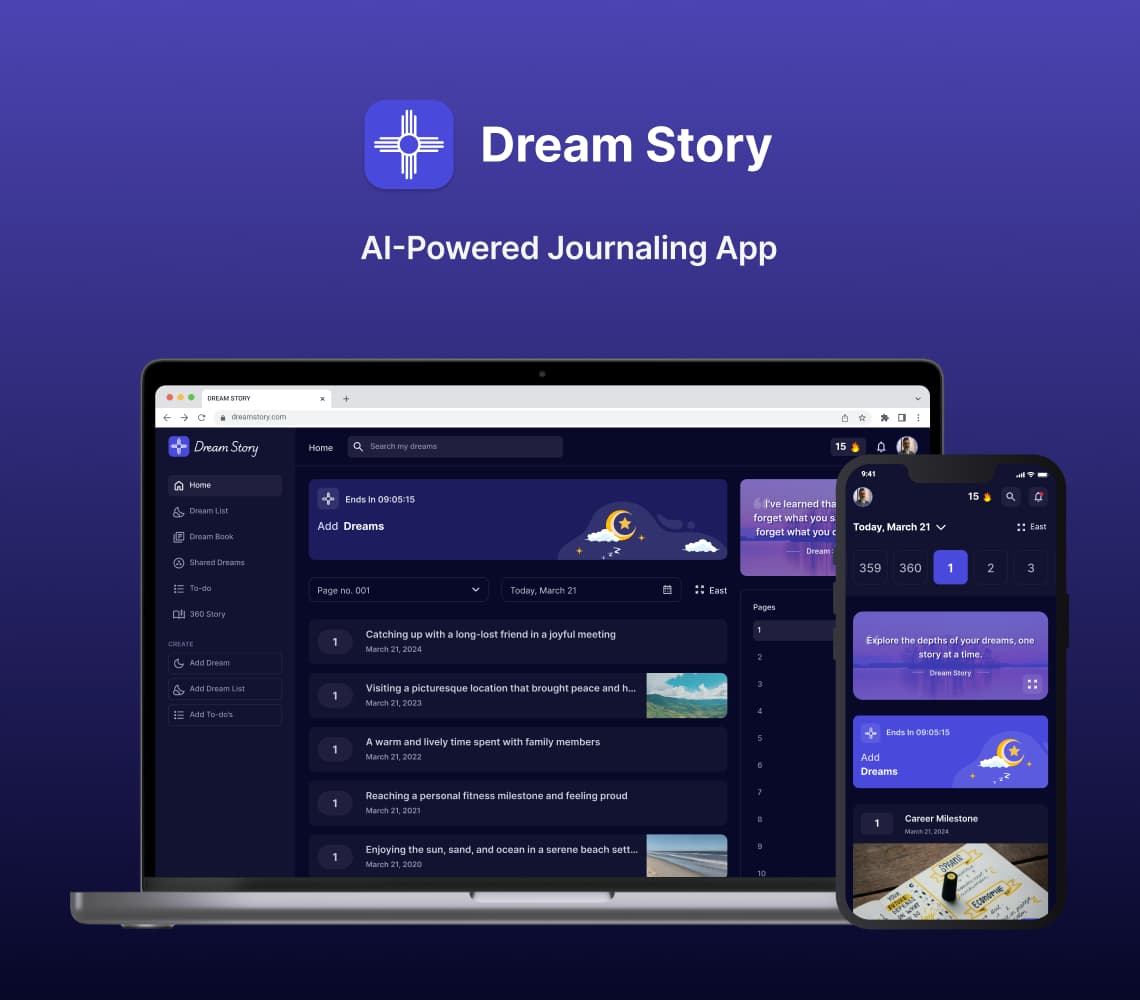
AI Journaling App Development Solution
Discover with us how we built Dream Story, an AI-powered journaling application that helps manage daily notes by capturing your thoughts and emotions. A one-stop solution for those who love noting down daily summaries!
Generative AI
Prompt Engineering
AI Integration
Mobile App
Flutter
Android
iOS
Web App
Desktop
Website
UI/UX
Backend
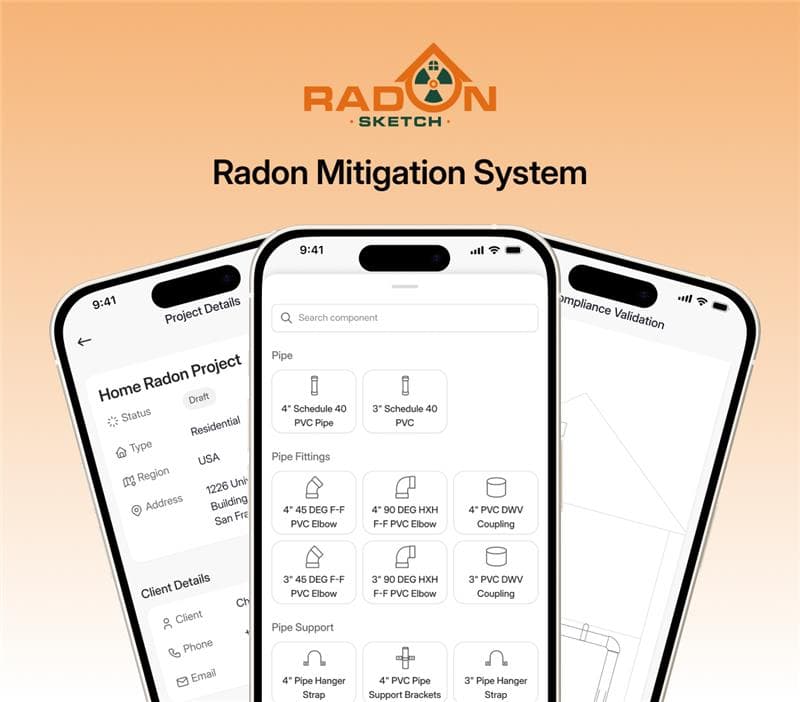
Radon Mitigation System for Mitigators And Enterprise
SolGuruz designed and developed RadonSketch, a smart radon mitigation system solution for mitigators and enterprises. It modernizes outdated workflows with automation, guided compliance, and a powerful visual builder - built end-to-end by our expert team.
Real Estate
UI/UX
MVP Development
Mobile App
Flutter
Android
iOS
Backend
Launch & Maintenance
Digital Transformation
Digital Marketing