How to Integrate Apple Intelligence (AI) Features into iOS Apps?
Apple Intelligence is Apple’s new on-device AI system that brings smarter writing tools, Siri enhancements, and automation to iOS apps. This guide breaks down what it is, how to integrate it using Apple’s frameworks, the limitations developers should know, and how teams can start implementing it today.


Summarise with AI


So, Apple finally joined the AI party. But (of course) in its own “Apple way.”
But they did not throw APIs at devs.
And it is definitely not another ChatGPT clone.
They actually built Apple Intelligence, an on-device, privacy-focused AI system.
It quietly supercharges iOS apps with features like writing assistance, image generation, and Siri that actually understands context (finally).
Sounds exciting, right?
The only problem: Apple hasn’t made it clear how developers can use this stuff.
That’s exactly what this guide is for.
We’ll break down what Apple Intelligence really is and how to integrate it into your iOS app.
Table of Contents
What Is Apple Intelligence?
Apple Intelligence is like Apple’s version of generative AI. But it is built natively into the iPhone, iPad, and Mac.
They are not relying on cloud-heavy models. It does not send your data who-knows-where. Apple runs everything on-device.
That means faster responses, tighter privacy, and features that feel baked into iOS instead of bolted on.
Here’s what it currently empowers the latest version of their OS:
- Writing Tools: Summarize, rephrase, and change tone inside Mail, Notes, or even third-party text fields.
- Image Playground: Generate custom images, emojis (aka “Genmojis”), and playful visuals on the fly.
- Siri Upgrade: Understands context, can take actions across apps, and taps into your on-device data more intelligently.
- App Intents: It lets your app “talk” to Siri + other system features with AI.
Basically, you can build around these new frameworks and hooks to make your app feel smarter and more intuitive.
Up next. Let’s see how to actually integrate Apple Intelligence features into your iOS app.
How to Integrate Apple Intelligence into Your iOS App? (Developer Flow)
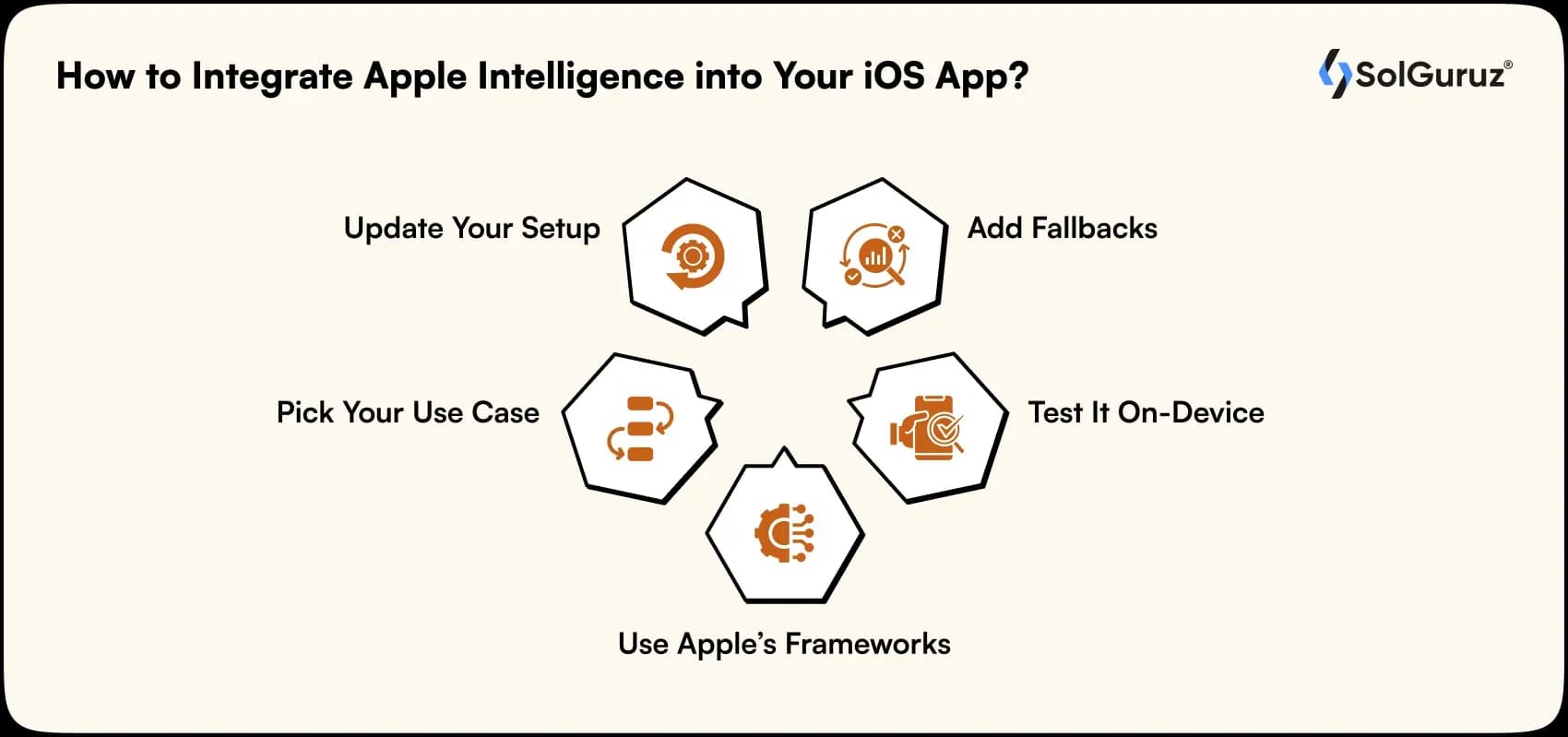
Alright, let’s get to the real part: How do you actually plug Apple Intelligence into your app?
Spoiler: you can’t just drop in an “AI SDK” and call it a day. Apple hasn’t opened direct access to its large language models.
But what you can do is use the official frameworks and system integrations.
It will connect your app to Apple Intelligence features already built into iOS 18.
Here’s the flow:
1. Update Your Setup
Make sure you’re running Xcode 16+, targeting iOS 18 SDK, and testing on devices that actually support Apple Intelligence (A17 Pro or M-series).
If your device doesn’t have it, you won’t even see the AI features kick in.
2. Pick Your Use Case
Don’t force AI just for buzzwords.
Ask yourself: Where can Apple Intelligence genuinely improve UX?
Based on the answer, decide this:
- Writing-heavy apps → integrate Writing Tools
- Visual or creative apps → explore Image Playground
- Utility or productivity apps → add App Intents to let Siri and Shortcuts trigger app actions
3. Use Apple’s frameworks
Now this is the most important part.
Because you’re basically exposing your app to Apple’s AI ecosystem through these frameworks. Not directly controlling the AI model.
1) App Intents Framework
Let’s say your app tracks habits. And you want Siri to log a habit automatically when a user says, “Hey Siri, mark my reading as done.”
You’d create a simple AppIntent in your app like this:
struct LogHabitIntent: AppIntent {
static var title: LocalizedStringResource = “Log Habit”
@Parameter(title: “Habit Name”) var habitName: String
func perform() async throws -> some IntentResult {
// Your app logic here
HabitManager.shared.log(habitName)
return .result(value: “Habit logged successfully ✅”)
}
}
Once you declare this, Siri and Shortcuts can trigger it. And with Apple Intelligence, Siri becomes smart enough to infer intent from natural language.
Here, “Mark reading done” → triggers your LogHabitIntent.
2) Writing Tools Integration
If your app has a text editor, you can now expose Apple’s built-in Writing Tools directly inside your UI.
This gives users access to rephrase, summarize, or adjust tone without building your own LLM backend.
TextEditor(text: $content)
.writingToolsEnabled(true)
That’s literally it.
iOS automatically hooks in the system-level AI actions (Summarize, Rewrite, Change Tone).
3) Image Playground API (for Creative Apps)
This one’s still limited and not fully public yet. But Apple previewed a sandboxed Image Playground API that lets users generate simple images. Like doodles within apps.
iOS Developers can embed this as a view:
ImagePlaygroundView(configuration: .init(category: .conceptArt))
You can set context. For example, “Create a cozy café scene”. And Apple Intelligence generates the visuals on-device.
It is still sandboxed for privacy and safety, but perfect for creative or messaging apps.
4. Add Fallbacks
Not every user will have Apple Intelligence (or even iOS 18).
So design a fallback UX. For example, show regular text inputs or disable certain options if AI isn’t available.
→ Use feature checks (if #available(iOS 18.0, *)) to gracefully skip unsupported APIs.
5. Test It On-Device
This is crucial.
AI-driven flows can behave differently depending on region, device, or even network availability.
Make sure your QA covers:
- Edge cases where AI features are off
- Siri/Shortcuts behavior across different languages
- Privacy & consent prompts
Limitations & What Developers Should Watch Out For
Before you start building that “AI-powered” iOS app announcement slide… a quick reality check.
Apple Intelligence is powerful, but it’s not fully open or universally available yet.
There are some edge cases you really want to know before you invest your time.
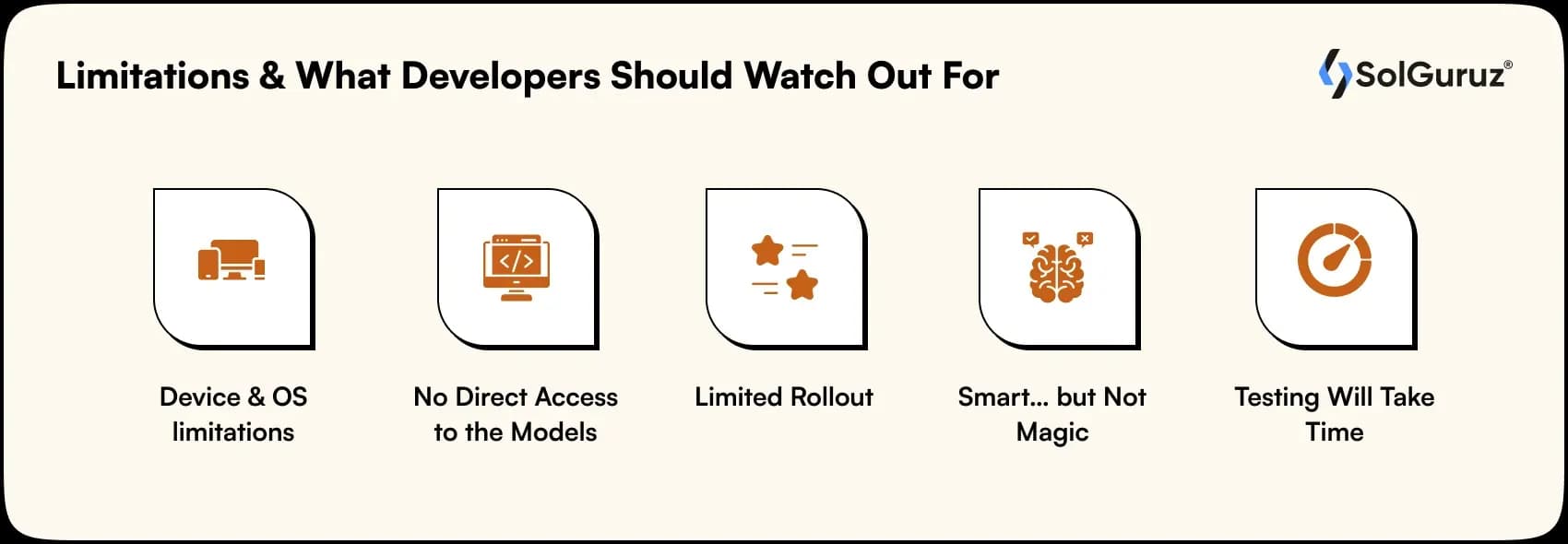
1. Device & OS limitations
Apple Intelligence is only for the newest hardware.
That includes iPhones with the A17 Pro chip (like iPhone 15 Pro / Pro Max) and Macs/iPads with M1 or later.
No chip, no AI. So if your app’s user base includes older devices, you’ll need fallbacks.
2. No Direct Access to the Models
You can’t prompt Apple’s LLM directly like
openai.Completion.create().
Developers are limited to structured frameworks. (As discussed earlier.)
In simple terms: you don’t talk to Apple Intelligence; you talk through it.
3. Limited Rollout (for Now)
At launch, Apple Intelligence is available only in US English and select regions.
That means you’ll need to check availability before enabling features.
Otherwise, you’ll confuse users who can’t see what you built.
4. Smart… but Not Magic
Yes, Siri got smarter. But it’s still Siri.
Don’t expect it to replace your app logic or decision-making.
AI here is meant to assist, not automate everything.
5. Testing Will Take Time
Because availability depends on device, language, and even region, your QA team will need to test multiple combinations.
Plan early for this. Nothing’s worse than your AI feature disappearing mid-demo because it’s running on the wrong iPhone.
Need Help With Integrating Apple Intelligence?
Apple made “AI integration” sound simple in their keynote…
But when you actually open Xcode, it’s a different story.
Why? Because it is tough to figure out stuff when there are so many limitations.
That’s where we come in.
At SolGuruz, we help startups and enterprises build and integrate Apple Intelligence – powered features that actually work.
We can help you get there faster. (Without bugs.)
FAQs
1. Is Apple Intelligence available to all iOS developers yet?
Not fully. You can use frameworks like App Intents and Writing Tools, but there’s no open API for the underlying LLM (yet). Think of it as Apple slowly opening the gates.
2. Which devices support Apple Intelligence?
Only newer hardware supports Apple Intelligence. iPhones with the A17 Pro chip (15 Pro and up) and M1 or later Macs/iPads. Older devices won’t run Apple Intelligence features.
3. Can I access Apple’s AI models directly in my app?
Nope. You can’t send custom prompts or get raw model responses. You integrate through structured system frameworks that Apple controls for safety and privacy.
4. Do these AI features work globally?
Not yet. Apple Intelligence is US English–only at launch, with other languages and regions expected to roll out gradually.
5. Will adding Apple Intelligence break my app on older iOS versions?
No, as long as you handle fallbacks properly. Just use version checks like if #available(iOS 18.0, *) to gracefully skip unsupported features.
6. Is Apple Intelligence free to use?
Yep, no per-request costs. Everything runs on-device, so there are no cloud usage fees.
7. Should startups start building for Apple Intelligence now?
Absolutely, if your users are on newer devices. Early adoption means smoother transitions later, and your app will already feel “native” when Apple expands availability.
From Insight to Action
Insights define intent. Execution defines results. Understand how we deliver with structure, collaborate through partnerships, and how our guidebooks help leaders make better product decisions.
 How we Work
Add Apple Intelligence to Your App
Smart features. Better UX. Faster builds.

Strict NDA

Trusted by Startups & Enterprises Worldwide

Flexible Engagement Models

1 Week Risk-Free Trial
Give us a call now!

+1 (724) 577-7737