




How to Develop a Calorie Counter App like MyFitnessPal
This blog walks you through the process of creating a calorie counter app like MyFitnessPal. From market research and tech stack decisions to adding advanced features, we cover essential steps to help you launch a successful app. You’ll learn about the cost, timeline, and food database size, plus tips for AI integration.

Summarise with AI


Are you looking to build a calorie counter app like MyFitnessPal
If yes!
Then you have come to the right place!
You know apps well, and that there is a strong demand for such tools.
But,
- What features should you include?
- How do you set up a comprehensive food database?
- What will be the cost of development?
Well, in this blog, you will know exactly how to develop a Nutrition App Like MyFitnessPal.
Let’s get into it!
Table of Contents
10 Features to Include In Your Calorie Counter App Like MyFitnessPal
Here are the features you must include in your calorie count app to ensure your users trust the app and keep using it.
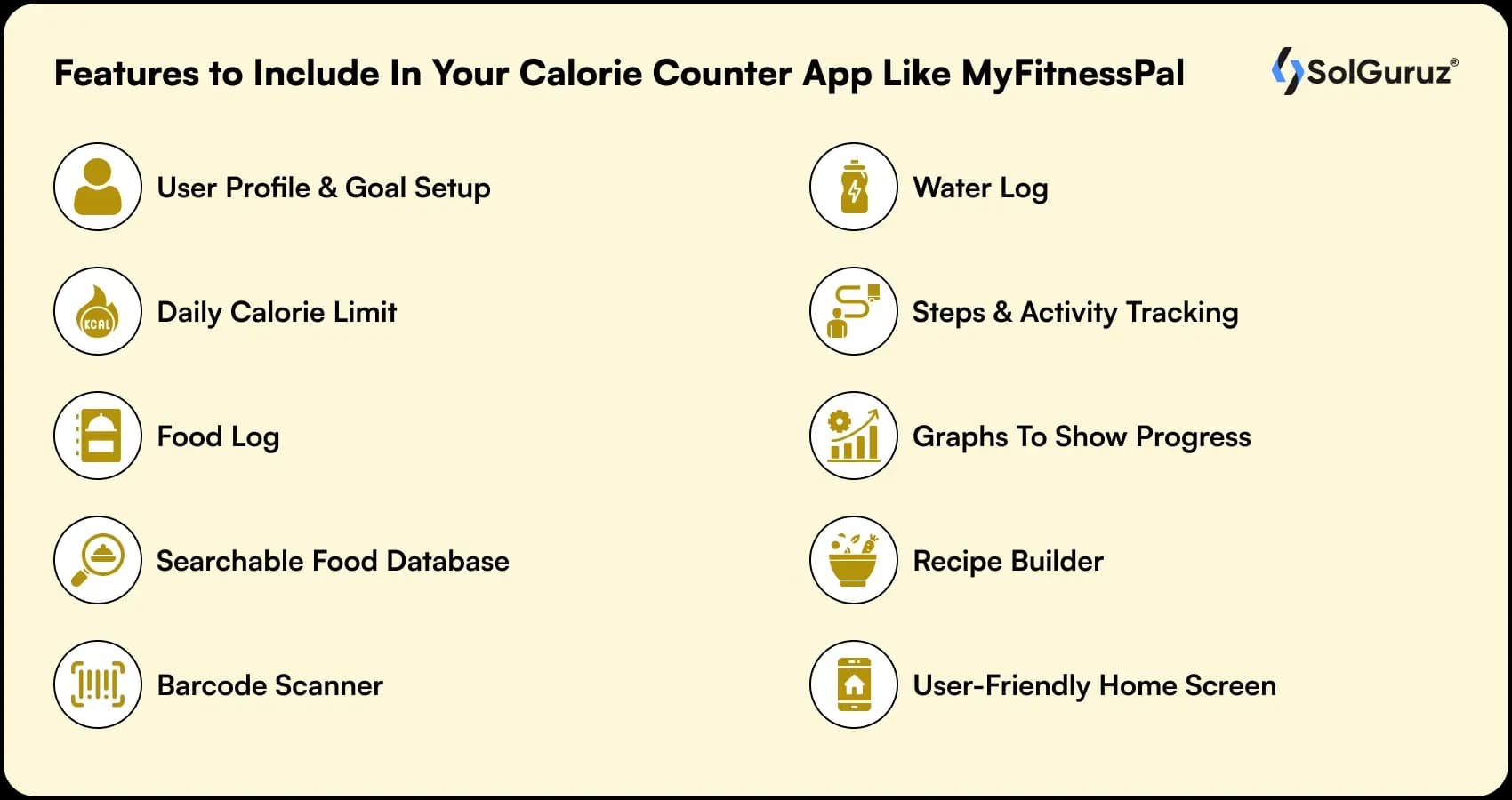
1. User profile and goal setup
Users should be able to enter simple details and get a daily target that feels right for them. No confusion. No long forms.
2. Daily calorie limit
Give them one clear number to follow. This becomes the anchor for all their tracking.
3. Food log
This is where they spend most of their time, so it needs to feel quick. Adding a meal should take seconds, not minutes.
4. Searchable food database
People expect to find almost anything they eat. Make the search fast and include common foods, local dishes, and packaged items.
5. Barcode scanner
Many users prefer scanning instead of typing. A good scanner makes logging meals feel effortless.
6. Water log
A simple way to track water intake. One tap is enough.
7. Steps and activity tracking
Users want the app to adjust calories based on movement. Syncing with popular fitness platforms helps you do this without extra steps for the user.
8. Graphs to show progress
Progress keeps people motivated. Clean visuals help them see how far they have come.
9. Recipe builder
The users can enjoy the food they like while still keeping track of what they eat.
10. User-friendly home screen
This is the screen they check the most. Show their daily numbers clearly so they can see where they stand without searching.
How to Build a Calorie Counter App like MyFitnessPal
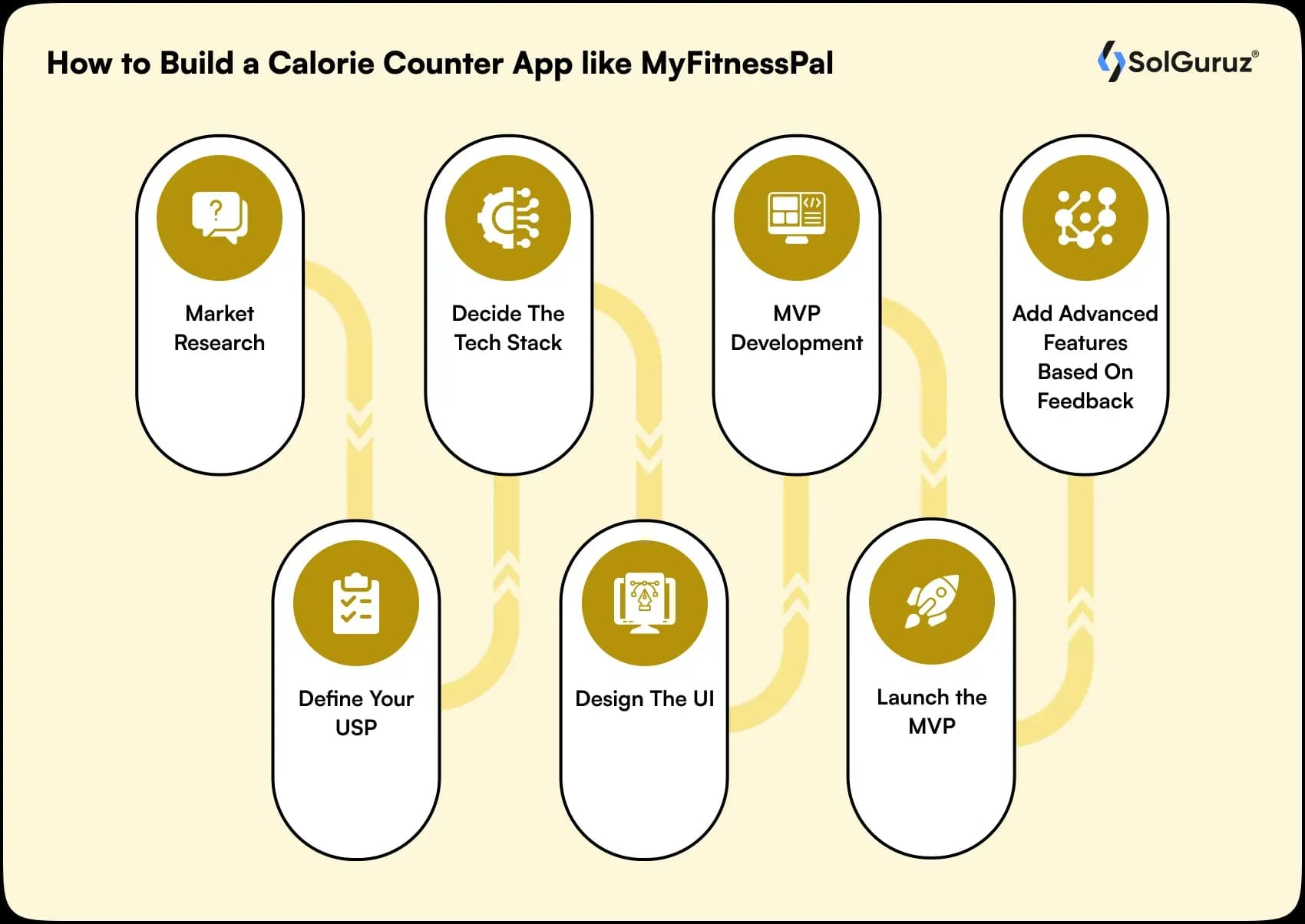
Follow these to create an app like MyFitnessPal in simple steps 👇
Step 1: Market Research
This is the most important step that most of the teams skip.
Always start by knowing your target audience and what they are expecting.
To make this simple, here is how you can break down the research phase
- Study what users want
- Look at reviews and feedback from popular apps. Focus on
- What users like
- What frustrates them
- What they keep requesting
- Where they feel the app becomes slow or confusing
This gives you real insight into actual user needs.
Clearly define your target users. Ask yourself, are you,
- building for beginners who want simple tracking
- targeting fitness lovers who want detailed macros
- focusing on a niche like keto or vegan users
Because each group will expect something different from the app.
- Benchmark your competitors
- Check apps like MyFitnessPal. And Look at
- Feature differences
- Free vs paid features
- Onboarding experience
- Database quality
- Where do they position themselves
This helps you identify the gap your app can fill.
Good market research gives your project direction. It tells you what to build, what to skip, and how you can offer something better than what users already have.
Step 2: Define your USP
The next step is to decide what sets your app apart.
Because if your app provides the same as MyFitnessPal, users may not use it.
So you can start by identifying the gaps. And try to offer those functionalities in my calorie counter app
Ask yourself a few simple questions. Are you
- Trying to solve a problem that current apps ignore
- Offering a cleaner and faster experience
- Focusing on a specific diet group
- Improving accuracy with better data
- Adding AI suggestions to make food logging easier
To make this easier, think in terms of themes.
- Simplicity
Maybe your USP is a cleaner interface that makes tracking feel quick.
- Local accuracy
You can build a stronger food database for local meals that global apps often miss.
- Personal coaching
Your app might guide users with meal plans or daily suggestions.
- Niche focus
You can build an app only for keto, vegan, athletes, or weight gain users.
- Speed
Your barcode scanner or search might work faster and feel smoother than other apps.
Your USP sets the tone for every decision that follows.
It helps you avoid building a generic app and instead create workout apps like MyFitnessPal, something users immediately understand and connect with.
Step 3: Decide the tech stack
Good tech stack = smooth app performance, scalability, and future growth.
Therefore, make sure to pick the right tech stack for the job!
Here’s how to approach this step 👇
- Choose the Right Platform → React Native, Flutter or Kotlin
- Backend Technologies → MongoDB, Node.js, or AWS
- API Integration → Nutritionix or Scandit
- User Authentication → OAuth or Firebase Authentication
However, we can understand that choosing the right tech stack can be complex.
- Therefore, you can consult a fitness app development company.
And they can help you select the best technologies for your business.
Step 4: Design the UI
A well-designed user interface directly impacts user satisfaction.
Therefore, you need to make sure that your users have a pleasant, functional, and enjoyable experience for your users.
Here is how you can do it
- Focus on Simplicity → Users should easily understand how to log their meals
- Prioritize Navigation → Make sure you add buttons, tabs, icons
- Use Visuals → Integrate food images, progress charts, calorie breakdowns
- Consistency → Use the same color scheme, font styles, layout
Step 5: MVP Development
The next step in your MyFitnessPal-like app development is MVP.
Now it will be a version of your app that has just enough features to meet the needs of early users and gather feedback.
The goal?
MVP development helps to test your idea and validate its value before investing too much time and money into a fully developed product.
Step 6: Launch the MVP
Making your MVP live is another step you should consider in the process of creating workout apps like MyFitnessPal.
This is the turning point where you actually open your app to the world and start collecting real feedback.
Here’s how to think about your MVP launch 👇
- Beta Testing
- Set Clear Goals
- Market the Launch
- Gather User Feedback
- Monitor Performance
Remember that launching the MVP is only the start!
By means of QA Automation Services, your app’s quality can be maintained, and users can have a pleasant experience.
Keep working on the app after the release, based on the feedback, and take your next step in the app’s journey.
Step 7: Add advanced features based on feedback
After launching your MVP and having users interact with your app, you should now incorporate additional advanced features that are based on the feedback you have received.
This movement plays a pivotal role because it gives you the liberty to upgrade your app and ensure that users’ loyalty is maintained.
Which way to add those features?
- Comply with Users’ Opinions → Focus on the feedback to have an understanding of users’ demands the most. Probably, they would like a barcode scanner, tailored meal plans, or the use of fitness trackers. Use these features to make your app indispensable.
- Feature Prioritization → Each feature is not worth the same. Concentrating on the implementation of those features that have been demanded the most is the right decision. You will have the most significant return on your investment this way.
- Keep Up the Good Work → There is still a long way to go! The process of building a calorie counter app like MyFitnessPal is not over yet. Even after the release of advanced features, you will be required to keep improving the app. Continue to listen to your users and make changes accordingly.
- Use the Business Model of MyFitnessPal → MyFitnessPal became successful through its constant changes. It brought in new features such as a comprehensive food database, social sharing options, and premium subscriptions.
Develop a Fitness and Nutrition App Like MyFitnessPal
That’s all! For successful MyFitnessPal-like app development, you need to follow the above steps.
If you are ready to take your idea to the next level, connect with an expert a healthcare software development company like SolGuruz.
You can hire mobile app developers.
And you will be able to build a Calorie Counter App like MyFitnessPal and scale it as your business grows.
FAQs
1. How Accurate Are Calorie Counter Apps?
Accuracy will be influenced by the
- Quality of the nutritional database
- What the user personally inputs
- The way the barcodes are scanned
For example, MyFitnessPal has a large database that gets updated pretty often
What you do counts – accurate portions and even the right cooking method will help get better results
2. What is the cost to develop an app like MyFitnessPal?
- A simple app ($10,000 – $30,000)
- A more feature-rich app, such as fitness integration ($40,000+)
- The price tag will revolve around the features and the team of developers
3. How long to build an app like MyFitnessPal?
- The time of MVP development is about 3 to 6 months
- Full app development: 6 to 12 months, depending on the complication level
4. How big should the food database be?
- At least (10,000 to 50,000) different food items
- The goal (200,000+ food items, which include brands and restaurant menus
5. Can AI calculate calories from photos?
- Yes, AI can come up with the number of calories just by looking at the photo.
- It identifies the food items in the picture and then looks for them in the database.

Paresh Mayani is the Co-Founder and CEO of SolGuruz, a global custom software development and product engineering company. With over 17+ years of experience in software development, architecture decisions, and technology consulting, he has worked across the full lifecycle of digital products, from early validation to large-scale production systems. He started his career as an Android developer and spent nearly a decade building real-world mobile applications before moving into product strategy, technical consulting, and delivery leadership roles. Paresh works directly with founders, scaleups, and enterprise teams where technology choices influence product viability, scalability, and long-term operational success. He partners closely with founders and cross-functional teams to take early ideas and turn them into scalable digital products. His work revolves around AI integration, agent-driven workflow automation, guiding product discovery, MVP validation, system design, and domain-specific software platforms across industries such as healthcare, fitness, and fintech. Instead of solely focusing on building features, Paresh helps organizations adopt technology in a way that fits business workflows, teams, and growth stages. Beyond delivery, Paresh is also an active tech community contributor and speaker, contributing to global developer ecosystems through Stack Overflow, technical talks, mentorship, and developer community (Google Developers Group Ahmedabad and FlutterFlow Developers Group Ahmedabad) initiatives. He holds more than 120,000 reputation points on Stack Overflow and is one of the top 10 contributors worldwide for the Android tag. His writing explores AI adoption, product engineering strategy, architecture planning, and practical lessons learned from real-world product execution.





From Insight to Action
Insights define intent. Execution defines results. Understand how we deliver with structure, collaborate through partnerships, and how our guidebooks help leaders make better product decisions.
 How we Work
Transform How You Manage Your Healthcare Workforce
Build a HIPAA-compliant, AI-powered workforce management system that simplifies staffing, scheduling, and compliance.

Strict NDA

Trusted by Startups & Enterprises Worldwide

Flexible Engagement Models

1 Week Risk-Free Trial
Real-World Examples of Our Expertise
Explore how real-world challenges were turned into opportunities with our success stories and case studies, showcasing impactful solutions and measurable results.
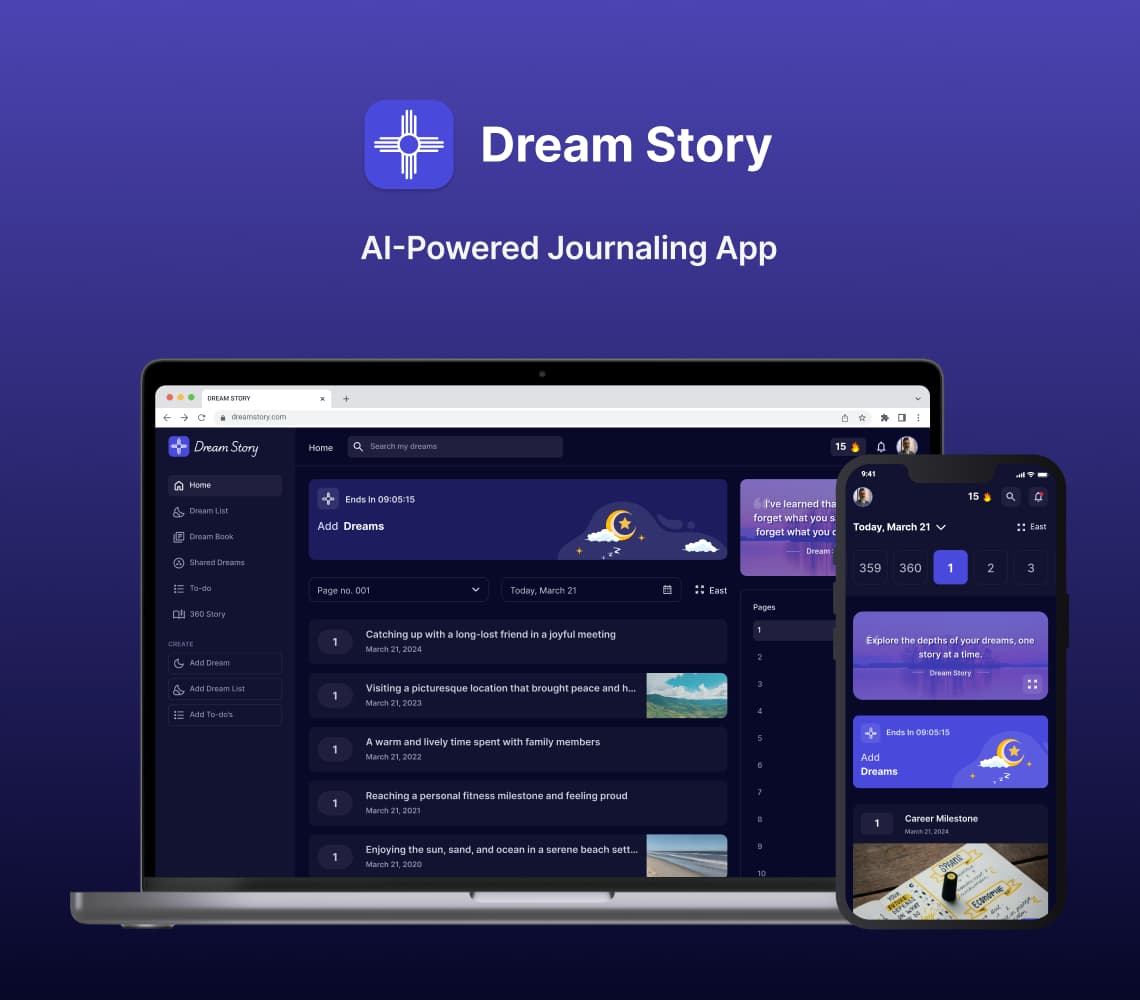
AI Journaling App Development Solution
Discover with us how we built Dream Story, an AI-powered journaling application that helps manage daily notes by capturing your thoughts and emotions. A one-stop solution for those who love noting down daily summaries!
Generative AI
Prompt Engineering
AI Integration
Mobile App
Flutter
Android
iOS
Web App
Desktop
Website
UI/UX
Backend
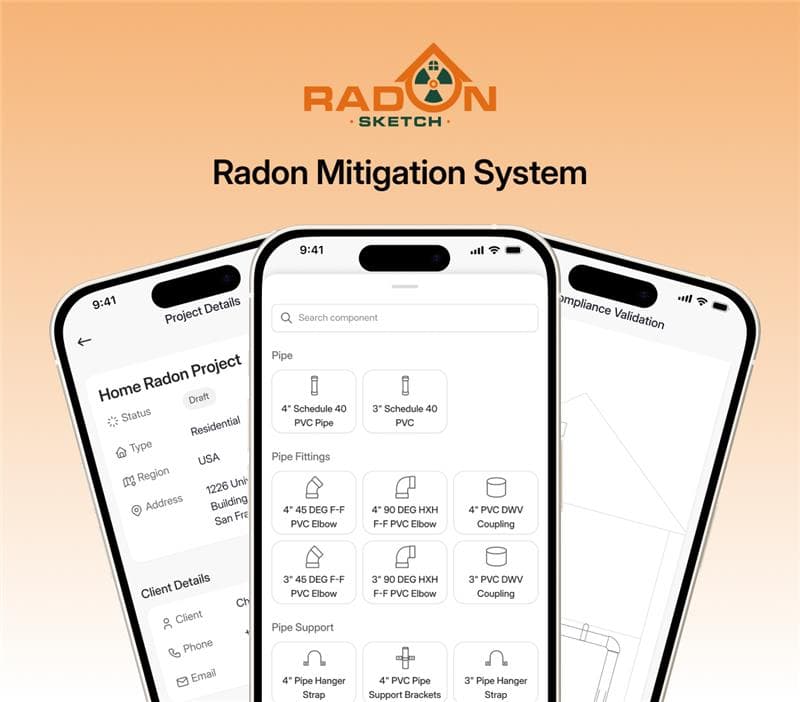
Radon Mitigation System for Mitigators And Enterprise
SolGuruz designed and developed RadonSketch, a smart radon mitigation system solution for mitigators and enterprises. It modernizes outdated workflows with automation, guided compliance, and a powerful visual builder - built end-to-end by our expert team.
Real Estate
UI/UX
MVP Development
Mobile App
Flutter
Android
iOS
Backend
Launch & Maintenance
Digital Transformation
Digital Marketing