CRM Workflow Automation: The Complete Guide With Examples and Industry Templates [2026]
Most CRM automation implementations return 8.71 dollars for every dollar spent, according to Nucleus Research. This guide covers the workflows, setup process, and industry templates that make that return possible.

Summarise with AI


Quick Definition:
CRM workflow automation is the practice of configuring a CRM system to execute repetitive customer management tasks automatically, using predefined triggers, conditions, and actions. It handles follow-up emails, lead routing, appointment reminders, and data updates without manual input, allowing sales and operations teams to focus on higher-value work.
Your CRM holds every contact, every deal, and every customer interaction your team has ever logged. But if your sales reps are still manually sending follow-up emails, updating lead statuses, and reminding themselves to check in with prospects, the CRM is functioning as a database, not a system that works for you.
CRM process automation changes that by running those repetitive tasks automatically, so your team stays focused on the work that actually needs a human.
This guide covers how workflow automation in CRM works, where it delivers the most value, and how to implement it in a way that fits your industry, whether you are managing patient appointments, property inquiries, student enrollments, or travel bookings.
Table of Contents
What Is Workflow Automation in CRM? Definition and How It Works
CRM workflow automation is what happens when your CRM system stops being a place where data is stored and starts being a system that acts on that data. Instead of relying on your team to manually move a lead forward, the CRM monitors activity, recognizes when something needs to happen, and executes the next step on its own.
Now here is what it actually means for your team on a Tuesday afternoon: a prospect downloads your pricing guide, and within 60 seconds, the CRM has logged the interaction, updated the lead score, assigned the contact to your senior sales rep, and queued a personalized follow-up email. Nobody pressed a button.
Nobody remembered to do it. The workflow ran because you told it to run once, and it has been running ever since.
How Is a CRM Workflow Automated?
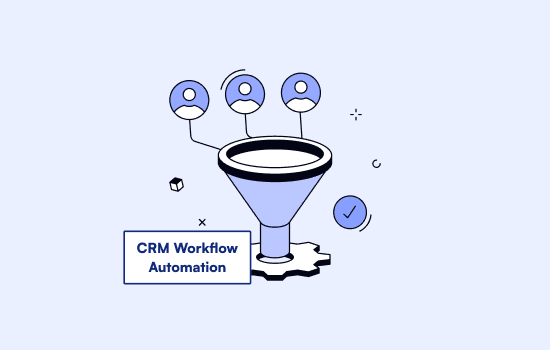
Workflow automation in CRM runs on three core components: a trigger that starts the process, a condition that decides whether it runs, and an action that the system executes automatically. Every automated workflow, from lead routing to appointment reminders, follows this same structure.
| Component | What It Does | Healthcare Example | Real Estate Example |
| Trigger | The event that starts the workflow | Patient submits an appointment request form | New property inquiry received from the website |
| Condition | The rule that decides whether the workflow runs | Only if the appointment type is a first consultation | Only if the inquiry matches agent’s territory and property type |
| Action | What the CRM does automatically | Send confirmation SMS, assign to available doctor, update patient record | Assign to territory agent, send property info email, schedule follow-up task for day 3 |
What Triggers Can Be Used in CRM Workflow Automation
CRM workflows have 3 types of trigger-based automations:
1. User-initiated triggers are actions taken manually by a team member.
Examples: Creating a contact, moving a deal to a new stage, or assigning a record to a different owner
2. Customer-initiated triggers are actions taken by the prospect or customer themselves. These are particularly useful for time-sensitive workflows like lead follow-up and onboarding sequences.
Examples: Submitting a form, opening an email, clicking a link, or booking an appointment
3. Time-based triggers fire automatically when a specific time condition is met.
Examples: A deal sitting idle for seven days, a contract renewal date arriving within 60 days, or a trial period expiring
Conditional-logic adds a further layer on top of these triggers. A workflow might only run when a lead score passes a certain threshold, when a contact belongs to a specific industry, or when a company has over 100 employees. This combination of triggers and conditions is what allows CRM automation to respond intelligently by firing the right action for the right contact at the right moment.
Workflow automation in CRM handles the mechanical steps that keep your team’s bigger decisions moving forward. Follow-ups go out on time, records stay current, and appointment reminders reach patients or clients without anyone having to remember to send them. At SolGuruz, when we do custom CRM development for healthcare and real estate teams, the first thing we do is map every one of those steps before writing a single line of code, because a well-designed workflow runs reliably from day one.
Key Benefits of Workflow Automation CRM
The key benefits of workflow automation in CRM include increased productivity, better lead management, improved customer experience, reduced data errors, lower operational costs, and stronger team collaboration. According to Nucleus Research, every dollar spent on a CRM system returns an average of $8.71, which reflects how consistently these benefits translate into measurable business outcomes.
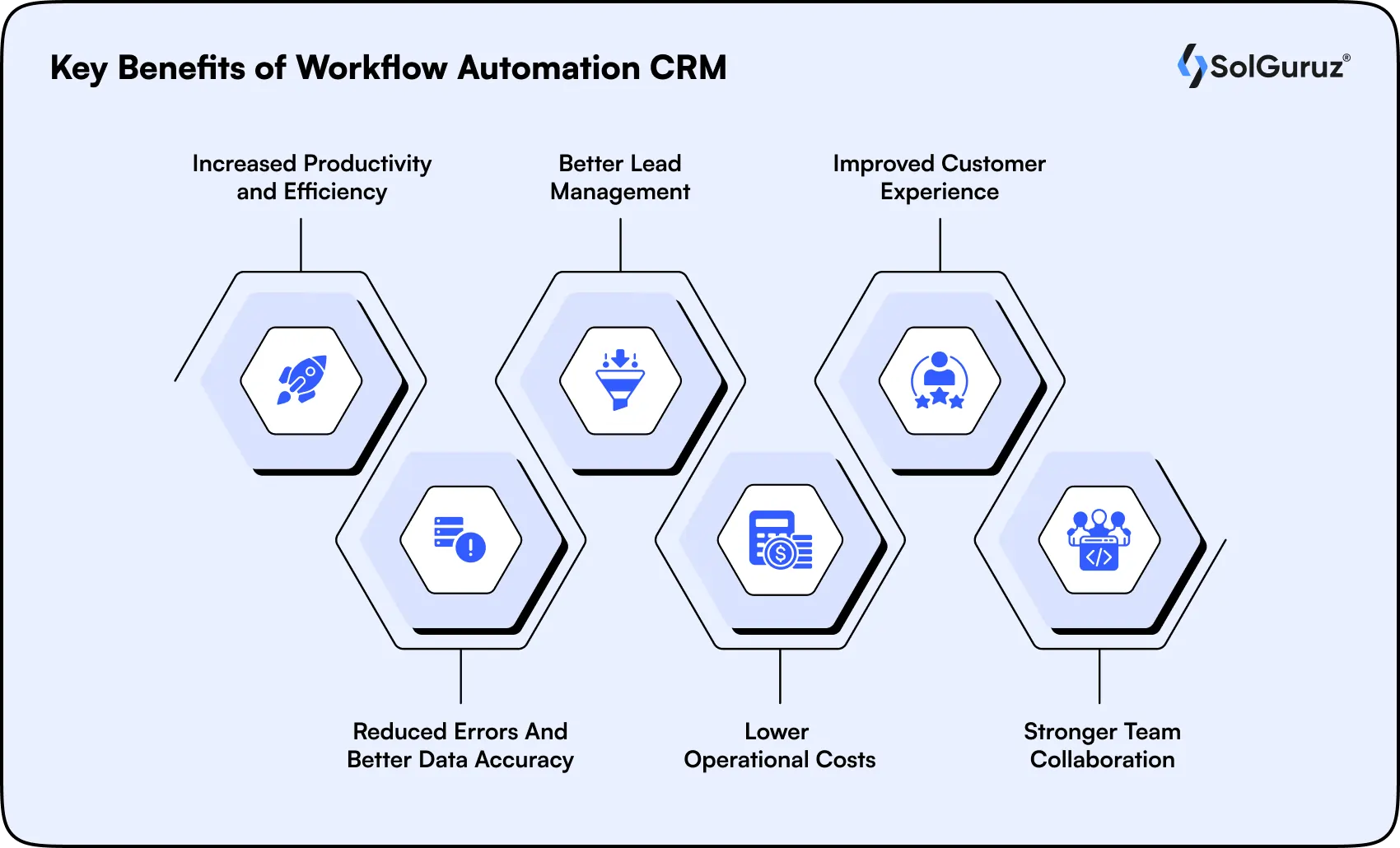
1. Increased Productivity and Efficiency
When data entry, follow-up scheduling, and task assignments run automatically, your team gets back the hours that were quietly disappearing into admin work. Salesforce’s State of Sales research found that sales representatives spend only 28% of their working time actually selling. Sales automation reclaims a meaningful portion of the remaining 72%.
2. Better Lead Management
Automated lead management means every incoming lead gets scored, routed to the right person, and followed up with based on behavior, not based on who happened to check the inbox first. High-potential leads get immediate attention. Leads that are not yet ready get nurtured through a sequence until they are.
3. Improved Customer Experience
Customers at a healthcare clinic, a real estate agency, or an education platform all notice when communication feels inconsistent. Automation keeps the experience consistent by sending the right message at the right time, whether that is an appointment confirmation, a property viewing reminder, or a course enrollment follow-up.
4. Reduced Errors and Better Data Accuracy
When records update automatically based on actions taken, the data your team works from stays clean and current. This matters most in industries where accuracy has compliance implications, such as healthcare practices managing patient records. It also makes reporting and forecasting significantly more reliable.
5. Lower Operational Costs
Teams that automate routine workflows handle a larger volume of customers and leads without adding headcount. For growing companies, this means the cost per customer interaction drops as the business scales, rather than rising in step with it.
6. Stronger Team Collaboration
When sales, marketing, and support teams work from the same automated data flows, the handoffs between them stop breaking down. Marketing passes a qualified lead to sales with a full behavioral context already logged. Support picks up a ticket with the complete customer history visible.
Now let’s see how these benefits translate to actual use cases across industries.
Workflow Automation CRM Use Cases Across Sales, Marketing, and Support
CRM process automation applies across sales, marketing, support, and operations. The most common use cases of CRM automation features include lead nurturing, customer onboarding, sales pipeline management, appointment scheduling, data updates, support routing, and renewal alerts.
Lead Nurturing
Lead nurturing automation sends behavior-triggered emails, assigns tasks, and moves leads through pipeline stages based on their actions, keeping engagement consistent without anyone having to manually follow up.
Customer Onboarding
Customer onboarding automation triggers a welcome sequence, delivers onboarding materials, and assigns an account manager the moment a deal closes, without anyone having to coordinate it manually.
Sales Pipeline Management
Sales pipeline automation moves deals through stages automatically, creating follow-up tasks and notifying team members whenever a stage changes or a deal sits idle too long.
Appointment Scheduling
Appointment scheduling automation connects with calendar and booking tools to set up meetings, send reminders, and trigger follow-ups based on lead status changes or confirmed bookings.
Data Entry and Record Updates
Data entry automation updates customer records whenever a form is submitted, an email is replied to, or a purchase is made, keeping information accurate across the CRM without manual input.
Customer Support Routing
Support routing automation prioritizes incoming tickets by urgency and assigns them to the right team member automatically, with follow-up reminders triggered if a case goes unresolved past a set timeframe.
Renewal and Upsell Alerts
Renewal automation monitors contract end dates and usage data, notifying account managers when a renewal window opens or when a customer’s activity pattern signals an upsell opportunity.
How to Set Up CRM Workflow Automation: A 5-Step Process
Getting CRM process automation working well is less about the tool you choose and more about the groundwork you lay before configuring anything. If you are wondering how you can set up a workflow in a CRM, here are the five steps showing how we approach it with clients at SolGuruz.
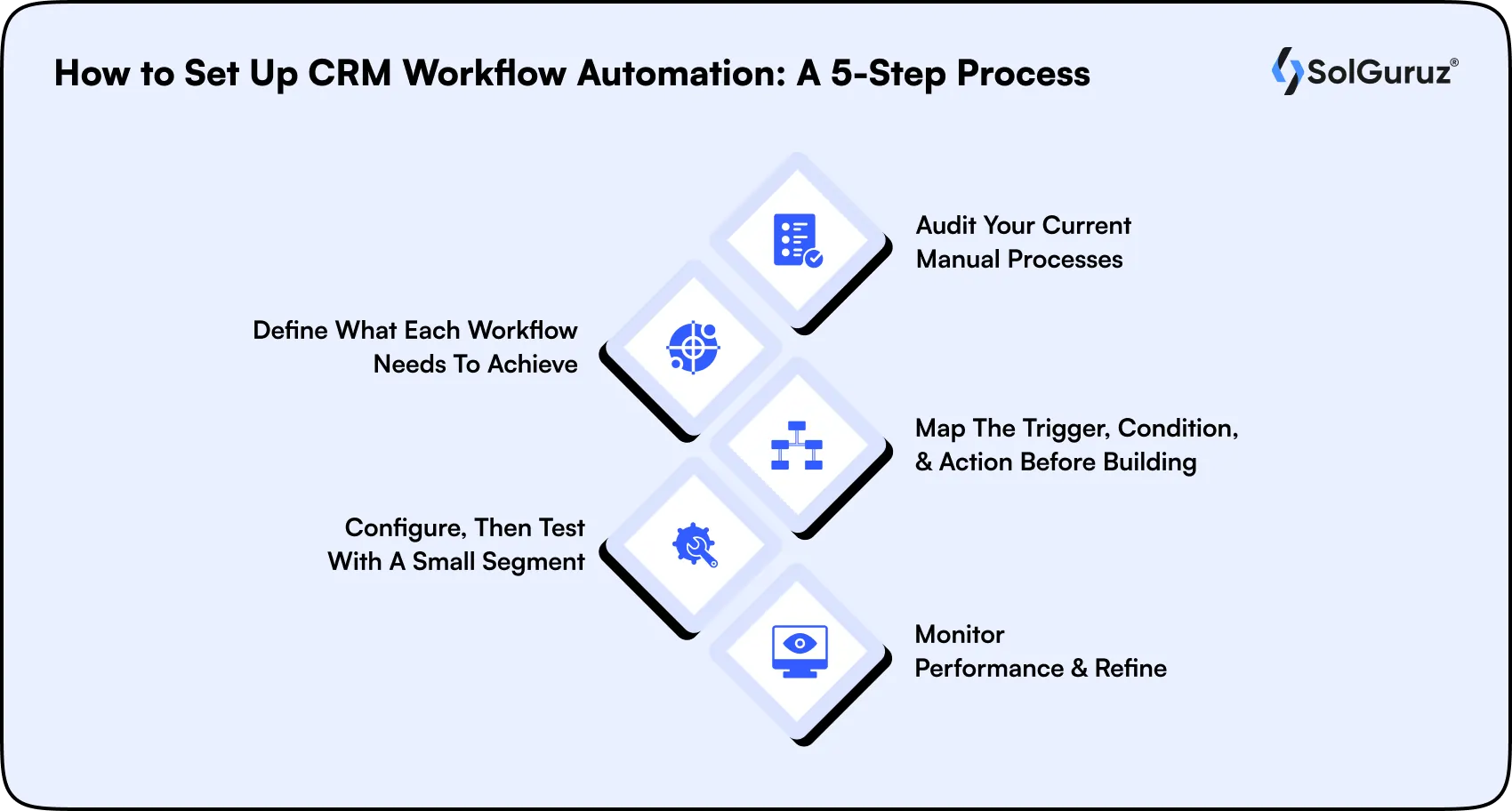
Step 1: Audit your current manual processes
Identify the repetitive tasks your team handles every day, particularly the ones most likely to get missed or delayed under pressure.
Step 2: Define what each workflow needs to achieve
Set a clear objective for each automation, whether that is faster lead response, fewer missed follow-ups, or cleaner data handoffs between teams.
Step 3: Map the trigger, condition, and action before building
Outline the logic on paper first. For example: new lead submitted (trigger) → lead source is website (condition) → assign to sales rep and send welcome email (action). Once the logic is clear on paper, most CRM workflow builders allow you to replicate it visually using drag-and-drop interfaces before a single rule goes live.
Step 4: Configure, then test with a small segment
Set up the workflow in your CRM and run it against a limited contact group before rolling it out fully. This is where most implementation errors get caught early.
Step 5: Monitor performance and refine
Track metrics like response time, conversion rate, and task completion rate. Use those numbers to adjust trigger logic, timing, and action sequences over time.
If you are building a CRM from the ground up, our CRM software development guide covers how to structure these objectives into the system architecture from day one, rather than retrofitting automation onto a CRM that was not designed for it.
The 9 Most Valuable CRM Automation Workflows
Every CRM automation workflow is built from the same three components: a trigger, a condition, and an action. The nine workflows below cover the automations that deliver the most consistent results across sales, support, and industry-specific operations, each with the exact logic and expected outcomes you need to get started.
1. New Lead Response Sequence
Use this workflow to contact every inbound lead within minutes of submission, before they move on to a competitor.
| Element | Detail |
| Trigger | New lead submitted via website form or landing page |
| Condition | Lead source is inbound, and the contact record is new |
| Action Sequence | Assign to sales rep, send personalized welcome email, create follow-up task for day 2, move lead to active pipeline stage |
| Expected Outcome | Companies that respond to leads within an hour are 7x more likely to qualify them, according to Harvard Business Review |
2. Appointment No-Show Recovery
Use this workflow to automatically recover missed appointments without requiring your team to manually chase every cancellation.
| Element | Detail |
| Trigger | Appointment marked as missed or no-show in the CRM |
| Condition | Contact has not rescheduled within 24 hours |
| Action Sequence | Send rescheduling email, create a follow-up call task for the assigned rep, flag contact for re-engagement sequence if no response within 48 hours |
| Expected Outcome | Automated no-show recovery workflows recover 20 to 30% of missed appointments that would otherwise go cold |
3. Deal Stage Alert and Escalation
Use this workflow to keep high-value deals moving and flag pipeline stagnation before it becomes a lost opportunity.
| Element | Detail |
| Trigger | Deal has not moved stages in 7 days |
| Condition | Deal value is above the defined threshold or is in the proposal or negotiation stage |
| Action Sequence | Notify assigned rep, alert sales manager, create urgent follow-up task, log inactivity flag on deal record |
| Expected Outcome | Reduced pipeline stagnation and faster identification of deals that need management intervention |
4. Post-Service Follow-Up and Review Request
Use this workflow to maintain the customer relationship after a service is completed and create a structured opening for repeat business.
| Element | Detail |
| Trigger | Service marked as completed or case closed in the CRM |
| Condition | The customer has not received a follow-up in the current service cycle |
| Action Sequence | Send a thank-you email at 24 hours, send a review request at 72 hours, and create an upsell task for the account manager at day 7 |
| Expected Outcome | Consistent post-service follow-up increases review volume and creates a structured opening for repeat business conversations |
5. Renewal and Upsell Trigger
Use this workflow to start renewal and upsell conversations early, when the customer relationship is at its strongest.
| Element | Detail |
| Trigger | Contract end date is 60 days away, or usage data crosses a predefined threshold |
| Condition | Customer is active, and the account health score is positive |
| Action Sequence | Notify account manager, send early renewal offer email, schedule a check-in call, log renewal opportunity in pipeline |
| Expected Outcome | Early renewal outreach at 60 days out consistently outperforms last-minute renewal conversations on both close rate and contract value |
Now let’s take a look at some industry-specific templates so you can brainstorm automations for your industry as well.
6. Healthcare CRM: Patient Communication and Compliance Workflows
Use this workflow to manage the full patient communication sequence automatically while keeping data routing compliant with HIPAA requirements.
| Element | Detail |
| Trigger | Patient submits the appointment request form, or a teleconsultation is completed |
| Condition | Patient record exists, and appointment type is confirmed |
| Action Sequence | Send appointment confirmation, trigger 24-hour reminder SMS, route post-consultation follow-up email, update patient record in connected EHR system |
| Expected Outcome | Reduced no-show rates, consistent post-care communication, and audit-ready data trails that satisfy HIPAA documentation requirements |
7. Real Estate CRM: Lead Routing and Showing Management Workflows
Use this workflow to assign every incoming property inquiry to the right agent within seconds and keep prospects engaged through the showing process.
| Element | Detail |
| Trigger | New property inquiry received via website or listing portal |
| Condition | Inquiry matches the defined property type and agent territory |
| Action Sequence | Assign to territory agent, send property information email to prospect, schedule showing confirmation sequence, trigger dormant lead re-engagement workflow if no response in 5 days |
| Expected Outcome | Faster agent response times, consistent prospect communication, and a structured re-engagement path for leads that go quiet after initial contact |
8. Education: Enrollment and Student Engagement Workflows
Use this workflow to keep prospective students moving through the application process and re-engage enrolled students before they drop off.
| Element | Detail |
| Trigger | Enrollment inquiry submitted or course enrollment confirmed |
| Condition | Prospect has not completed the application within 5 days, or the enrolled student has not logged in within the defined period |
| Action Sequence | Send application follow-up sequence, deliver course orientation materials, trigger re-engagement workflow for dropped enrollees with targeted incentive email |
| Expected Outcome | Higher application completion rates, improved course engagement, and a structured recovery path for students at risk of dropping off |
9. Travel: Booking and Guest Experience Workflows
Use this workflow to deliver a consistent guest experience from booking confirmation through post-trip follow-up without any manual coordination.
| Element | Detail |
| Trigger | Booking confirmed, or the trip departure date reaches the defined threshold |
| Condition | Booking status is active, and the traveler has not received the current sequence |
| Action Sequence | Send booking confirmation immediately, deliver pre-trip preparation email 7 days before departure, trigger post-trip feedback request 48 hours after return, queue upsell offer for next destination at day 14 |
| Expected Outcome | Consistent guest experience across every booking, higher post-trip review volume, and a structured upsell sequence that runs without any manual coordination |
The Future of CRM Workflow Automation
CRM automation features are moving well beyond rule-based triggers. With AI CRM, here is where the technology is heading:
- AI-powered lead scoring will predict which leads are most likely to convert based on behavioral patterns, not just form fills.
- Predictive next-best-action suggestions will prompt sales reps with recommended steps based on deal history and customer behavior.
- Hyper-personalized communication will allow CRMs to tailor message content, timing, and channel automatically for each contact.
- Voice and conversational AI integration will log calls, extract action items, and trigger follow-up workflows without any manual input.
- Cross-platform automation will connect CRM workflows with EHR systems, property management tools, and LMS platforms natively, reducing the need for custom middleware.
- Self-optimizing workflows will use machine learning to adjust trigger logic and timing based on what is actually working, without requiring manual reconfiguration.
Conclusion
CRM workflow automation is not a feature you switch on and forget about. It is a system you design around how your business actually operates. The businesses that get the most out of it are the ones that map their workflows before configuring anything, start with the highest-impact automations first, and treat the system as something that gets refined over time.
Every CRM we have built at SolGuruz has started with that same principle. Get the workflow design right, and the automation takes care of the rest.
Stay tuned for more CRM insights so you can make informed decisions about your business!
FAQs
1. What is workflow automation in a CRM?
Workflow automation in a CRM is the practice of configuring the system to execute repetitive customer management tasks automatically, based on predefined triggers, conditions, and actions. Instead of a team member manually sending a follow-up email or updating a lead record, the CRM handles it the moment a specific event occurs, such as a form submission, a stage change, or a missed appointment.
2. What is the difference between CRM automation and marketing automation?
CRM automation features manage the full customer lifecycle across sales, support, and operations, covering tasks like lead routing, deal stage updates, appointment reminders, and renewal alerts. Marketing automation features focus specifically on top-of-funnel activities like email campaigns, lead nurturing sequences, and audience segmentation. The two overlap at the lead handoff point, where a marketing-qualified lead moves into the CRM and sales workflows take over.
3. How long does it take to implement CRM workflow automation?
The timeline depends on the complexity of the workflows and the CRM being configured. A basic automation setup covering lead response, follow-up sequences, and pipeline alerts typically takes 2 to 4 weeks. A full custom CRM with native workflow automation built around industry-specific processes, such as HIPAA-compliant patient workflows or territory-based real estate routing, generally takes 2 to 6 months, depending on integration requirements and team size.
4. How much time does CRM automation actually save?
Time savings vary by workflow complexity and team size, but businesses using CRM automation commonly report reclaiming 10 to 20 hours per week across their sales and operations teams. Individual workflows like automated lead follow-up sequences typically eliminate 15 to 30 minutes of manual work per lead, which adds up quickly at scale.
5. What workflows should I automate first?
Start with the workflows that are high in volume and low in complexity: lead response sequences, appointment reminders, and customer onboarding. These deliver measurable results quickly and give your team time to understand the automation logic before moving on to more complex processes like multi-stage deal escalations or compliance-sensitive data routing.
6. Can workflow automation CRM work for a healthcare or regulated industry?
Yes, but the automation logic needs to account for compliance requirements from the start. In healthcare, workflows that route patient data must stay within HIPAA and GDPR-compliant boundaries, which affects which fields can be automated, how data moves between the CRM and EHR systems like Epic or Cerner, and what audit trails need to be maintained. Building compliance into the workflow architecture at the design stage is significantly more reliable than adding it later.
7. How do I prevent automation from feeling impersonal?
Use personalization tokens to include the contact's name, company, and recent activity in automated messages. More importantly, design your workflows so that automation handles the timing and routing while a human handles the conversation. The goal is for automation to get the right message to the right person at the right moment, not to replace the relationship entirely.
8. What happens if an automation makes a mistake?
Build approval steps into high-stakes workflows before deploying them fully, and always test against a small contact segment first. Most CRM workflow builders allow you to pause, edit, and restart a workflow without losing progress, so catching an error early rarely causes lasting damage. Monitoring alerts that flag unusual activity, such as a workflow firing more frequently than expected, are worth setting up from day one.

Written by
Paresh Mayani
Paresh Mayani is the Co-Founder and CEO of SolGuruz, a global custom software development and product engineering company. With over 17+ years of experience in software development, architecture decisions, and technology consulting, he has worked across the full lifecycle of digital products, from early validation to large-scale production systems. He started his career as an Android developer and spent nearly a decade building real-world mobile applications before moving into product strategy, technical consulting, and delivery leadership roles. Paresh works directly with founders, scaleups, and enterprise teams where technology choices influence product viability, scalability, and long-term operational success. He partners closely with founders and cross-functional teams to take early ideas and turn them into scalable digital products. His work revolves around AI integration, agent-driven workflow automation, guiding product discovery, MVP validation, system design, and domain-specific software platforms across industries such as healthcare, fitness, and fintech. Instead of solely focusing on building features, Paresh helps organizations adopt technology in a way that fits business workflows, teams, and growth stages. Beyond delivery, Paresh is also an active tech community contributor and speaker, contributing to global developer ecosystems through Stack Overflow, technical talks, mentorship, and developer community (Google Developers Group Ahmedabad and FlutterFlow Developers Group Ahmedabad) initiatives. He holds more than 120,000 reputation points on Stack Overflow and is one of the top 10 contributors worldwide for the Android tag. His writing explores AI adoption, product engineering strategy, architecture planning, and practical lessons learned from real-world product execution.





From Insight to Action
Insights define intent. Execution defines results. Understand how we deliver with structure, collaborate through partnerships, and how our guidebooks help leaders make better product decisions.
 How we Work
Get a CRM that empowers your Sales team
SolGuruz scopes your custom CRM build in 48 hours.

Strict NDA

Trusted by Startups & Enterprises Worldwide

Flexible Engagement Models

1 Week Risk-Free Trial