CRM Software Development: Cost, Process & Features for 2026
This guide breaks down CRM software development in a simple, practical way. You’ll learn why businesses build custom CRMs, what features matter, how the development process works, and how much it costs in 2026. Ideal for teams exploring a CRM built around their workflow.

Summarise with AI


Every growing business hits this wall at some point in its growth phase, where leads and customer info are scattered everywhere. That means you cannot keep 100% in touch with all your customers and remind them how cool you are or what the latest new thing is that would help their business grow.
In plain terms: You’re losing business.
And ask anyone on your team who has tried to manage these things across multiple tools: it is very time-consuming, confusing, and irritating to do that daily, and so not only are client opportunities slipping through the cracks, but your top performers are also being glorified record-keepers rather than top analysts and closers.
A good CRM fixes that. But a custom CRM…that will change the game for your business, forever.
Review42 reports firms using CRMs increase their sales by an average of 29%. Who wouldn’t want that and more?
But why custom CRM and not a ready-to-use CRM like HubSpot?
Every business needs unique things. Your USP, your team workflow, and those decision-making processes are all factors when you’re deciding what your CRM should do for you. If you go for an off-the-shelf CRM, chances are that you will have to modify your processes to work for the CRM when it should actually be the other way around.
Custom CRM helps you build around your process, your data, and your customers.
This blog breaks down how CRM software works, what happens in custom CRM development, what features to include, and how much custom CRM software development actually costs.
Table of Contents
What Is CRM Software & Why Is There a Demand for It?
CRM software is a place where you organize every customer touchpoint.
Be it the first website visit or the final closed. CRM helps businesses keep track of leads + automate workflows.
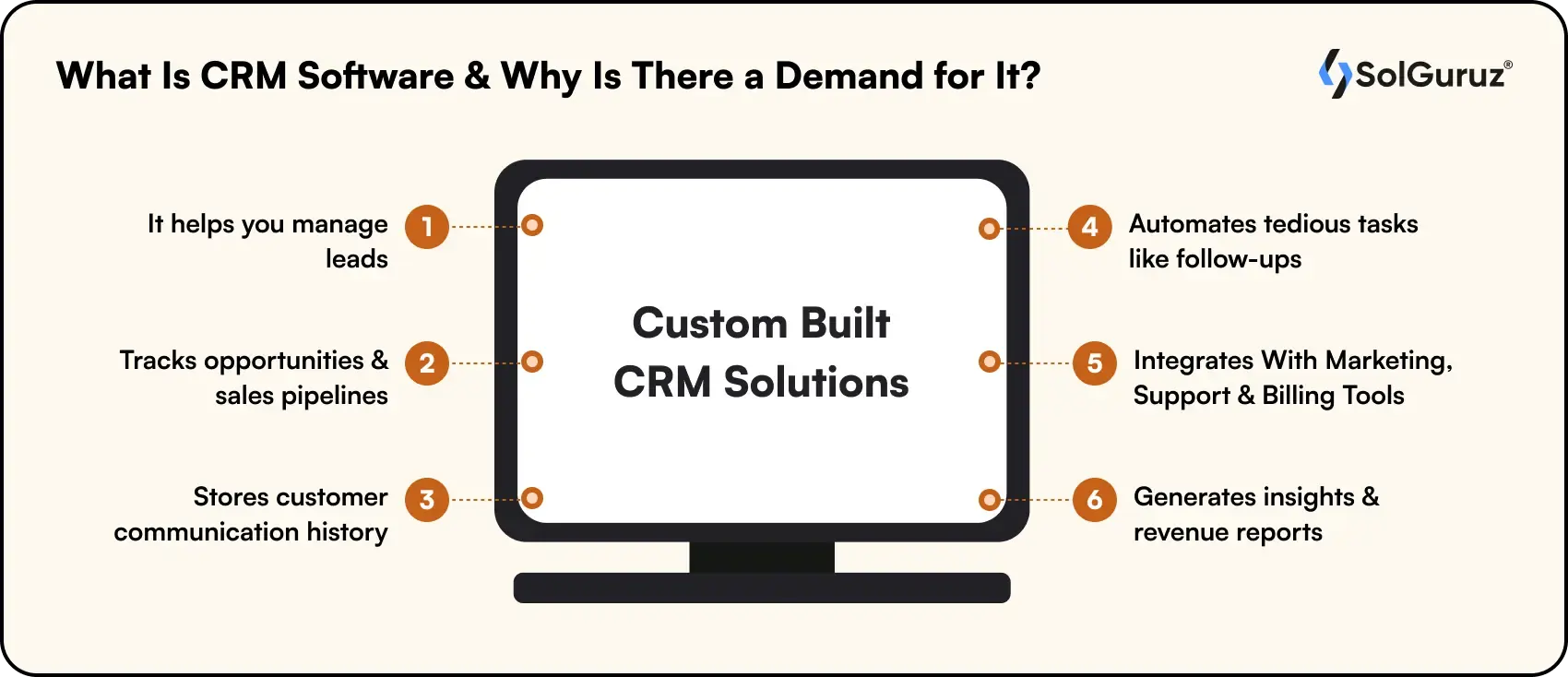
Here’s what a CRM does:
- It helps you manage leads
- Tracks opportunities and sales pipelines
- Stores customer communication history
- Automates tedious tasks like follow-ups
- Integrates with marketing, support, and billing tools
- Generates insights and revenue reports
If your business depends on relationships (and most do), a CRM becomes the operational backbone.
But there’s still a lingering question. Why is CRM software in high demand?
The answer is quite simple. Scaling without a CRM is almost impossible.
Why? Because scaling involves these things:
- Faster sales cycles
- Better customer experience
- Actionable data instead of guesswork
- Tools that adapt to their workflows
So, generic CRMs are often restrictive. That’s why demand for custom-built CRM solutions is rising. Companies want precision, not patches.
What is Custom CRM Software?
Custom CRM software is a customer relationship management system built specifically around your business processes, team structure, and sales workflow, rather than forcing your team to adapt to a generic tool. Unlike off-the-shelf solutions like HubSpot or Salesforce, a custom CRM is designed from scratch to match how your business actually operates.
How to Develop a CRM Software?
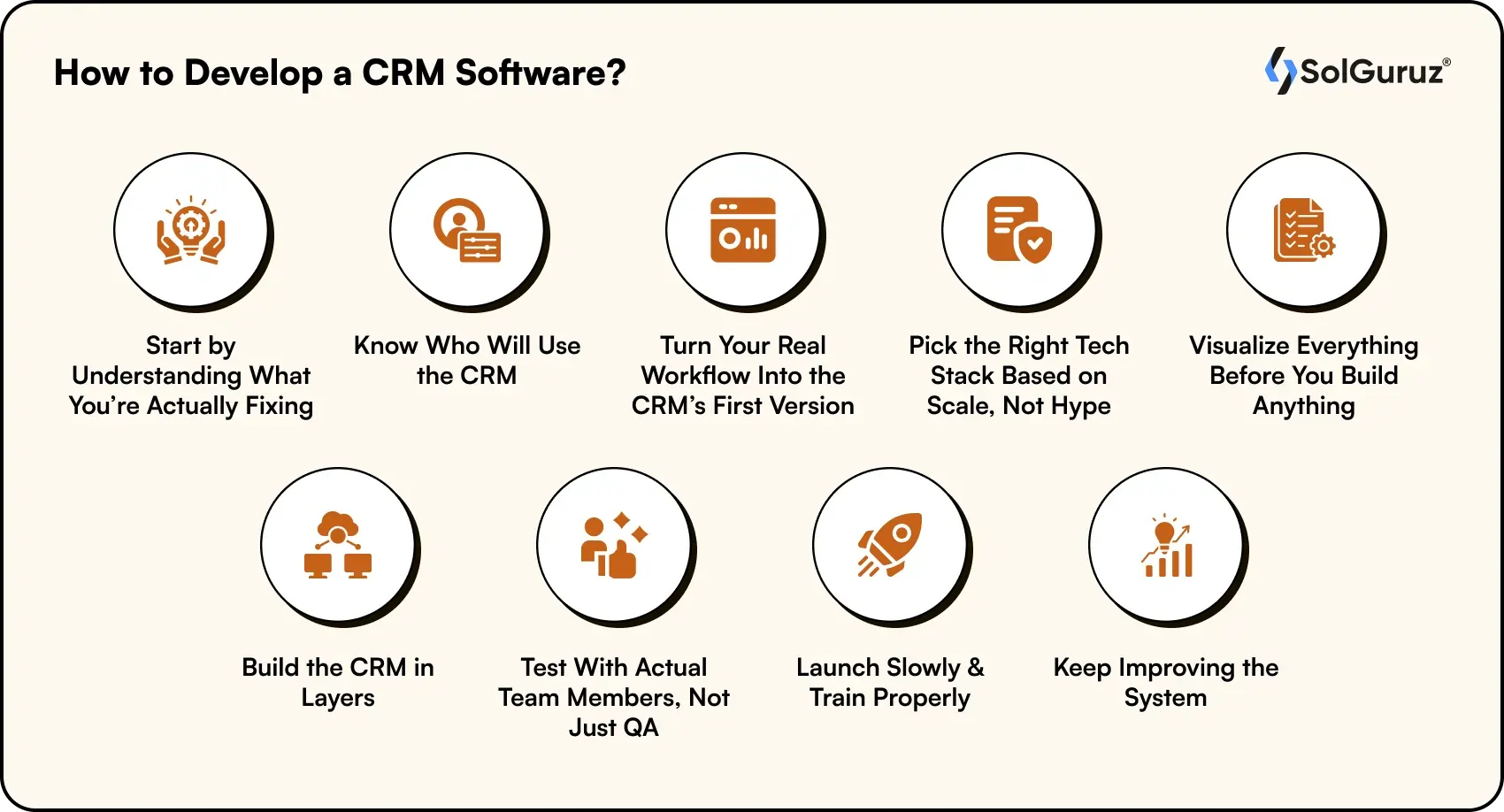
The goal is simple: turn your daily chaos into a scalable workflow.
Now, I’ll drop the process that we usually follow to develop a CRM. But again, you need to customize the flow as per your needs.
1. Start by Understanding What You’re Actually Fixing
Every CRM begins with a problem. But before anything else, you need to outline the exact issues your CRM should solve.
This clarity saves you from building something that no one needs.
2. Know Who Will Use the CRM (and How They Work)
A CRM touches multiple teams. But the funny part is, each team works differently.
Sales wants quick access to leads and reminders.
Marketing wants clean data and engagement history.
Support wants past conversations in one place.
Understanding these roles will help you design a system that naturally solves bottlenecks.
3. Turn Your Real Workflow Into the CRM’s First Version
Every company sells differently. This is where you map your actual process.
That workflow became the foundation for the CRM’s first version.
This step answers questions like:
- What does a deal stage look like for us?
- What information do we need at each step?
- What tasks can be automated so reps don’t forget them?
This version becomes your Minimum Lovable CRM. Simple, usable, and tied to real everyday actions.
4. Pick the Right Tech Stack Based on Scale, Not Hype
Your tech stack should match your growth plans, not trends.
>If you expect thousands of leads daily, you need a stack that scales. If you need deep integrations, the backend architecture matters more. If the CRM will later become a mobile app, choose a frontend that supports that.
- For High-Velocity Scalability: If you expect thousands of leads daily, a stack like Node.js with Express.js provides a high-performance, asynchronous environment that handles heavy traffic with ease.
- For Data Integrity & Growth: Use PostgreSQL or MongoDB, depending on whether your lead data is structured or flexible. As your CRM grows, a robust NestJS backend ensures modularity and maintainability.
- For Future-Proof Mobility: If your platform will eventually move to mobile, starting with React for web or Flutter for cross-platform development allows you to share logic and speed up time-to-market.
- For Seamless Integration: Utilize Prisma ORM or Axios to ensure your backend communicates reliably with external marketing tools and third-party APIs.
5. Visualize Everything Before You Build Anything
Before writing any code, teams usually sketch wireframes of how the CRM will look and how people will move around inside it.
This is where most versions break or improve dramatically.
If something looks confusing on a simple wireframe, it will be a disaster when built.
6. Build the CRM in Layers
The software development phase usually happens in layers:
- First the structure
- Then the UI
- Then the backend logic
- Then integrations
- And finally, polish + testing
You want a CRM that is light and intuitive.
7. Test With Actual Team Members, Not Just QA
A CRM succeeds when users like using it, not when QA marks test cases green.
So real users are brought in to validate workflows:
- Does the lead flow make sense?
- Is the pipeline view intuitive?
- Are automations firing correctly?
- Is something slowing them down?
This is where the CRM gets its final shape.
8. Launch Slowly and Train Properly
CRM adoption drops when people get an overwhelming vibe.
If you have a proper rollout, then everything will go well.
This will involve proper training sessions plus short onboarding videos. And the shift is always gradual.
The objective is to make the CRM feel like a productivity booster, not extra work.
9. Keep Improving the System
No CRM is “finished.”
Why? Because your requirements are sure to grow as your business grows.
New automations, new reporting, new modules, and new integrations. The best CRMs evolve continuously instead of becoming outdated in a year.
Note: This section covers the business and planning side of CRM development — goals, workflows, team roles, and rollout. If you want the full technical breakdown — database architecture, backend setup, frontend development, QA testing, and deployment — read our complete guide on how to build a CRM from scratch.
Types of CRM Software: Which One Should You Build?
Different CRMs fulfil different requirements. Before development starts, you need to know what type of CRM your business actually needs. There are three primary types:
1. Operational CRM
An operational CRM focuses on automating and streamlining day-to-day business processes like sales, marketing, and customer service. It manages contact records, tracks deal stages, automates follow-ups, and gives every team member visibility into the pipeline. This is the most commonly built type and the best starting point for most businesses.
Best for: Sales teams, SaaS companies, service businesses
2. Analytical CRM
An analytical CRM is built around data. It collects customer behavior, purchase history, and interaction patterns to generate insights that drive better decisions. Instead of just storing data though, it analyzes it. You get reports on which campaigns convert, which segments churn, and which deals are most likely to close.
Best for: E-commerce, marketing-heavy businesses, data-driven teams
3. Collaborative CRM
A collaborative CRM breaks down silos between departments as sales, support, marketing, and finance all get their customer data from one shared record.
Best for: Enterprises, multi-department operations, B2B companies with long sales cycles
Most custom CRMs blend all three types. You start with operational, layer in analytics as you scale, and add collaboration features as your team grows.
What are the Features To Add While Developing a CRM Software?
A CRM only becomes valuable when it removes friction from your daily operations.
The goal is not to copy what popular CRMs offer. But the motive is to build the version that makes your teams faster.

Here are the features that matter. I have explained in real, practical terms instead of generic definitions.
1. A Clean, Searchable Customer Database
Every CRM starts with one job: giving you a reliable place where all customer information lives.
But “a database” isn’t enough. It needs to be searchable.
When someone opens a customer profile, they should immediately see who this person is or what kind of conversations have happened.
This becomes the backbone of everything else you build.
2. A Pipeline That Mirrors How You Sell
Most CRMs fail because the pipeline feels like someone else’s process. A CRM should reflect your exact sales cycle.
For example, if your process starts with “Product Demo” instead of “Qualified Lead,” your CRM should show that.
If your deals stay longer in “Negotiation” than in “Proposal Sent,” the CRM should account for that.
When the pipeline feels familiar, adoption becomes effortless.
3. Follow-Up Intelligence, Not Just Reminders
Every CRM sends reminders. A great CRM knows why a reminder matters.
Follow-ups should be tied to real triggers:
- A lead hasn’t been contacted for X days
- A client opened your proposal twice
- An important task is overdue
- A deal has stalled beyond your normal cycle
Your CRM shouldn’t just notify you. It should nudge you exactly when the deal is at risk.
4. A Complete Interaction History (So You Never Lose Context)
When someone opens a contact, they should instantly understand the entire relationship:
- What conversations happened
- What was promised
- Who handled what
- What the client’s concerns or objections were
This prevents awkward overlaps like two reps calling the same lead, or support asking a question that sales have already answered.
It also helps new team members ramp up quickly without context gaps.
5. Email, Calendar & Communication Sync That Actually Works
Integrations are the lifeline of your CRM.
Syncing email, calendar, calls, and even WhatsApp ensures that the system always reflects real activity, not manually-entered updates.
The rule is simple:
If your team has to type something into the CRM just to “keep it updated,” they won’t. Integrations solve that.
6. Reporting That Tells You What’s Actually Happening
A CRM should not drown you in charts. It should reveal patterns like:
- Which channel brings the best leads?
- Where do deals commonly get stuck?
- How long does each stage take?
- Which reps close faster, and why?
Good reporting turns your CRM from an activity tracker into a decision-making tool.
7. Automations That Save Hours Every Week
Automation shouldn’t feel like a “feature.” It should feel like your silent assistant.
Small automations add up:
- Auto-create a task after every meeting
- Auto-update lead status based on actions
- Auto-assign inquiries to the right rep
- Auto-notify managers about high-value deals
These micro-optimizations give your team back hours every week.
8. Permissions & Role Control So Nothing Goes Out of Place
As your team grows, access control becomes critical.
Your CRM should have role-based access. Like, who can view or edit?
It prevents accidental data tampering and protects sensitive information.
9. Integrations With the Tools You Already Use
A CRM rarely operates alone. It works best when plugged into your ecosystem.
This removes silos, prevents duplicate entries, and builds a single source of truth.
10. Mobile Access for Teams Who Work on the Move
Mobile access may not be necessary for all organization employees, but for sales-driven or field-based teams, it significantly improves responsiveness and data accuracy.
A mobile-enabled CRM allows users to access customer details, update deal stages, log notes, and complete tasks in real time. This ensures the system stays up to date and reduces dependency on manual backlogs.
Real-World Example: CRM in Healthcare
CareEase, a healthcare startup, was managing elderly care coordination across caregivers, families, and doctors using disconnected systems with no unified patient or caregiver history in one place.
SolGuruz built them a custom eldercare platform where:
- Every caregiver profile showed full client history: care plans, medications, vitals, shift schedules, and earnings tracked in one place
- Visit management worked like a structured pipeline: create, schedule, complete, and report each visit stage by stage
- Automated incident alerts fired when unexpected events occurred, such as falls or missed medications, reducing delayed responses
- Role-based access kept senior, family, caregiver, and healthcare portal views completely separate and secure
The result: caregivers pulled complete client care plans in seconds instead of searching through paperwork, and families stayed informed through real-time visit reports and incident alerts.
What is the Cost to Develop a CRM Software in 2026
First, you need to understand that cost can vary. Not just based on your needs, but on how you outsource it.
So, here’s a quick breakdown of CRM development cost variation.
| CRM Type | What It Includes | Ideal For | Estimated Cost |
| Basic CRM | Contact management, simple pipeline, tasks, email sync | Small teams starting from spreadsheets | $5,000 – $10,000 |
| Standard CRM | Multiple pipelines, automation, reporting, integrations, and permissions | Growing startups scaling sales ops | $15,000 – $30,000 |
| Advanced / Custom CRM | Automation, custom workflows, and multi-role access | Mid-size businesses with unique processes | $40,000 – $80,000+ |
| Enterprise CRM | Multi-department modules, AI assistance, with a mobile app | Mature companies replacing legacy systems | $100,000 – $150,000+ |
Do You Want SolGuruz to Develop a CRM for You?
It’s no sin to expect a custom CRM that fits your workflow.
In fact, at SolGuruz, we have built many custom CRMs that have helped businesses sort their pipeline.
If you’re exploring CRM development or want expert guidance on where to start, let’s talk.
FAQs
1. What makes a custom CRM worth the effort?
When your current tools slow you down more than they help, a custom CRM stops being a luxury — it becomes the system that keeps your entire pipeline under control.
2. How long does it take to build a custom CRM?
CRM development timelines depend on complexity and requirements. A basic CRM can take 2–3 months, a standard CRM with automation and integrations typically requires 4–6 months, and an advanced CRM with AI features and mobile apps may take 7–12 months. The final timeline largely depends on customization needs, integrations, and how clearly the project scope is defined from the start.
3. What happens after the CRM is built?
You use it, identify gaps, and refine it. CRMs evolve as your business grows. They are not one-time builds.
4. Will a custom CRM replace tools like HubSpot/Salesforce?
If your workflow is unique or your team feels boxed in by existing tools, yes. Otherwise, a hybrid approach works.
5. How do I know a custom CRM is the right move?
If your team is juggling data across tools, losing leads, or constantly “fixing the system,” a custom CRM pays for itself fast.
6. Do I need a mobile app for my CRM?
Only if your team works in the field and your operations are desk-based is a responsive web app more than enough.
7. Can I start small and expand later?
Absolutely. Most custom CRMs start with the core workflow and build out modules as the team grows.

Written by
Paresh Mayani
Paresh Mayani is the Co-Founder and CEO of SolGuruz, a global custom software development and product engineering company. With over 17+ years of experience in software development, architecture decisions, and technology consulting, he has worked across the full lifecycle of digital products, from early validation to large-scale production systems. He started his career as an Android developer and spent nearly a decade building real-world mobile applications before moving into product strategy, technical consulting, and delivery leadership roles. Paresh works directly with founders, scaleups, and enterprise teams where technology choices influence product viability, scalability, and long-term operational success. He partners closely with founders and cross-functional teams to take early ideas and turn them into scalable digital products. His work revolves around AI integration, agent-driven workflow automation, guiding product discovery, MVP validation, system design, and domain-specific software platforms across industries such as healthcare, fitness, and fintech. Instead of solely focusing on building features, Paresh helps organizations adopt technology in a way that fits business workflows, teams, and growth stages. Beyond delivery, Paresh is also an active tech community contributor and speaker, contributing to global developer ecosystems through Stack Overflow, technical talks, mentorship, and developer community (Google Developers Group Ahmedabad and FlutterFlow Developers Group Ahmedabad) initiatives. He holds more than 120,000 reputation points on Stack Overflow and is one of the top 10 contributors worldwide for the Android tag. His writing explores AI adoption, product engineering strategy, architecture planning, and practical lessons learned from real-world product execution.





From Insight to Action
Insights define intent. Execution defines results. Understand how we deliver with structure, collaborate through partnerships, and how our guidebooks help leaders make better product decisions.
 How we Work
Let’s Build Your Custom CRM
Get experienced developers who have worked on CRM before.

Strict NDA

Trusted by Startups & Enterprises Worldwide

Flexible Engagement Models

1 Week Risk-Free Trial