The Complete CRM Features List for 2026: 20 Core, AI & Industry-Specific Capabilities
Building a CRM from scratch or buying off-the-shelf? The CRM features you get are very different depending on which path you take. This guide maps every major CRM features list, compares both options honestly, and gives you a checklist to start your evaluation today.

Summarise with AI


Key Takeaways
- Increased Productivity: Businesses using CRM software report a 29% increase in sales productivity, with adoption rates highest among teams managing 50+ active relationships simultaneously.
- How To Pick CRM Features: In 2026, CRM systems will no longer be evaluated by the number of features they offer. Buyers now prioritize how well features connect to their industry workflow. Healthcare organizations need compliance-aware data handling. Real estate teams need live inventory management. A generic feature list is no longer enough.
- Future of CRM Features: By 2027, more than 85% of customer service interactions across healthcare, real estate, and financial services will involve AI-powered CRM capabilities. Companies that have not built AI features into their CRM by late 2026 will face measurable gaps in lead response speed and customer retention.
There are many common CRM features found in almost all CRMs, but others are more industry-specific.
- A healthcare clinic managing patient follow-ups needs HIPAA-compliant communication logs.
- A real estate brokerage managing site visits needs live property inventory syncing.
- A travel agency tracking booking pipelines needs itinerary management baked in.
Studies show that 43% businesses only use about 50% of the features available in their CRM system. The other half is left unused, adding cost and complexity without delivering value. So you need a CRM that has the features your business will actually use, especially with special features required in your industry and business. Getting such 100% useful features is rare in off-the-shelf CRMs, so most companies choose Custom CRMs for specific requirements.
Today, we’re gonna talk about the 14 core CRM features every system should have in 2026, common industry-specific customizations for healthcare, real estate, travel, education, and fintech, and finally, a practical checklist you can use in planning your own CRM.
Table of Contents
What Are CRM Features?
DEFINITION
CRM features are the functional capabilities built into CRM software that let businesses store customer data, manage sales pipelines, automate communication workflows, create performance reports, and integrate with other business tools. In 2026, CRM features will also include AI-powered lead scoring, predictive analytics, and compliance-ready data handling for industries like healthcare, real estate, and education.
CRM features are different from CRM modules. A module is a category of functionality, like Sales or Service. A feature is the specific tool inside that module. For example, “pipeline management” is a module. “Drag-and-drop deal stage updates with automated follow-up triggers” is a feature. In custom CRM software, every feature is built around your exact module logic — not a vendor’s template
The 14 CRM Features Every System Should Have in 2026
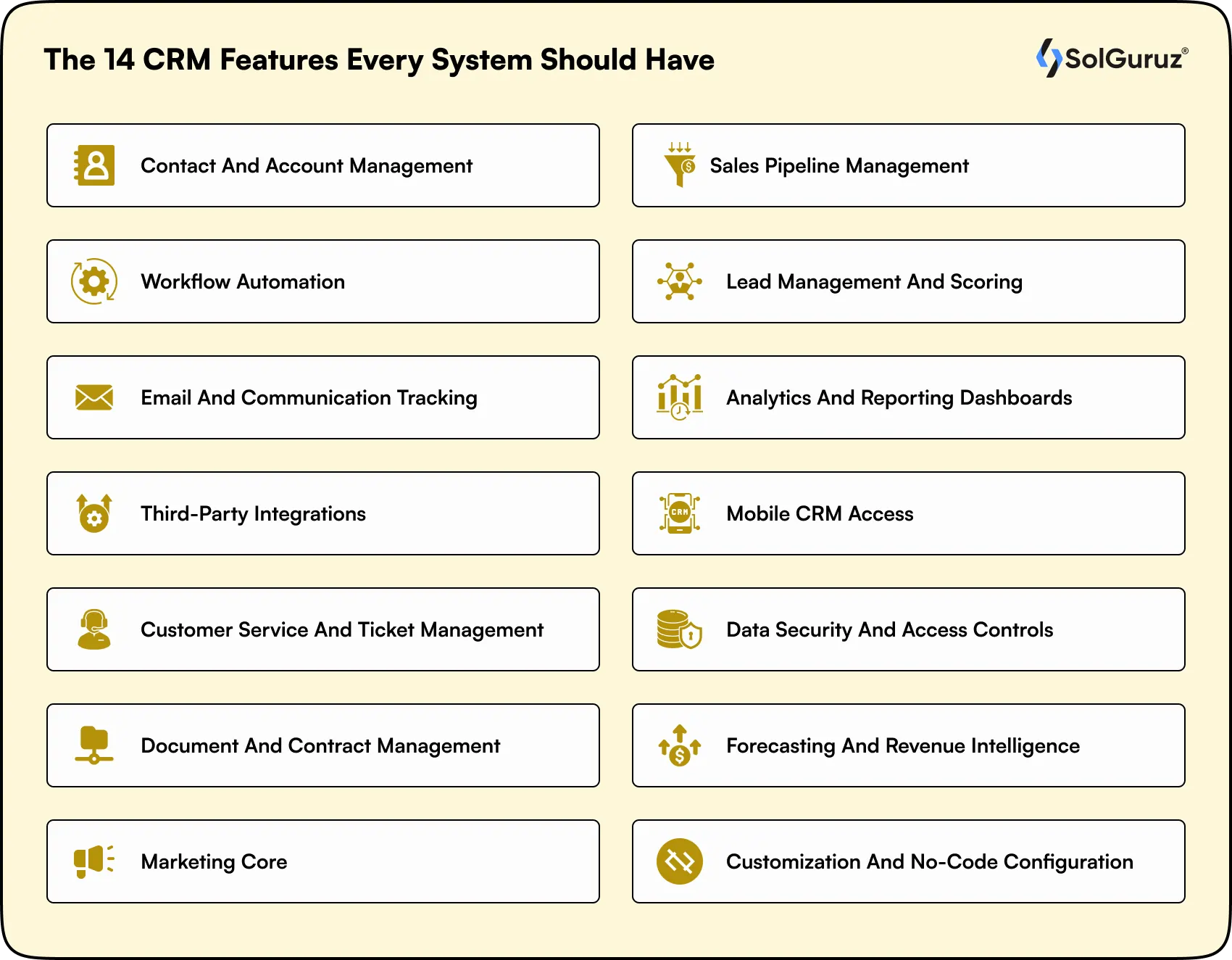
These are the basic, fundamental features that every CRM has, without which the system cannot fulfil all of its functions. In a Custom CRM, you can customise it to your requirements, but the core concept remains the same. With these features, you can also see how CRM helps in sales by automating workflows and increasing sales team productivity. Here is a CRM features list you can use to get ideas for your own CRM.
1. Contact and Account Management
This is one of the best CRM features as it stores your contacts (individual people) and accounts (companies or organizations) in a unified database. Every interaction, including calls, emails, meetings, or notes, should be logged for the relevant contact automatically.
What to look for in 2026: automatic duplicate detection, custom field creation, relationship mapping between contacts and accounts, and an activity timeline showing all past touchpoints in one scrollable view. A hospital administrator should be able to pull up a patient record and see every call, email, appointment, and referral at once.
Benefits: Faster personalised outreach, elimination of duplicate contacts to the same person, and complete team context for every customer interaction.
2. Sales Pipeline Management
This pipeline lets you see where every deal or lead is in your sales process. You should be able to define your own deal stages, move leads between stages manually or automatically, and see the total value of deals at each stage at a glance.
Research shows that companies with a defined sales process are 33% more likely to be high performers, which means that a CRM sales pipeline makes the sales process visible for your team, boosting their productivity.
Benefits: Consistent sales execution, accurate revenue forecasting, real-time visibility into team performance and deal risk.
3. Workflow Automation
Workflow automation removes manual repetitive tasks from your team’s to-do list. When a lead fills out a contact form, the CRM should automatically assign it to the right sales representative, send an acknowledgment email, and schedule a follow-up task. When a deal moves to the proposal stage, the CRM should auto-generate a documentation task.
In healthcare, this means automatically sending appointment reminders 48 hours before a visit and triggering a post-visit satisfaction survey 24 hours after. In real estate, it means auto-assigning portal leads to agents based on location and availability.
SolGuruz data: Across our all CRM builds, workflow automation is the feature with the highest measurable post-launch ROI. Clients consistently report a 50–60% reduction in manual follow-up tasks within the first 30 days of going live.
Benefits: Reduced manual errors, faster lead response times, consistent follow-up execution regardless of team size or individual discipline.
4. Lead Management and Scoring
Lead management tracks prospects from first contact to conversion. We take it one step further with lead scoring, where we assign a numerical value to each lead based on behavior (page visits, email opens, form submissions) and profile data (company size, job title, industry). This tells your sales team which leads to call first, increasing productivity and targeted outreach.
Research shows that companies using lead scoring see a 77% increase in lead generation ROI. In 2026, AI-powered scoring automatically updates scores in real time based on new behavioral signals, removing the need for manual adjustments.
Benefits: Sales team focused on highest-intent leads, reduced time on unqualified prospects, faster pipeline velocity and shorter average sales cycle.
5. Email and Communication Tracking
Your CRM should log every email sent and received against the relevant contact record automatically. You should be able to see whether an email was opened, which link was clicked, and when the prospect last engaged with your communications.
This is particularly important for industries with long sales cycles. A real estate agent should know whether a prospect opened the property brochure email before picking up the phone because knowing that changes the conversation context instantly.
Benefits: Better-timed follow-ups, context-rich conversations, full accountability for all outbound communication across the team
6. Analytics and Reporting Dashboards
A CRM needs an analytics dashboard showing sales performance by representative, pipeline conversion rates at each stage, average deal size, lead source attribution, and customer lifetime value.
For healthcare CRMs, this extends to patient satisfaction scores, appointment no-show rates, and referral source tracking. For real estate CRMs, it includes lead-to-visit conversion rates and channel partner performance.
Benefits: Data-driven decisions, early identification of pipeline risk, performance coaching grounded in real numbers rather than gut feel.
7. Third-Party Integrations
Your CRM needs to integrate with your other systems, like your email platform, marketing tools, accounting software, calendars, and industry-specific systems. A healthcare CRM needs to integrate with EHR platforms like Epic, Cerner, or Athenahealth. A real estate CRM needs to sync with property portals and MLS databases.
Poor integration capability is one of the most common reasons CRM implementations fail. If your CRM cannot connect cleanly to the tools your team already uses, adoption will collapse within six months.
Benefits: Eliminated data silos, single source of truth across all business tools, no manual re-entry of data between disconnected systems.
8. Mobile CRM Access
Your sales team and field staff are not always at their desks, which is why having a mobile CRM that lets them update deal stages, log calls, check contact information, and complete follow-up tasks from their phone is very important. This is especially true for real estate agents conducting property viewings and healthcare field reps visiting clinics.
Furthermore, the mobile CRM should have nearly all the features of the desktop version because only then does it function as a true CRM and help your team increase their productivity.
Benefits: No lag in data entry from field activities, real-time team visibility into what field reps are logging, higher adoption among non-desk workers who would otherwise skip the system entirely.
9. Customer Service and Ticket Management
If your business handles post-sale support, your CRM needs ticket management functionality. When a customer submits a complaint or request, the system should automatically create a ticket, assign it to the right team member, and track resolution time.
Benefits: Faster resolution times, improved customer retention, clear accountability for service commitments across the team.
10. Data Security and Access Controls
You don’t want to let every team member see every customer record. Role-based access is so important as it keeps sensitive information safe in the hands of those authorized to see it, and also reduces the function and information overwhelm for your team by showing them only what concerns them.
For healthcare organizations, this is non-negotiable. HIPAA requires that patient data access be logged, restricted by role, and auditable at any time. A CRM that cannot produce an access audit trail is a compliance liability, not a business tool.
Benefits: Regulatory compliance, reduced internal data breach risk, cleaner and simpler user experience for each role.
11. Document and Contract Management
A CRM should store and manage proposals, contracts, NDAs, and documents tied to specific deals or contacts. Most people have e-signature functionality included, too so they can have documents signed and sent from the CRM itself.
In education, this is particularly helpful for scholarship documents and admission letters. In travel, it includes booking confirmations, visa documents, and itinerary packages. When everything is in one place, your team stops losing deals because someone cannot find the latest version of a document.
Benefits: Faster contract turnaround, zero version control errors, complete deal audit trail from first conversation to signed agreement.
12. Forecasting and Revenue Intelligence
Forecasting tools use historical data and current pipeline activity to project future revenue, which helps your team make data-driven decisions. AI-enhanced forecasting can also show deals that are at risk of turning cold and recommend them to the sales representative who can close them best.
For a hospital system managing a large patient acquisition funnel, revenue intelligence means predicting quarterly patient volumes based on referral trends and seasonal patterns. For a travel agency, it means forecasting booking volumes for upcoming peak seasons.
Benefits: Board-ready revenue projections, early warning on at-risk deals, better resource allocation across the sales team.
13. Marketing Core
This suite manages the entire marketing lifecycle, from strategic budget attribution and channel planning to behavior-triggered execution. It uses audience segmentation and automated nurture sequences to grow personalized call/email outreach, such as healthcare re-engagement or educational enrollment.
Benefits: Higher lead-to-customer conversion, personalised outreach at scale, marketing-sales alignment on a single shared contact timeline.
14. Customization and No-Code Configuration
You should have the ability to add custom fields, modify pipelines, build new workflows, and modify the interface a bit without writing code or involving a developer. For a custom CRM builder, this is actually a natural talking point since we build what you need and give you full control of your CRM.
Benefits: Lower long-term maintenance cost, faster iteration on sales and service processes, reduced IT dependency for routine configuration changes.
CRM Features by Industry: What Changes Depending on Your Business
The 14 features listed above are the foundation of most CRMs. The features listed below change by industry, because a one-size-fits-all CRM rarely fits any growing business properly. Compare the CRM features based on the industries and see which kind of features are more suited to your needs.
| Industry | Non-Negotiable CRM Features | Integration Requirements | Compliance Notes |
| Healthcare CRM | Patient contact management, appointment scheduling, HIPAA-compliant messaging, referral tracking, post-visit follow-up automation, and provider directory management | Epic, Cerner, Athenahealth EHR; lab systems; billing platforms; telehealth tools | HIPAA compliance is mandatory; all data access must be logged and auditable |
| Real Estate CRM | Property inventory management, lead-to-site-visit pipeline, agent assignment, channel partner tracking, WhatsApp integration, mobile-first field access | MLS databases, property portals (Zillow, 99acres, MagicBricks), call tracking tools, ad platforms (Google, Meta) | GDPR in European markets; data residency requirements in Germany and Japan |
| Travel CRM | Itinerary pipeline management, booking confirmation tracking, visa document storage, group tour management, seasonal demand forecasting, upsell automation | GDS systems (Amadeus, Sabre), booking engines, payment gateways, airline and hotel APIs | GDPR for EU travelers; PCI DSS for payment handling |
| Education CRM | Student enrollment funnel, application document management, scholarship tracking, parent communication logs, alumni relationship management | Student information systems (SIS), LMS platforms (Canvas, Moodle), payment portals | FERPA in the US for student data privacy; GDPR in the UK and Germany |
| Fintech CRM | Client onboarding pipeline, KYC document management, loan or investment application tracking, transaction history linked to contact records, renewal and upsell automation for financial products, and advisor-client relationship management | Core banking systems, payment gateways (Stripe, Razorpay), credit bureau APIs, accounting platforms (QuickBooks, Xero), trading platforms, and open banking APIs | PCI DSS for payment data; GDPR in the UK, EU, and Germany; SOC 2 Type II for data security; AML and KYC regulatory compliance in the US, UK, and India; FCA guidelines in the UK; SEC and FINRA requirements in the US |
We have shown you 5 of the most common industries using CRM (except core Sales and Marketing!). You can get your industry’s features quite easily at SolGuruz.
AI-Powered CRM Features You Should Stop Ignoring in 2026
AI in CRM can do so much more for you than just being a chatbot. Let’s see which innovative CRM features and functionalities you can add to your software using AI, ultimately increasing your CRM benefits.
| AI CRM Feature | What It Does | Documented Business Impact |
| Predictive Lead Scoring | Uses machine learning to score leads in real time based on behavioral and demographic signals | 77% increase in lead generation ROI (Marketo and Forrester) |
| Auto-Notes from Calls | Transcribes sales and service calls, extracts action items, and logs them to the contact record automatically | Saves 45-90 minutes per rep per day on manual note-taking |
| Churn Prediction | Flags at-risk accounts based on engagement drop-off, support ticket volume, and usage patterns | Enables proactive retention outreach 30-60 days before a client churns |
| Smart Email Timing | Recommends the optimal time to send each email based on the recipient’s previous open patterns | Increases email open rates by 23-31% on average |
| Deal Health Scoring | Rates each deal’s likelihood to close based on pipeline age, activity level, and competitive signals | Improves forecast accuracy from approximately 60% to 85%+ in trained models |
| AI-Powered Lead Routing | Assigns incoming leads to the best-matched sales representative based on industry, deal size, and past performance | Reduces average response time from 4+ hours to under 15 minutes |
NOTE: AI CRM features are only as good as your data quality. If your contact records are incomplete, incorrect, or redundant, the AI has no accurate data to learn from. At SolGuruz, we first help you clean your data so the AI integration can give you accurate, actionable insights for business growth.
CRM Features Checklist: Use This Before You Buy or Build
So far, we have seen some core, common CRM features, some highly recommended, and some industry-specific features. Now let’s simplify them and get them together in a checklist you can refer to when you are deciding what features you want in your Custom CRM.
| Category | Feature | Requirement Level |
| Core | Contact and account management with custom fields | Must Have |
| Core | Sales pipeline with drag-and-drop deal stages | Must Have |
| Core | Workflow automation triggered by actions or schedules | Must Have |
| Core | Email tracking and automatic logging to the contact record | Must Have |
| Core | Reporting dashboards with filterable views | Must Have |
| Core | Role-based access controls and permissions | Must Have |
| Core | Third-party integration library (min 50 connectors) | Must Have |
| Core | Mobile app with full field update capabilities | Must Have |
| AI / Automation | AI lead scoring with real-time updates | Nice to Have (2026 Standard) |
| AI / Automation | Auto-notes from call transcription | Nice to Have (2026 Standard) |
| AI / Automation | Predictive revenue forecasting | Nice to Have (2026 Standard) |
| AI / Automation | Smart follow-up suggestions based on deal inactivity | Nice to Have (2026 Standard) |
| Security / Compliance | Data access audit logs with timestamps | Must Have (Healthcare) |
| Security / Compliance | GDPR-compliant data handling and consent management | Must Have (EU Markets) |
| Security / Compliance | HIPAA-ready architecture with BAA available | Must Have (Healthcare) |
| Security / Compliance | Data residency options (Japan, Germany) | Nice to Have (Enterprise) |
| Industry-Specific | EHR integration capability (Healthcare) | Must Have (Healthcare) |
| Industry-Specific | Property portal and MLS sync (Real Estate) | Must Have (Real Estate) |
| Industry-Specific | GDS booking engine integration (Travel) | Must Have (Travel) |
| Industry-Specific | Student information system integration (Education) | Must Have (Education) |
Remember that this list is ever-expanding, and as the owner of your CRM, you can pretty much add whatever functionality you want to add to it. If you’re planning to build one, this complete CRM development guide will help you understand everything in detail. All you have to do is give SolGuruz a call and make your requirements known.
Custom-Built CRM vs Off-the-Shelf: Functionalities and Customisations
Let’s see what you get in off-the-shelf CRM solutions and what you can build in your Custom CRM solutions. Here is the honest comparison.
| Feature Area | Off-the-Shelf CRM (Salesforce, HubSpot, Zoho) | Custom-Built CRM (SolGuruz) |
| Contact management | Strong, pre-built, works from day one | Built to your exact fields, naming conventions, and data model |
| Sales pipeline | Template-based, limited to the vendor’s stage logic | Shows your actual sales process, no matter how unique |
| Industry-specific features | Add-ons exist but are rarely purpose-built for your vertical | Built from scratch for your vertical (healthcare, real estate, travel, education) |
| HIPAA / GDPR compliance | Available on enterprise tiers ($300-$500/user/month range) | Designed compliance-first from day one, no premium tier required |
| EHR / MLS / GDS integration | Some are available via the marketplace; often unstable after platform updates | Custom API integration built to your exact system specifications |
| Customization limit | Stops when your workflow moves away from the vendor template | No limit; you own the codebase and the product roadmap |
| Monthly cost | $50 to $500 per user per month, scales aggressively at team growth | $20K to $10K one-time build cost, depending on scope; no per-user fees |
| Delivery timeline | Immediate to configure; 2-8 weeks to deploy fully | 3-4 months basic system; 6-8 months for advanced with automation |
| Long-term control | Vendor-dependent; pricing and features can change without notice | Full ownership; no vendor lock-in or surprise licensing changes |
Let’s consider an example. A 50-person sales team paying $150 per user per month on a mid-tier Salesforce plan spends $90,000 per year. Over 3 years, that is $270,000 for a tool that may still not fit your workflow properly. built a custom CRM at SolGuruz with full automation and industry-specific features typically falls between $20,000 and $100,000 total, and gives you full ownership of your platform. For long-term growth, a custom CRM is the way to go.
SolGuruz Expert Insights to Ensure Your CRM Implementation Doesn’t Fail
Some of the best CRM features in the world become worthless without clean data, proper user training, and integration depth. Here are the features that look great in demos but frequently fail in real deployments unless you prepare for them accordingly.
- AI lead scoring needs at least 6 months of clean historical conversion data to build a usable model. If your CRM has been tracking leads inconsistently, the AI will score everything wrong.
Expert Insight: Fix your data pipeline before you turn on AI scoring.
- Workflow automation breaks when there are undocumented exceptions in your workplace.
Expert Insight: Before automating a follow-up sequence, map your actual workflow, including the edge cases, because just one unmapped exception will trigger wrong messages to real clients.
- Analytics dashboards are only as useful as the discipline behind data entry. If your team is logging 60% of interactions and guessing the rest, your conversion rate reports are inaccurate.
Expert Insight: CRM dashboards require consistent input to produce reliable output.
- Pipeline forecasting fails when the deal stages are defined unclearly. If a deal can sit in Negotiation for 6 months without triggering any rules, your forecast will be weak.
Expert Insight: Set criteria for all stages that trigger real actions to move the sales pipeline forward.
- Integrations degrade over time if APIs are not maintained. For example, an EHR integration that works at launch may break after a platform update six months later.
Expert Insight: Make sure to build monitoring and maintenance into your integration budget from day one.
In our experience working with CRM implementations, often companies don’t fail because they chose the wrong features, but because they copied their old, broken workflows into their new custom CRM. At SolGuruz, we sit with you to map out 100% accurate workflows for you and all your end users so your growth with the CRM is guaranteed.
Frequently Asked Questions About CRM Features
1. What CRM features are actually essential for a small business?
For a small business with under 20 users, you need contact management, a simple pipeline with 3-5 stages, email tracking, and basic reporting. You can skip AI features, advanced forecasting, and enterprise integrations until your data volume justifies them. Start with a system you will actually use daily, not one packed with features you will never touch.
2. Which CRM features are required for HIPAA compliance?
A HIPAA-compliant CRM must have: role-based access controls that limit patient data access by job function; audit logs that record every time a patient record is accessed or modified; encrypted data storage and transit (AES-256 minimum); a Business Associate Agreement (BAA) with the CRM vendor; and secure messaging channels for provider-patient communication. Custom-built CRM systems designed with HIPAA architecture from day one tend to be more cost-effective at scale than enterprise SaaS tiers.
3. Can a CRM integrate with EHR systems like Epic or Cerner?
Yes, but integration complexity varies significantly. Epic uses HL7/FHIR APIs, which are well-documented. Cerner has similar modern API capability. Athenahealth is generally easier to integrate with than legacy Epic implementations.
4. Should I build a custom CRM or buy an off-the-shelf solution?
Build custom when your sales process is unique and industry-specific, and common CRM templates do not increase your productivity like you would like them to. You can make do with off-the-shelf when you are at an early stage and need something running immediately, and then later switch to a custom CRM after your business scales a little, so the processes are more defined and business requirements are clearer.
5. What AI CRM features are worth paying for in 2026?
The three AI features with the clearest and most measurable ROI in 2026 are predictive lead scoring, call transcription and auto-notes, and churn prediction. We can integrate AI in other features, but these 3 are must-haves with good ROI.
6. What CRM features directly improve customer retention?
The features with the strongest recorded impact on retention are automated follow-up sequences triggered by contact inactivity, post-purchase or post-visit satisfaction surveys integrated into the CRM timeline, account health scoring that shows declining engagement before a client cancels, and renewal automation that starts 90 days before a contract expiry.
7. How long does it take to implement a CRM with all these features?
Off-the-shelf CRM configuration typically takes 2-8 weeks, depending on data migration complexity and integration count. A custom CRM built with core features takes 2-3 months at SolGuruz. A mid-to-advanced system with AI features, industry-specific workflows, and multiple integrations typically takes 4-6 months. The phases that take the most time are requirements discovery and data migration. Never cut these phases to save time because they will cost you more later.
8. What questions should I ask a custom CRM development partner?
Ask three questions before you commit to anything.
- Have you built a CRM for my specific industry before? If the answer is no, factor in a learning curve cost.
- How do you handle compliance requirements like HIPAA or GDPR in your development process? If compliance is an afterthought, it will be an expensive fix later.
- What is your process for requirements discovery, and how long does it take? Discovery is the phase you should never cut. It is where the real project cost is determined.
9. How much does a custom CRM cost to build?
A basic custom CRM covering contact management, pipeline, and automation typically costs $20,000 to $25,000 at SolGuruz. A mid-range system with AI features, industry-specific workflows, and 3-5 integrations typically falls between $25,000 and $50,000. Enterprise-grade CRMs with deep EHR integration, custom analytics, and multi-market compliance (HIPAA + GDPR) range from $50,000 upward. Check out SolGuruz’s full Custom CRM Cost Guide.

Paresh Mayani is the Co-Founder and CEO of SolGuruz, a global custom software development and product engineering company. With over 17+ years of experience in software development, architecture decisions, and technology consulting, he has worked across the full lifecycle of digital products, from early validation to large-scale production systems. He started his career as an Android developer and spent nearly a decade building real-world mobile applications before moving into product strategy, technical consulting, and delivery leadership roles. Paresh works directly with founders, scaleups, and enterprise teams where technology choices influence product viability, scalability, and long-term operational success. He partners closely with founders and cross-functional teams to take early ideas and turn them into scalable digital products. His work revolves around AI integration, agent-driven workflow automation, guiding product discovery, MVP validation, system design, and domain-specific software platforms across industries such as healthcare, fitness, and fintech. Instead of solely focusing on building features, Paresh helps organizations adopt technology in a way that fits business workflows, teams, and growth stages. Beyond delivery, Paresh is also an active tech community contributor and speaker, contributing to global developer ecosystems through Stack Overflow, technical talks, mentorship, and developer community (Google Developers Group Ahmedabad and FlutterFlow Developers Group Ahmedabad) initiatives. He holds more than 120,000 reputation points on Stack Overflow and is one of the top 10 contributors worldwide for the Android tag. His writing explores AI adoption, product engineering strategy, architecture planning, and practical lessons learned from real-world product execution.





From Insight to Action
Insights define intent. Execution defines results. Understand how we deliver with structure, collaborate through partnerships, and how our guidebooks help leaders make better product decisions.
 How we Work
Shifting to in-house CRM?
Make your CRM increase your revenue with SolGuruz’s business-first design and development.

Strict NDA

Trusted by Startups & Enterprises Worldwide

Flexible Engagement Models

1 Week Risk-Free Trial